What's New in Zonal Connect - 1.15
22 September 2026
click here for past feature updates
click here for resolved issues
User Experience
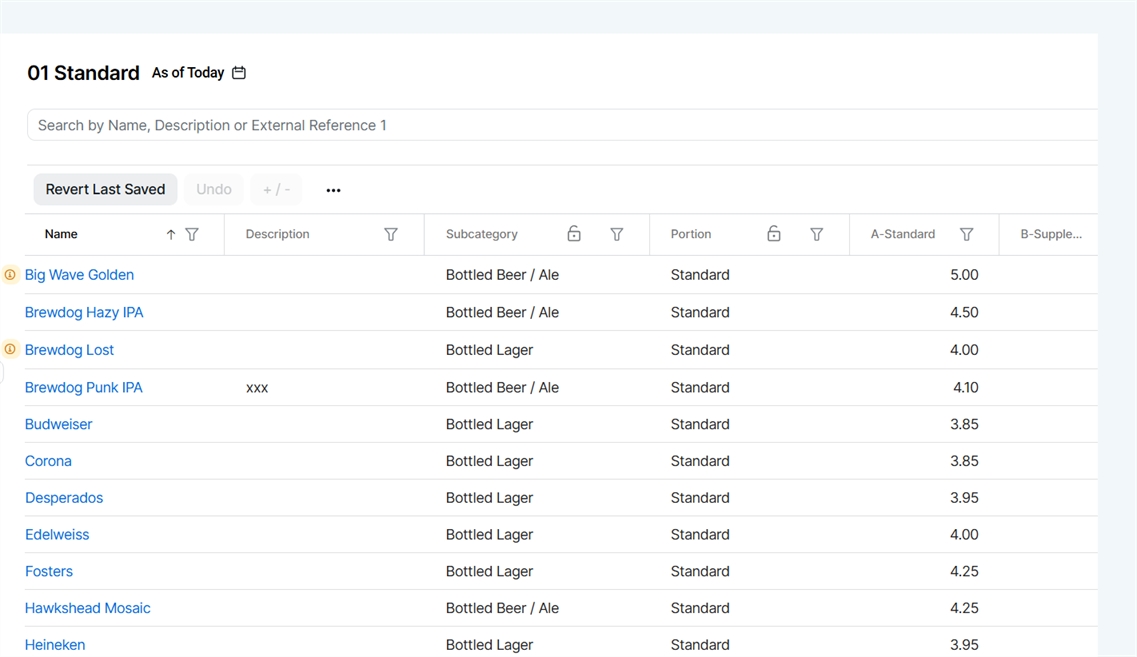
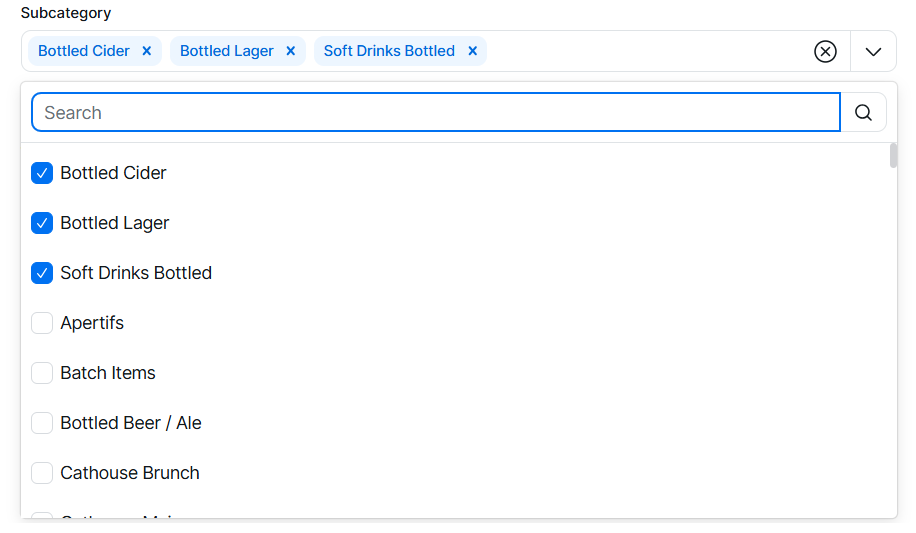
Improved Multi Select Drop Down Lists
Multi select drop down lists now include a search option, and your search results are preserved as you make selections. When you reopen a drop down, previously selected items appear at the top of the list, making it easier to review or update your choices.

ZonalPay
Payout Report
The payout report provides a detailed breakdown of all monies paid out from transactions taken at each site location. It is typically used by finance departments to reconcile integrated card payments processed through ZonalPay against the bank account into which they were paid.
For more information on viewing the report click here
ZonalPay
Dispute Report
The disputes report provides information on disputed transactions processed through ZonalPay, along with their current status, making it easier to track this financial activity.
For more information on viewing the report click here
Detailed Updates
Find the latest detailed updates across all of our apps


Past Feature Updates
Tags
Manage and Assign Tags to the Organisation
Tags created with the 'Organisation' association can now be assigned to Regions, Sites and Sales Areas within Directory → Organisation, with this assignment syncing automatically to the Aztec Base Data estate structure.
For more information on managing tags click here.
Filters
Use Organisation Tags for Filters in Pricing
Organisation tags can now be used to filter pricing views across Site Price Groups, Banding, and Off Band Pricing, making it easier to locate sites when performing pricing activities.
Sales Items
Basket Separator
The basket separator (known as "Course" in iOrder) can now be managed directly on a Sales Item, removing the need to update this setting in the iOrder Platform.
Filters
Price Band Filtering
Filtering and searching for bands within a price group has been improved to support comma-separated values, letter ranges, or mixed syntax when working with many bands.
For more information on using this new filtering option click here.
Pricing
Export & Import Supplement Banding Information
To enable bulk changes to supplement banding information this release now enables you to export the selected site, sales area and subcategory information, make changes in the spread sheet and import back into Zonal Connect.
For more information on managing supplement banding by export / import click here.
Other Features & Information
| Feature | Description |
|---|---|
| Product Structure Sort Order |
The sort order of all product structure levels has now been changed to be in alphabetical order |
| Filtering in Excel Files |
Excel exports now automatically enable column filtering, making it easier to manage large data sets by quickly applying filters and selections within the sheet |
| Quickly Copy IDs |
Clicking either the Aztec ID or System ID now automatically copies the value to your clipboard, with a brief "copied" confirmation shown after each click |
| Auto-Focus on Main Name Field |
When adding a new product, on-screen focus now jumps straight to the Main Name field, so you can start typing the item name right away, no need to click into the field first |
Pricing
Export & Import Site Price Groups
To enable bulk changes to site price groups this release now enables you to export the selected site price groups, make changes in the spread sheet and import back into Zonal Connect.
For more information on export and import for site groups click here.
Pricing
Export & Import Sales Area Banding Information
To enable bulk changes to banding information this release now enables you to export the selected site, sales area and subcategory information, make changes in the spread sheet and import back into Zonal Connect.
For more information on managing banding by export / import click here.
Other Features & Information
| Feature | Description |
|---|---|
|
Information Alert when Selecting more than 15 Price Bands |
When selecting more than 15 price bands within a price group an alert banner is now displayed to advise only the first 15 are displayed and to export the price group where all price bands are then displayed |
Price Groups
Select 'All' for Price Bands
You can now use 'Select All' when choosing price bands within a Price Group. While the grid view remains limited to displaying 15 bands at a time, every selected band will now be included in the Excel export making bulk editing available for all bands.
Other Features & Information
| Feature | Description |
|---|---|
| Custom Barcodes |
Sales Items with 'Custom Barcodes' can now be configured for open priced sales items and synced back to Aztec Product Modelling. |
Products
Bulk Upload Nutritional Information in Bulk
Easily import dietary information for multiple sales items, using a simple XLS export and import, saving you time and reducing manual data entry.
For more information on managing dietary bulk changes click here
Directory
View Aggregated Pricing Updates in Activity Overiew
For a clearer experience, bulk price updates will appear as one entry in the Activity Overview. Full details of each individual change can still be accessed through the Excel export.
Pricing
Activity Overview
All changes made across the pricing app are now recorded in the Activity area, where you can apply filters to easily review and track updates.
For more information on the activity overview click here
Products
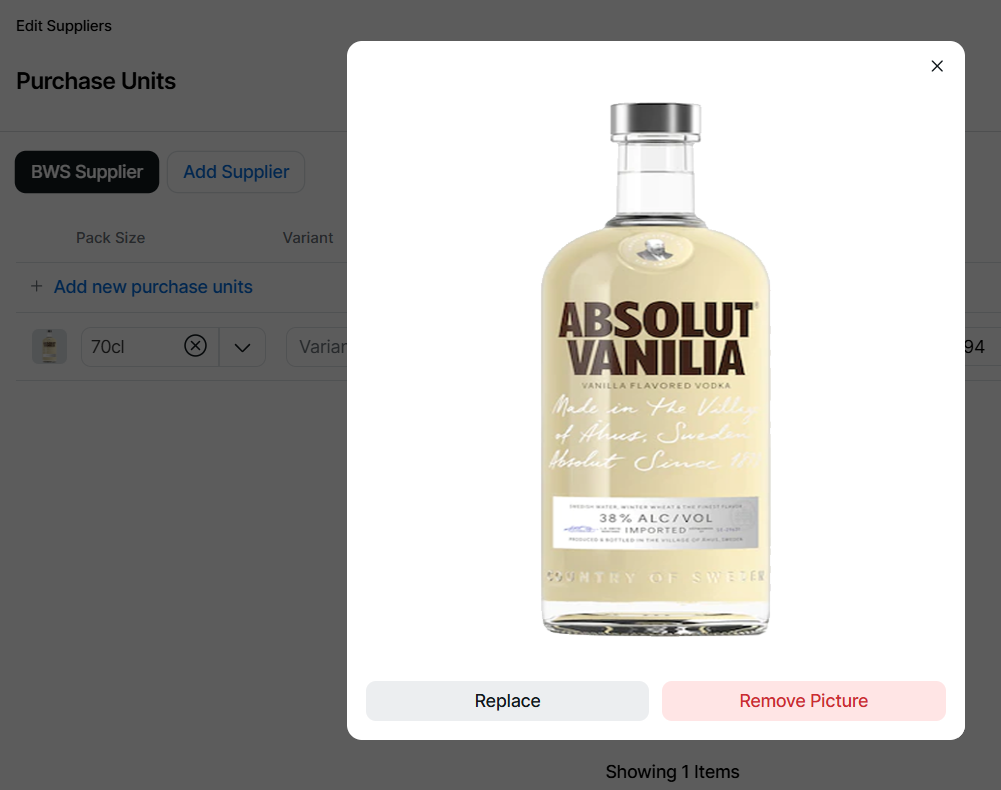
Images for Purchasable Products
When managing purchase units for both sales and purchase items, you can now attach an image to each individual unit. This enhancement not only helps to clearly identify products but also lays the groundwork for future functionality, where these images will be displayed directly in Acquire to support a more visual and efficient ordering experience.
Click here for more information on adding images to sales items or purchase items here.
Products
Sync Progress
To enhance product visibility, the sync status will now be displayed for both the Aztec and iOrder platforms, showing real-time progress for each application and providing clearer insight into synchronisation activity.
Other Features & Information
| Feature | Description |
|---|---|
|
Sort order of Choice Options consistent between Zonal Connect & Aztec |
Product sort order changes made in Zonal Connect (alphabetical or manual) will now sync correctly to Aztec for both Choices, ensuring consistency across systems |
|
Deleting, Replacing and displaying file names of Images from Media Manager |
If an image is replaced or removed within Media Manager products that the image belongs to will be updated with the correct updates. You will also be able to view the file name of an image when viewing the image in a product |
Pricing
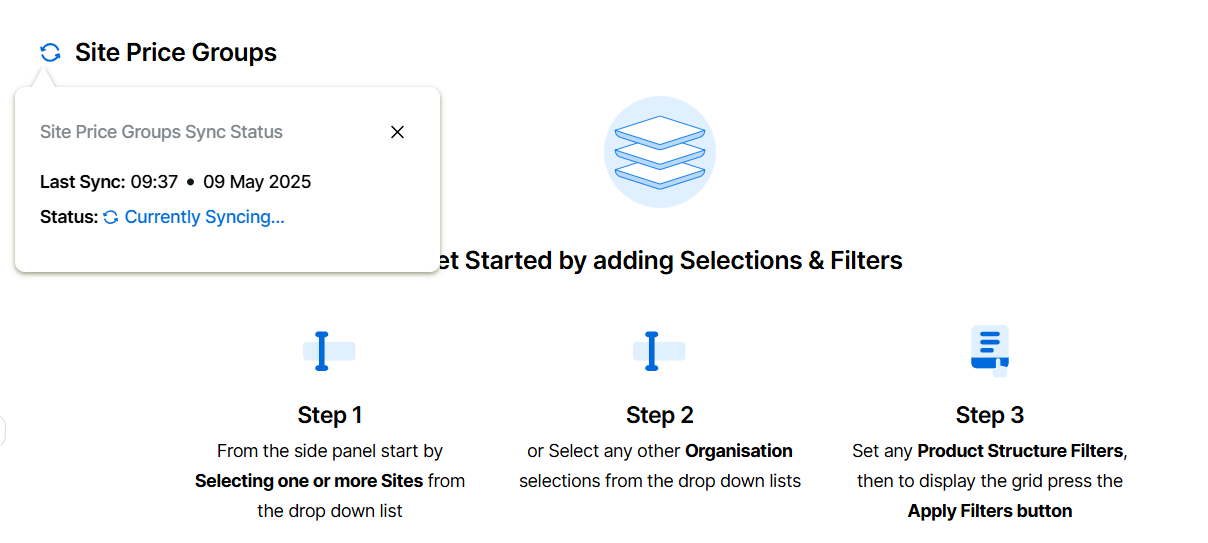
Pricing Sync Status
A sync status with Aztec has been introduced across all pricing areas to provide greater visibility into the current status of pricing information between the two systems. This ensures users can be confident that the data is in sync.
View the individual pricing topics here for more information on sync status.
Products
Update Cost Prices for Future Dates
Cost prices can now be maintained for a future date, enabling advance updates and allowing prices to be managed ahead of time.
For more information on cost price management click here
Products
Add Cost Prices in the Grid
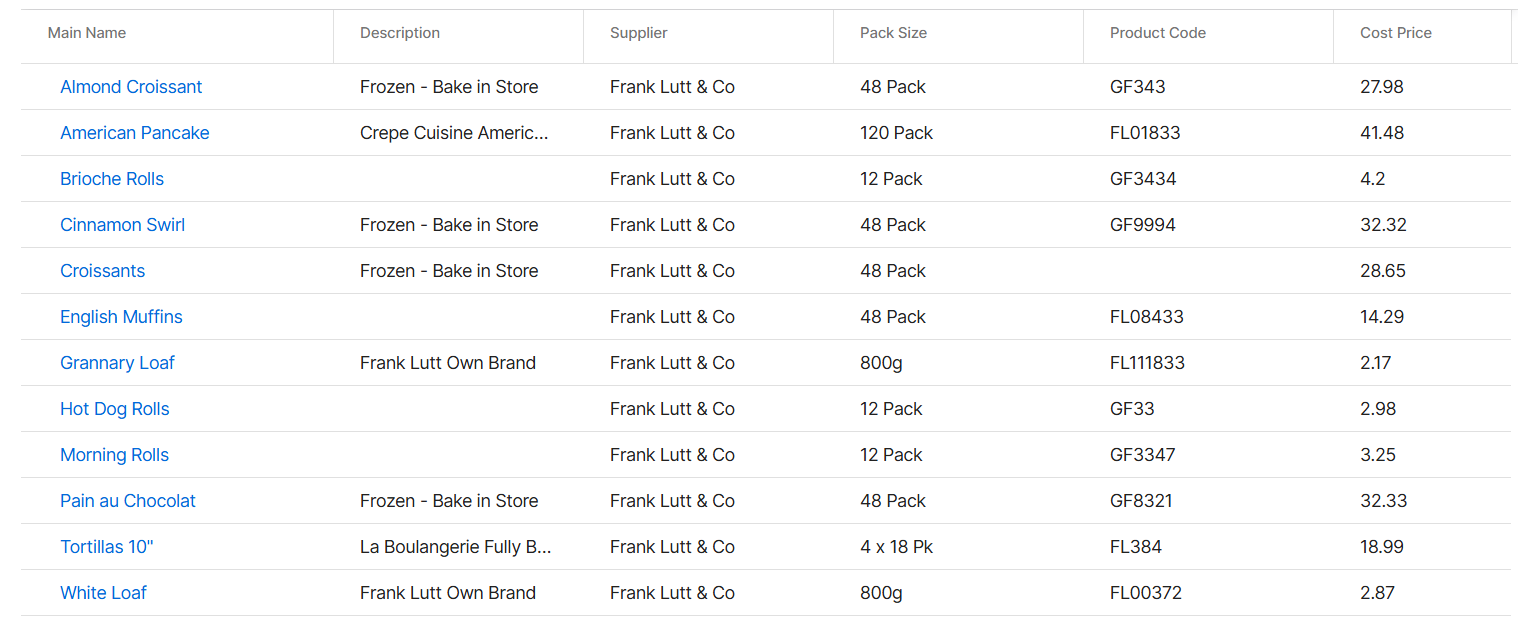
Cost price changes can now be added quickly by applying filters, loading the grid, and entering updates for the required date directly into it, enabling updates without the need to export or import data (although this option remains available.
For more information on cost price management click here
Products
Filter by Portion
A new filter has been added to the Sales Items and Choices lists, allowing users to easily identify and display only those product types that include a portion. This enhancement helps streamline product management by making it quicker to locate items with portion information.
Other Features & Information
| Feature | Description |
|---|---|
| User Invite Emails |
New user account emails have been updated with Zonal Connect branding and correct styling, reinforcing their authenticity and trusted origin |
| Cost Prices - Filters | Cost prices now include a new filter, enabling admin teams to refine results by supplier |
Other Features & Information
| Feature | Description |
|---|---|
| Activity Auditing for Tenants | Additional functionality for auditing changes in the Tenant has been added and is now available for selecting in the Activity Overview Page |
| Activity Auditing for Permissions | Additional functionality for auditing changes made in Directory Permissions has been added and is now available for selecting in the Activity Overview Page |
| Activity Auditing for Users | Additional functionality for auditing changes made in Directory Users has been added and is now available for selecting in the Activity Overview Page |
Products
Non-Calculated Nutrition Information
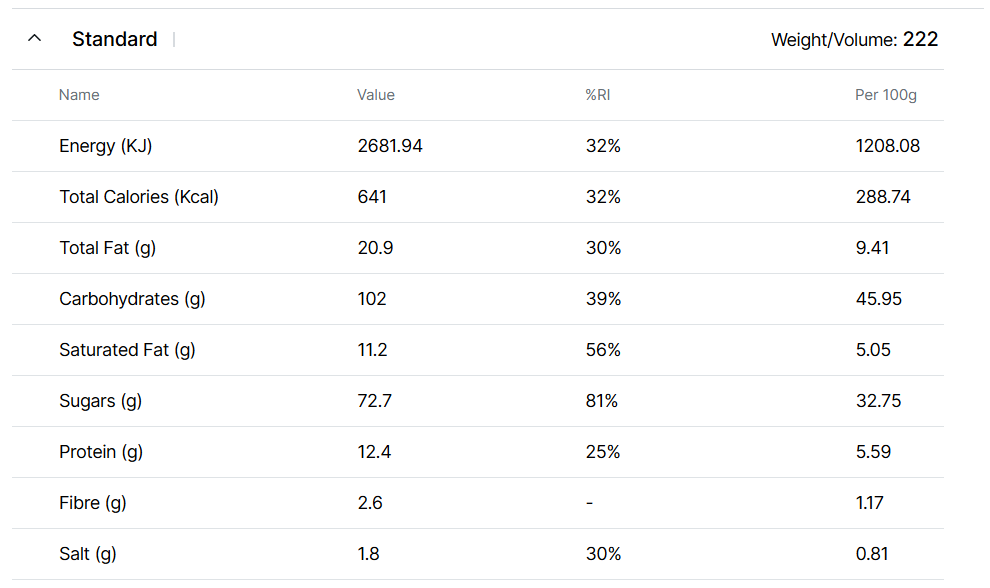
Nutritional information can now be added to a Sales Item when values have been calculated via a third-party system or determined through laboratory analysis. Calorie data is automatically synced with the iOrder Platform, providing a single point of entry for all product information sourced from Zonal Connect.
Click here to view setup options for nutrition.
For more information on adding nutrition click here or understanding sync information to iOrder Platform click here.
There are specific rules on data hydration for calories from iOrder to find out more click here.
Products
Review / Bulk Review for Nutritional Information
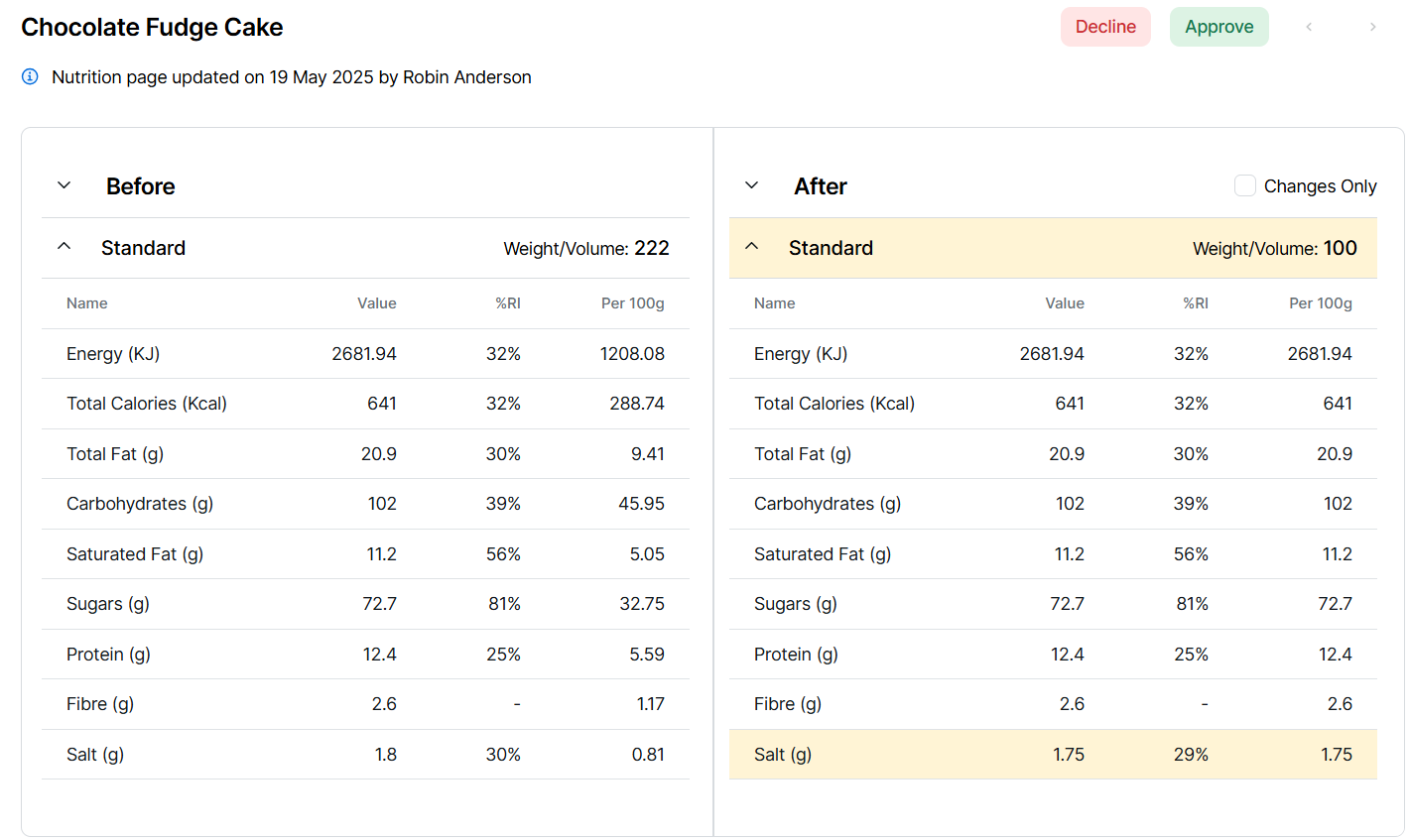
Before nutritional values can be published, they must first undergo a review process to either approve or reject the entered data. Reviews can be carried out on individual Sales Items or in bulk from the main Sales Item list, allowing all items pending review to be actioned efficiently.
Products
Cost Price Management
The first phase of cost price management allows users to filter a list of items, export them to a spreadsheet, update prices, and then import the revised cost prices back into the system.
Future releases of Zonal Connect will have additional functionality to set a future date of change and manage cost prices in the grid.
For more information on managing cost prices click here.
Directory
Organisation Sync Status
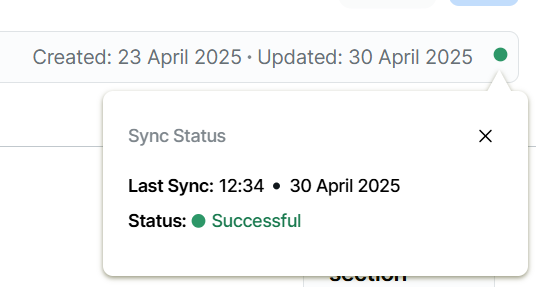
A sync status with Aztec has been introduced across companies, regions, sites and sales areas to provide greater visibility into the current status of the organisation information between the two systems. This ensures users can be confident that the data is in sync.
View the organisation topics here for more information on sync status.
Directory
Activity Overview Sync Status
The activity data has been enhanced with additional information, now allowing users to view the synchronisation status between Aztec and iOrder Platform.
For more information activity overview click here.
Other Features & Information
| Feature | Description |
|---|---|
|
Products Hydrated Sales Items (with no display records) |
Any sales item when hydrated that did not contain a display record within iOrder Platform will now be displayed in an "empty state" showing no display records, if a record is required this can be added manually. All newly created sales items will continue to automatically add a default display record. |
|
Products / Product Admin Terminology Change for History |
For consistency across Zonal Connect any tabs that were previously called History have been updated to be now called Activity |
|
Product Admin History for Tax Rules |
History information has now been added for Products | Product Admin | Tax This will be renamed to Activity in a future version
|
|
Directory Organisation activity added to Overview |
Any changes made within the Organisation are now available within the Activity Overview For more information on the overview click here |
Technical
Technical & System Updates
This release of Zonal Connect is packed with behind the scenes enhancements that lay the groundwork for some exciting features coming your way soon. While you won’t notice any changes to how things work just yet, these updates are key to helping us deliver even more in the next releases.

Directory
Activity Overview
The Activity Overview offers an audit trail of record changes across the platform, with search and filter options to help locate specific activity records.
Click here for more information on viewing the activity.
Additional enhancements to the activity overview will come over the new few releases.
Products
Products & Admin History
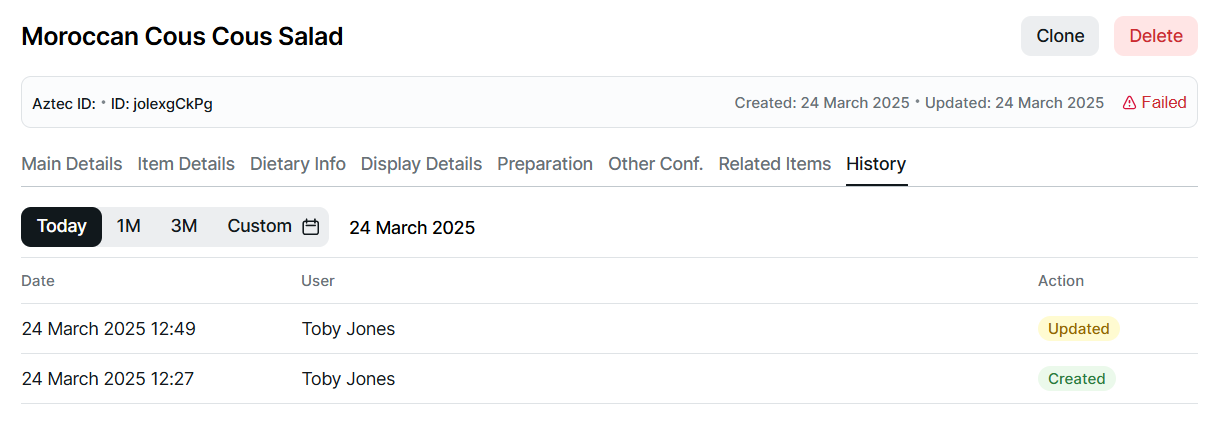
A new history tab has been added to all product types, providing a detailed record of creations and edits, including the person responsible and the date and time of each change. Additionally, product admin attributes now also feature a history tab, offering the same transparency by tracking who made changes and when, ensuring better accountability and traceability throughout the system.
For more information view topic pages for history within each product section.
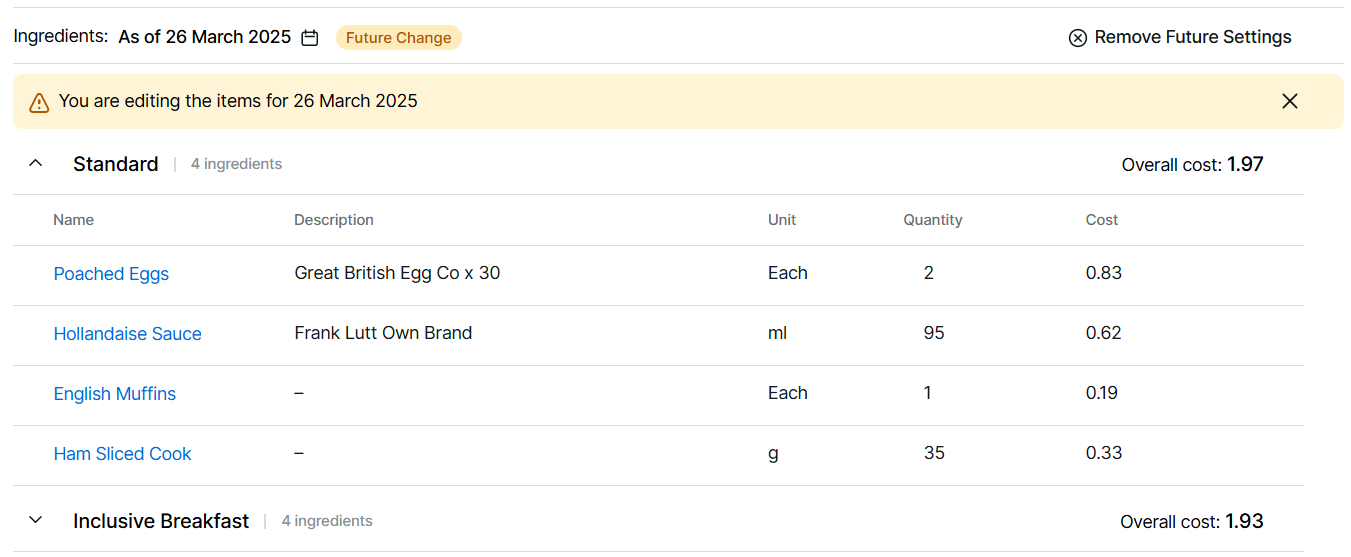
Products
Future Dated Ingredients, Choices & Cook Times
Sales items now support future dated ingredients, choice changes and cook times, allowing for better planning and flexibility. Additionally, choices can now have future dated option changes, providing more control and the ability to schedule updates in advance for seamless operations.
For more information on sales item changes click here or choice options here.
Products
Future Dated Cost Prices
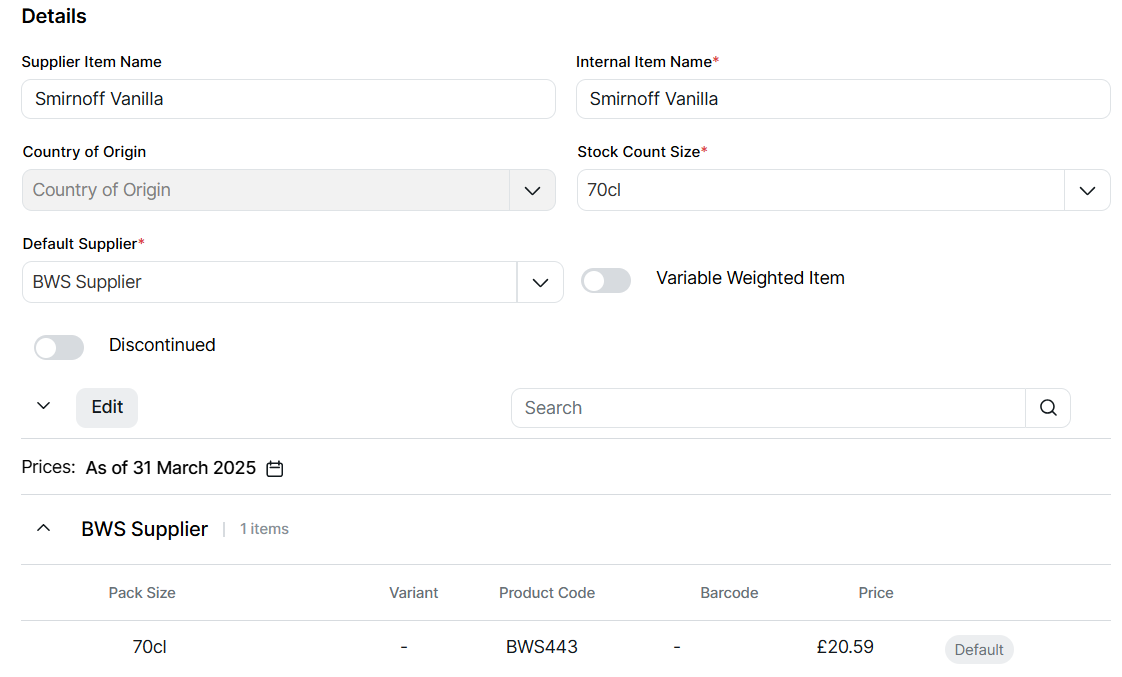
To better manage changes in the supply chain, future-dated cost prices can now be set for both purchasable sales items and purchase items. This ensures accurate pricing and smoother transitions when cost adjustments are required in advance.
For more information on sales item cost changes click here or purchase items here.
Admin
Tag / Tag Group History
A new history tab has been added to tags and tag groups providing a detailed record of creations and edits, including the person responsible and the date and time of each change.
Other Features & Information
| Feature | Description |
|---|---|
| Search by Aztec ID |
Search has now been enhanced to allow the Aztec ID (Entity Code) to be used as a search term within product lists for all types |
Products
Delete all product types
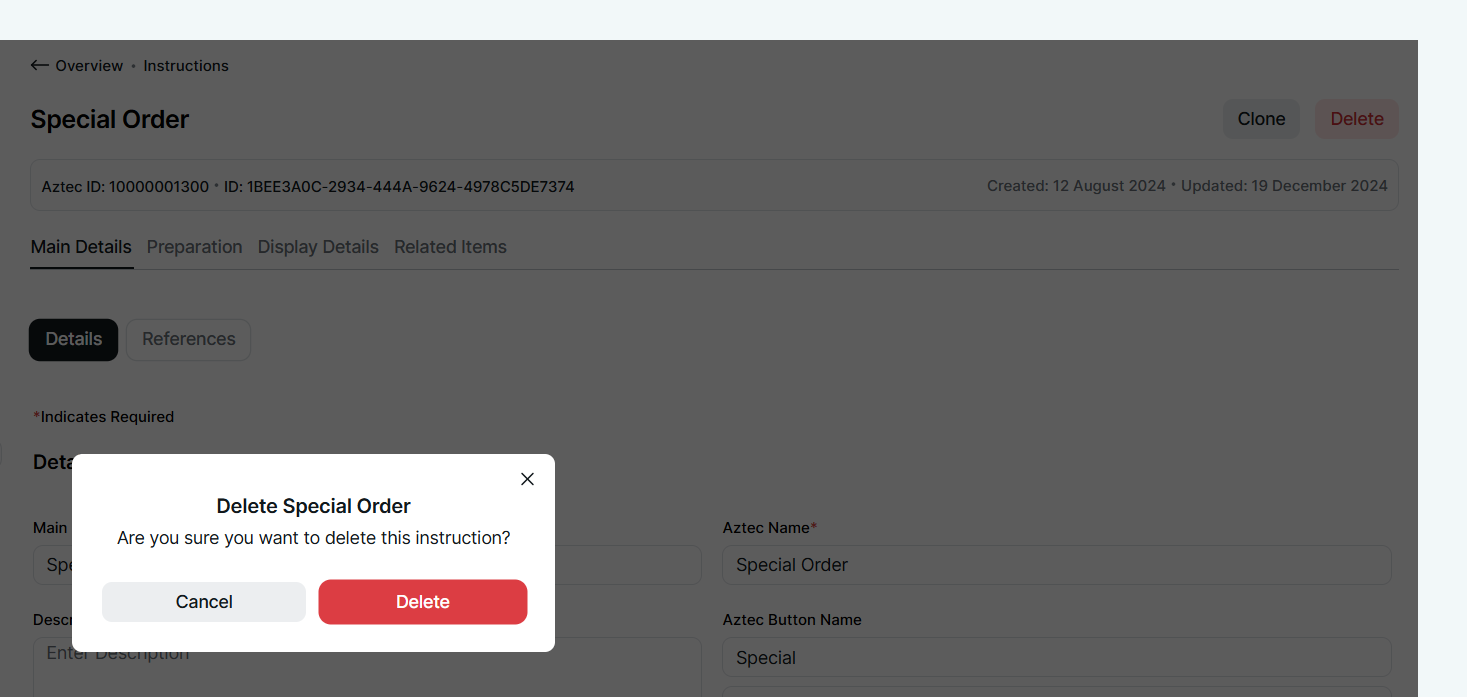
In the Products app, all product types can now be deleted, whether from within a list or by selecting and displaying an item on the screen.
-
Select an Item (from any of the product types)
-
Click Delete | confirm you wish to delete
Products
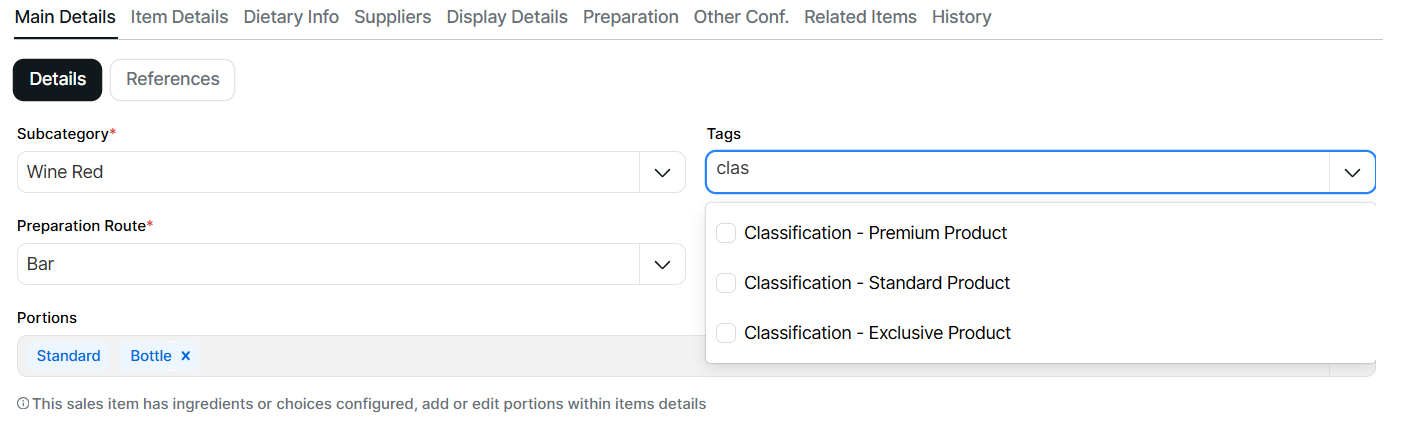
List type tags now available for selection
Tags created as "list type" can now be used in the Products app, both for filtering and for assigning to specific items.
List type tags are displayed with the tag name followed by the list name. For example, "Classification - Premium Product."
Products
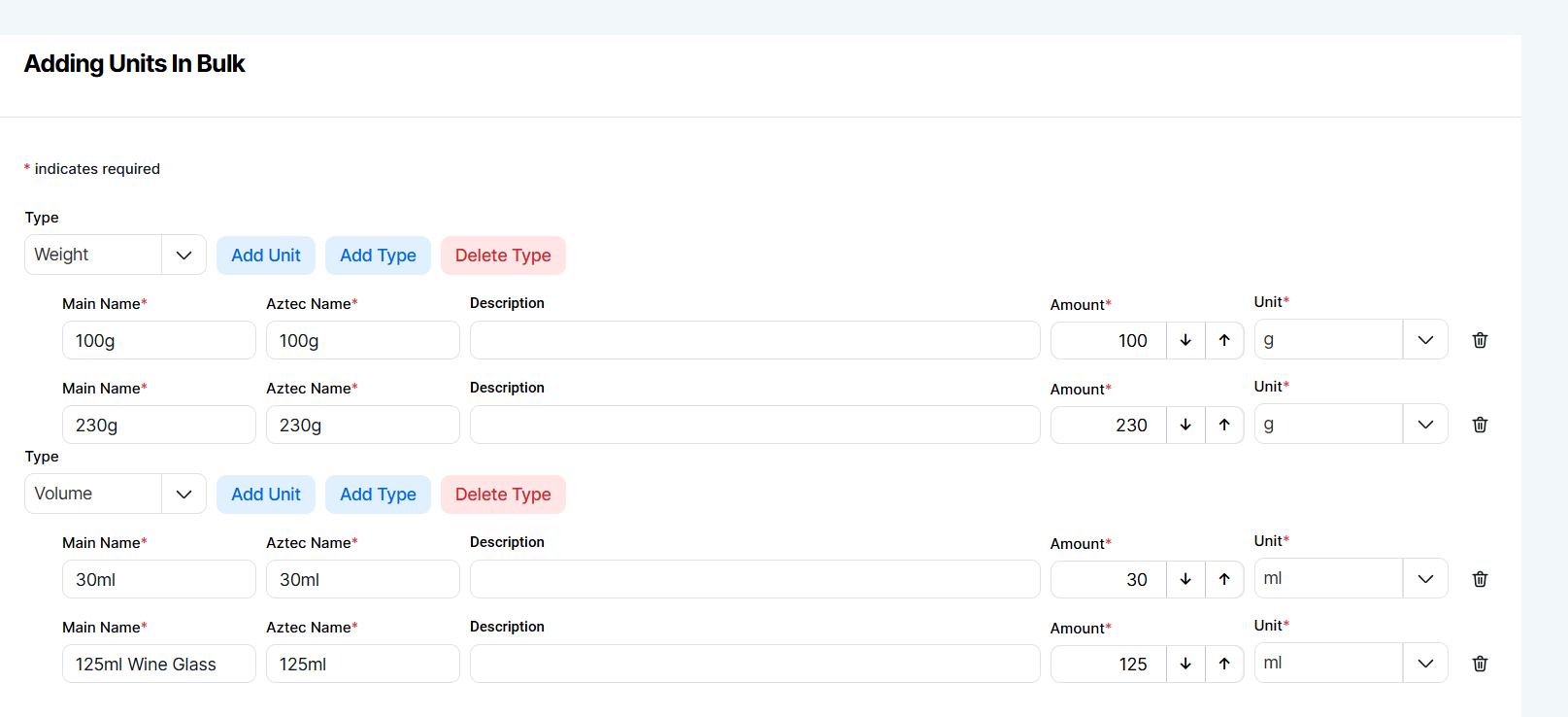
Bulk add units to speed up setup
Within product admin | units section the bulk add option enables you to quickly multiple units in one session.
-
Select Products | Product Admin | Units
-
Click Add | select Add in Bulk
-
Select the Unit Type (this can be changed later in add process) | click Add Type
-
Enter Main Name | Aztec Name | Description (optional) | Amount | Unit
-
Click Add Unit to add units of the same type or Add Type to change adding to a different type
-
Click Add to finish the setup
Products
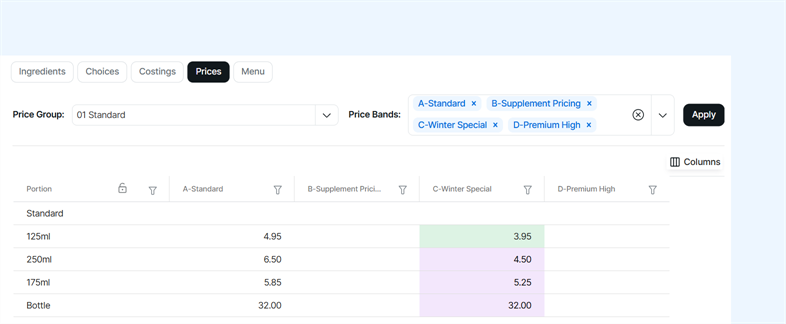
Set your prices when you configure your sales items
When working with sales items you can set the price for any price group or band
-
In the sale item select Item Details | Prices
-
Choose the Price Group
-
Select the Price Bands | click Apply
-
Enter Prices
For more information click here
Pricing
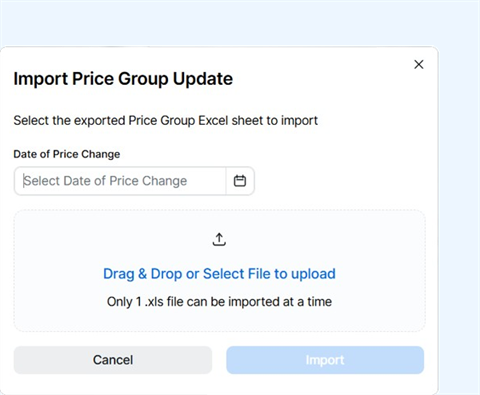
Export and import price groups as an alternative to the grid
For flexibility in pricing a price group can be exported and prices maintained in a spread sheet and then imported
-
In the Price Group from the 3 dot menu | click Export Price Group
-
Edit prices in the spread sheet
-
In the Price Group | click Import, follow the options to import the updated prices
For more information click here
Products
Add Purchase & Prep Items
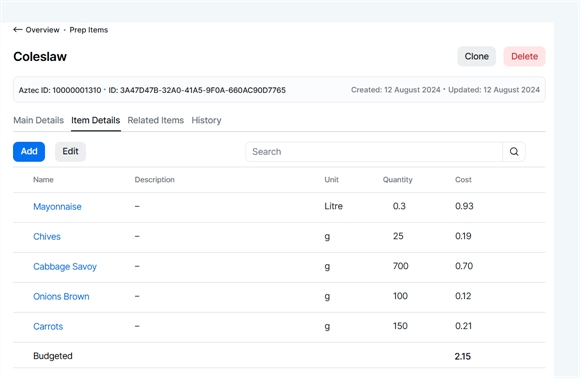
Within the products app purchase items and prep items can now be added to fully manage the end to end ingredients and batch recipe process.
For more information click here for purchase items or here for prep.
Media Manager
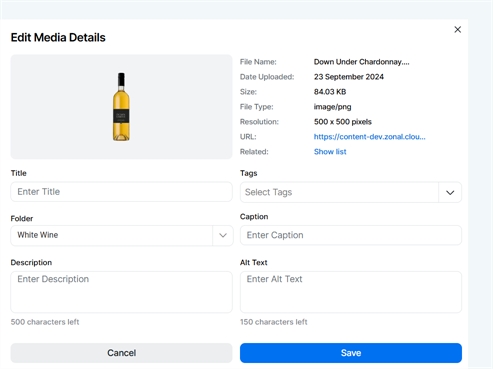
Upload Images and link to Display Records
The launch of Media Manager means that images can now be uploaded, stored in folders and then associated to display records across sales items, choices and instructions.
Get started by uploading your images within Media Manager, for more information click here.
Pricing
Enhancements to Price Groups
To improve the experience when managing prices within prices groups additional functions have been added.
-
View sites allocated to a price group
-
Display off band price information within the grid
-
Search for sales items
-
Duplicate price groups
-
Link to sales items directly from the grid
-
Delete and duplicate price bands