Trash
The Trash page is located under the Dashboard drop down menu and will contain many items that you have deleted from the PMS.
Trash Topics
Navigate to Main Navigation Bar → Dashboard → Trash
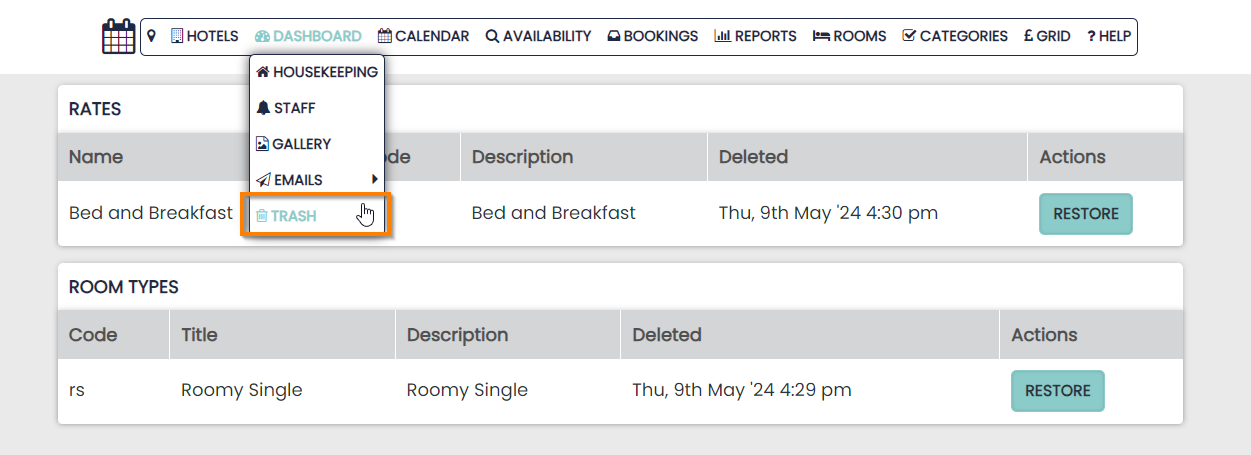
Deleted items are listed in categories and show details of the date they were deleted.
Restoring items from the Trash
Items that have been deleted can be restored to the system by clicking the Restore button.
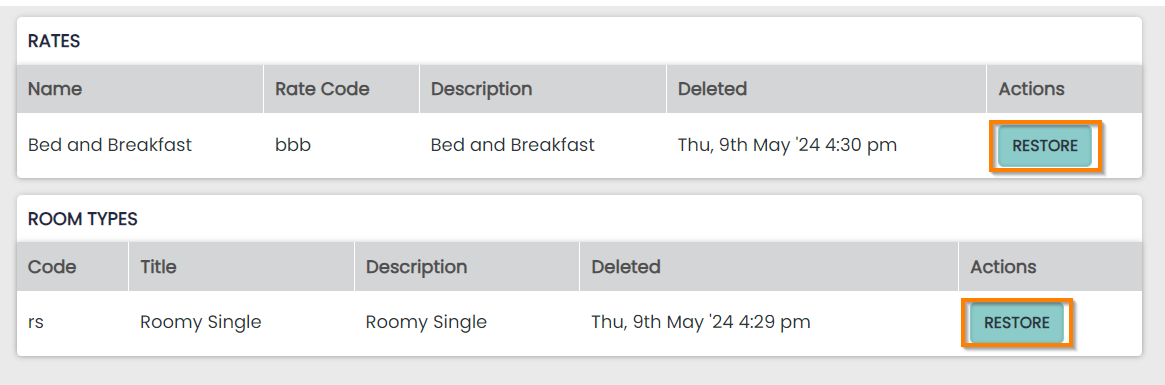
Any restored items will appear back on the related page. This is important as you may restore a Room, Rate Plan or Product that might go straight back on sale