Dashboard
The Dashboard is the hub of the system and shows current status and all activity for the day, you'll be able to see current guests, perform check in and check out activities along with creating registration forms and printing invoices.
Dashboard Topics
Overview
The dashboard displays arriving guests, departing guests, products due and more.
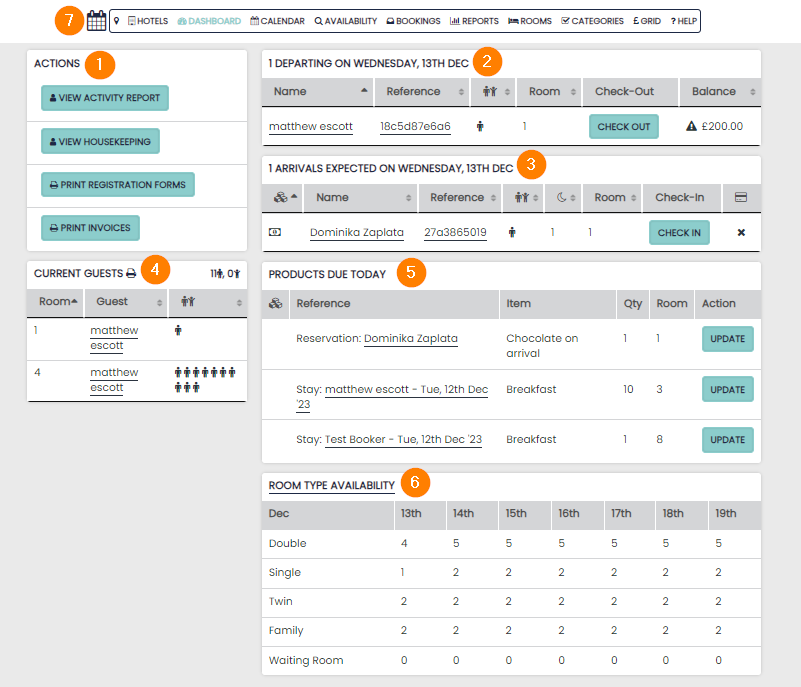
1 Actions Panel – these are shortcuts to features hoteliers will require daily
2 Departure Activity – this displays currently checked-in guests departing today who require checking out
3 Arrival Activity – all reservations due to arrive today
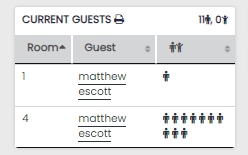
4 Current Guests – all currently checked-in guests will be displayed here alongside their room number
5 Products Due – any products that have been added to a reservation and are due will be listed here
6 Room Type Availability – this allows you to see an overview of room availability for the upcoming week
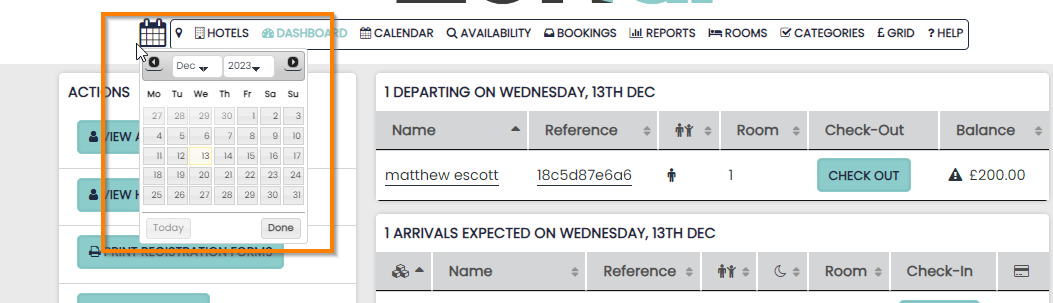
7 Micro Calendar – allows you to look at the Dashboard for an upcoming or past date
Actions Panel
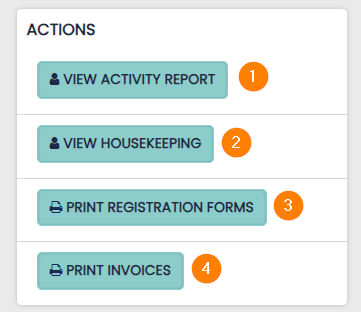
1 View Activity Report – displays all activity that is happening on the specified date / date range. It includes more detailed information than the dashboard highlights
2 View Housekeeping – displays the occupancy and cleaning status of rooms
3 Print Registration Forms – this allows you to bulk print all the guests’ registration forms for that day
4 Print Invoices – this allows you to print all invoices for guests departing that day
Activity Report
The Activity Report shows all activity taking place on the selected date or date-range, and contains the following:
- Events – conferences / functions taking place on the selected dates
- Arrivals – reservations with an arrival date on the selected dates
- Stayover – reservations with arrival and departure dates that span the selected dates
- Departures – reservations due to depart on the selected dates
- Products – any products that are due on the selected dates, depending on your product settings
Checking In / Out
Any reservation due to arrive or depart on the selected date will be displayed at the top of the page.
Guests can be checked in and out by simply clicking the action button – the system will display any reason why this cannot be completed i.e. an outstanding balance.
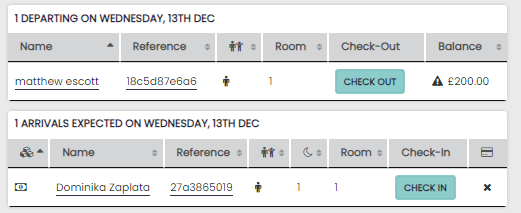
Once checked in, guests will be displayed in the ‘current guests’ panel until they are checked out.
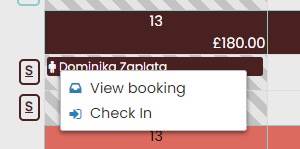
Additionally, guests can be checked in/out within the calendar. This can only be done if the guest is arriving/departing on the current day.
Micro Calendar
You can select a date in the past or future using the micro calendar, this also works on the Calendar.
At any point while using the micro calendar you can revert back to the current date by pressing ‘today’