Invoices & Confirmations
Invoices and Confirmations are available for every booking confirmed in the PMS.
Invoices & Confirmations Topics
Locations
Every booking that is confirmed in the PMS will automatically have an Invoice and Confirmation generated that can be sent to the Guest.
The Invoices and Confirmations are created when the first booking is confirmed in the PMS and updated in real time.
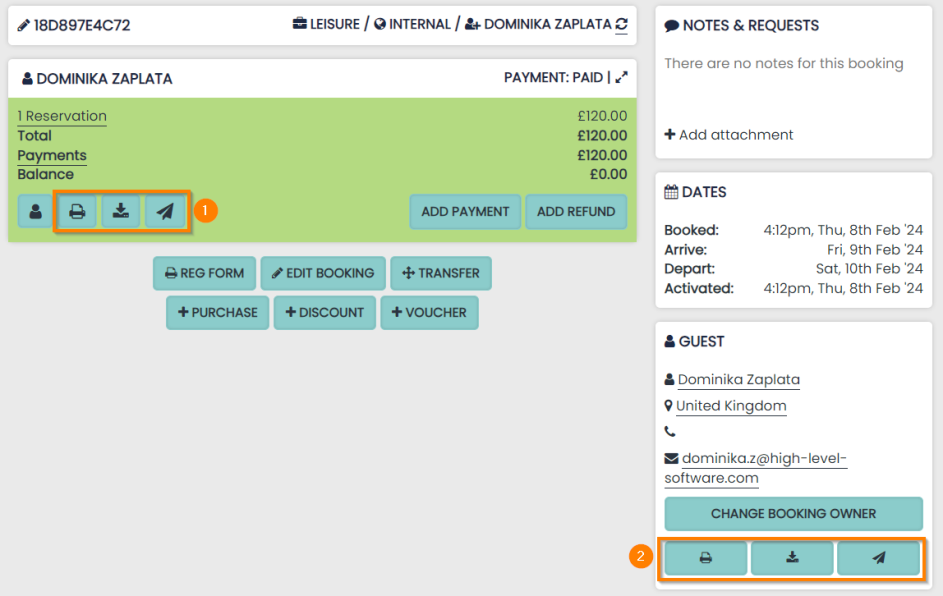
You can access Guest Invoices (1) and Guest Confirmations (2) within the Booking Hub.
The 2 documents are can be printed, downloaded and emailed using 3 buttons:
- View / Print
- Download as PDF
- Send to Booking’s email address
Invoices
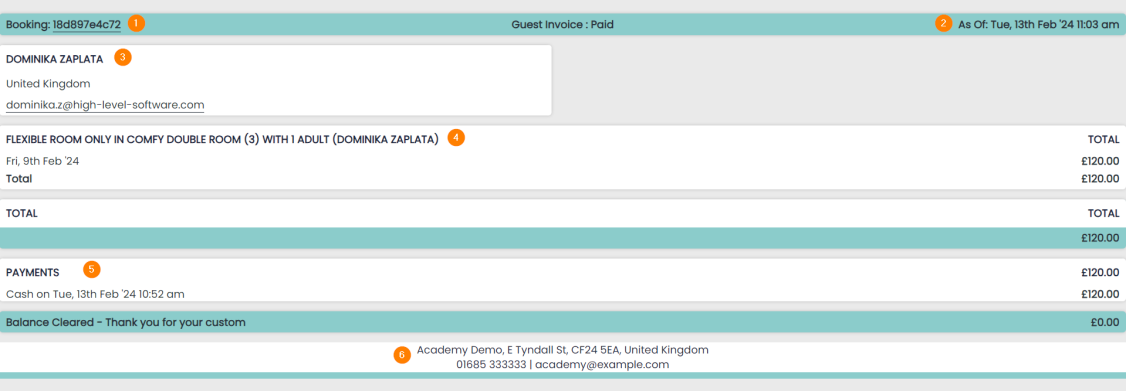
Invoices use the information on each Booking and will always be updated in real time.
The following features appear:
1 Booking Reference
2 Date generated
3 Guest profile Name & Email
4 Reservation details and prices
5 Payments (date and time log)
7 Hotel details
Confirmations
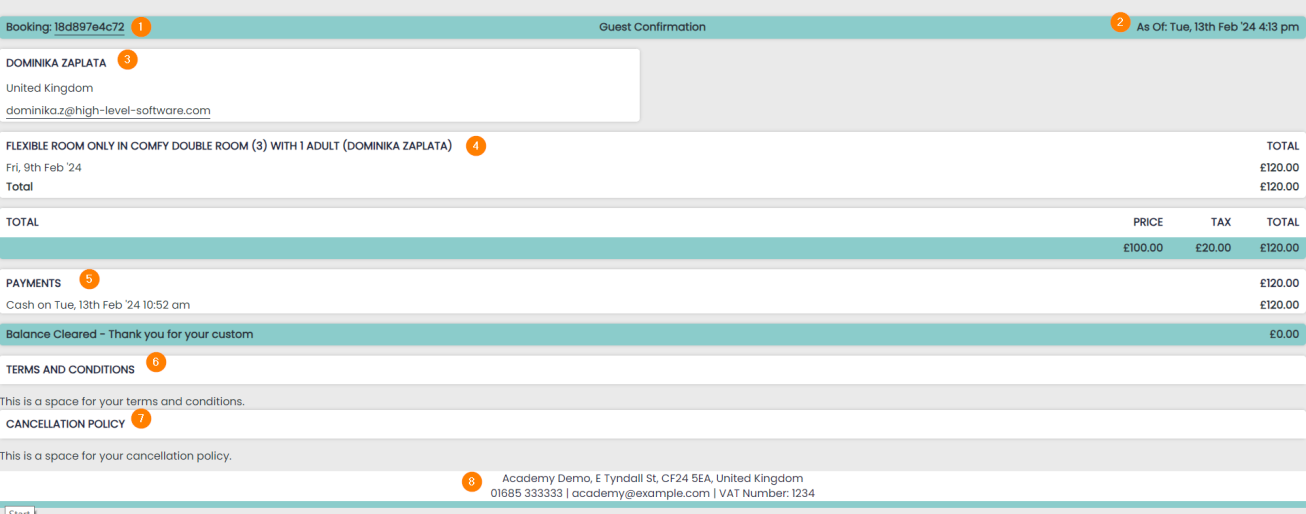
Confirmations show the following data:
1 Booking Reference
2 Date generated
3 Guest profile Name & Email
4 Reservation details and prices
5 Payments (date and time log)
6 Terms and Conditions
7 Cancellation Policy
8 Hotel details
Invoices on the Dashboard
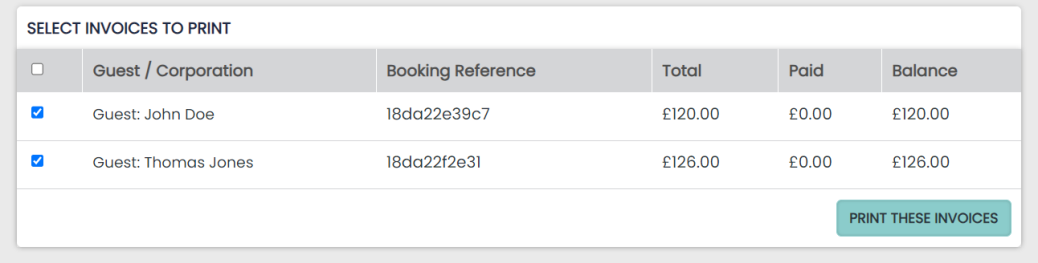
Invoices can be bulk viewed and printed using the button found in the Actions panel.
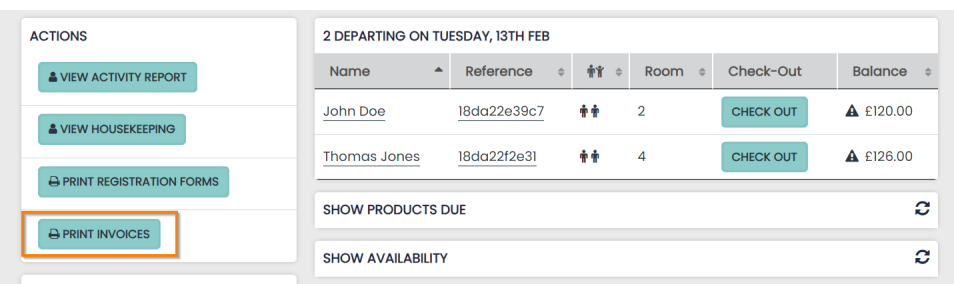
Any of the Bookings due to checkout can be selected from the bulk print panel.
Selecting ‘Print these Invoices’ will open the selected Invoices in your browser printer window.