Loyalty
Loyalty Topics
Overview
The Zonal Loyalty Platform allows guests making bookings to add their Zonal Loyalty rewards by converting spend against their stay.
The Zonal Loyalty Currency balance will be available to use as a Payment Method when making payments against the booking balance within the PMS.
Booking Engine (Guest View)
Once the Loyalty Platform has been set up, Guests will be able to add their Loyalty membership Number to any booking that they make via the Booking Engine. This will link the booking to the Zonal Loyalty Account.
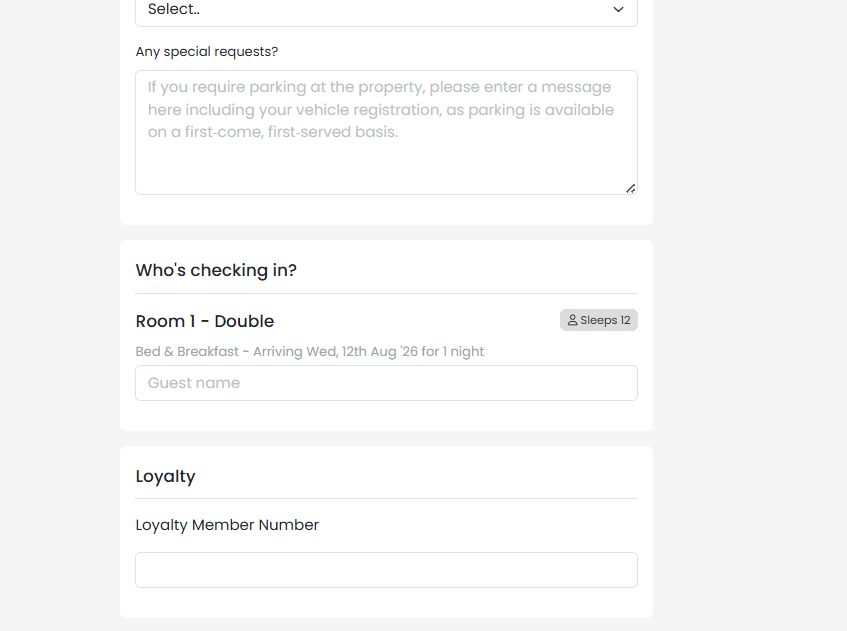
Once added and the booking is confirmed, the accommodation spend will be sent by the PMS to the Loyalty Platform. The spend will only be sent when the guests Check In.
This feature is also available on internal bookings made via the Booking Engine (Availability page) by hoteliers. Once the booking is confirmed, the Zonal Loyalty transaction and spend total will be displayed on the Booking page within the PMS.
Loyalty Balances in the PMS
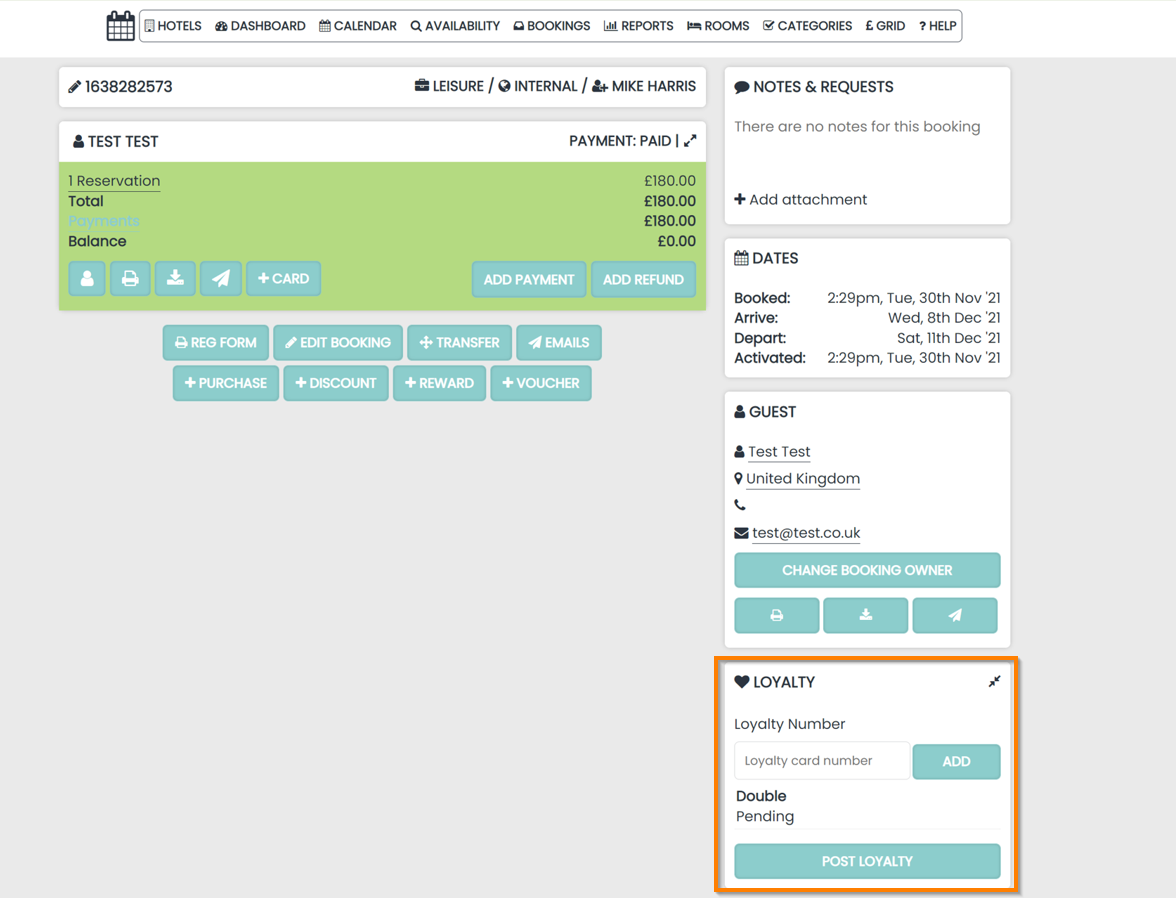
Once a booking has been made using the Zonal Loyalty platform, the Zonal Loyalty Account details will be displayed on the Booking Hub Page for hoteliers to utilise.
The panel is located on the right hand side of the Booking page and shows:
-
Loyalty Card Number. This can added to existing / new bookings in order to link the Zonal Loyalty account
-
Any pending Reservations to be posted to Zonal Loyalty
Payments in the PMS
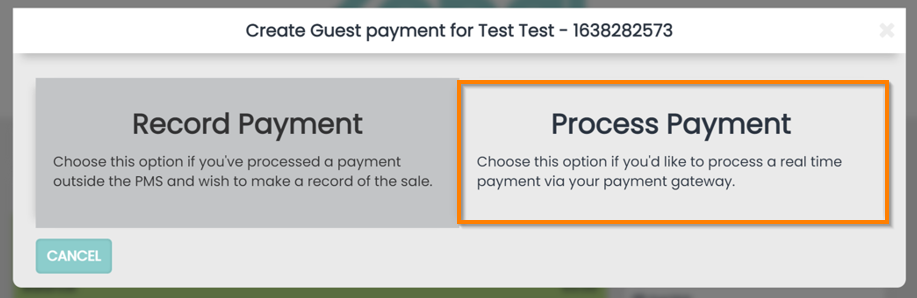
If a balance is present on a Booking, the same Payment process is followed as if processing a credit card using the Payment Gateway.
Click Process a Payment followed by selecting Loyalty in the subsequent drop down menu.
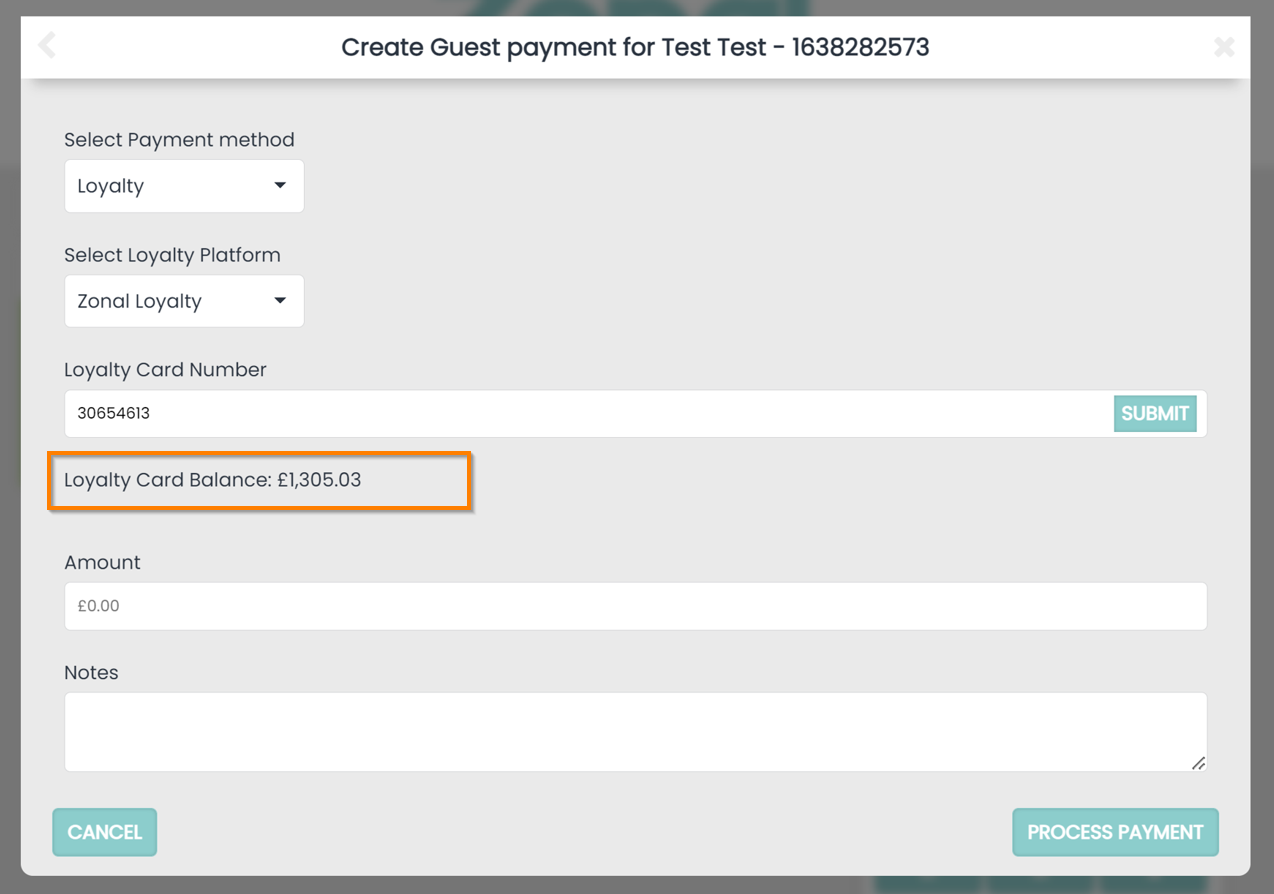
When the payment method is shown, select the Loyalty method and the Zonal Loyalty Platform as a Gateway to make a payment.
The Zonal Loyalty balance will be available to use against the current balance on the Booking. An amount needs to be entered and notes can be added like any other payment and click Submit to complete the process.
Refunds in the PMS
In the same way that Zonal Loyalty can be used to make payments on a Booking in HLS, Refunds can also affect the points balance if processed.
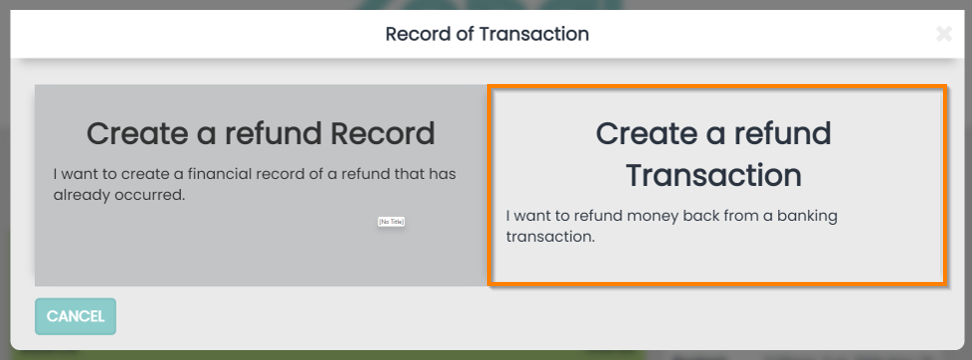
Click Create a Refund Transaction when prompted.
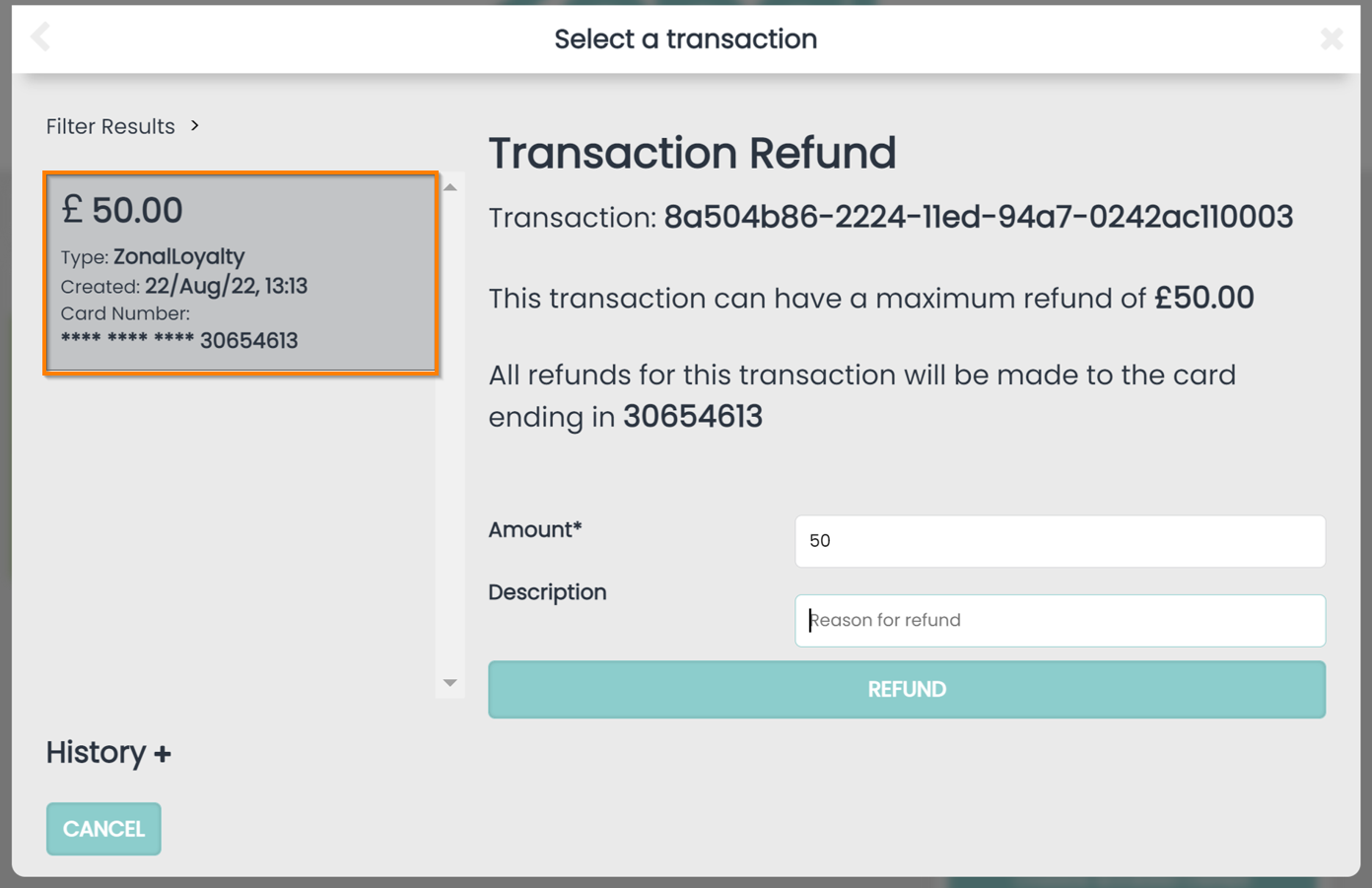
Any existing processed payment made using the Zonal Loyalty balance on the booking will be displayed on the left hand side and will need to be selected in order to refund. It will be clearly labelled as such.
An amount to refund will need to be entered (this cannot exceed the transaction amount) and a note can be added if needed.
Any successful transactions that have been made in the PMS will be recorded in Loyalty, in the cards page