Cancellations & No Shows
Cancellations are the physical and intentional of the booking prior to arrival, whereas no-shows are a reaction to a Guest not reacting and can be managed manually or automated.
Cancellations & No Shows Topics
Changing Booking Status
Each booking can now be one of three statuses:
-
Active
-
Cancelled
-
No Show
To change the status of a booking, you can access the status update panel in the Booking Hub and amend the booking status from the dropdown menu.
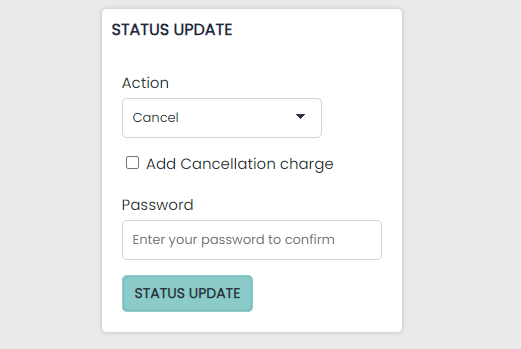
Adding Cancellation Fee
A cancelled booking will appear with the reservation details crossed out . The cancellation status update will be recorded in the booking’s history.
The price of all cancelled reservations, including any added products will also be set to “£0.00”.
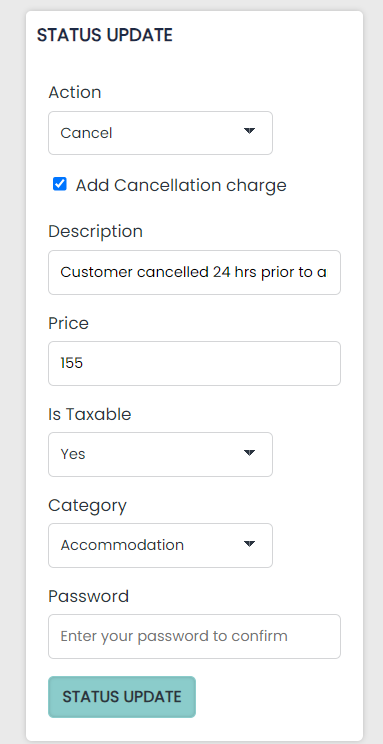
If you want to charge a cancellation fee, you can add this when changing the status of the booking, tick the below ‘add cancellation charge’, add a description, add a price (this will vary depending on your cancellation policy), and ensure to categorise it correctly (generally as accommodation unless you have a set category set up within the pms).
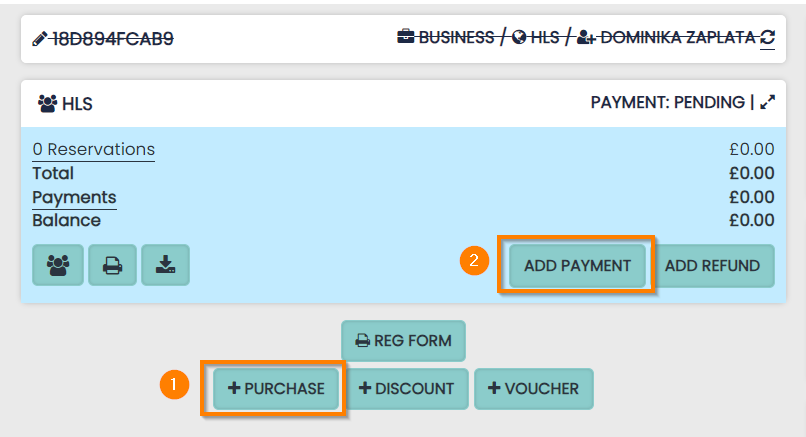
Adding a cancellation fee after the fact:
If you wish to apply a cancellation fee, you can setup a Product (1) and add this to the booking.
You can add the details of the payment (2) taken to the booking which will offset the balance to zero.
Manage my Booking – Cancellation done by Guest
Guests who made direct bookings will be able to cancel their booking themselves using the ‘manage my booking’ button found within their email confirmation.

-
Once a Guest has made a direct booking, dependent on hotel settings set in the PMS, the Guest and/or the hotel will receive a confirmation e-mail with a ‘Manage my Booking’ link
-
Once selected, if the booking is eligible for cancellation it will appear in a ‘Cancel Reservation’ section with the room type, dates, number of nights, and rate plan name
-
A Guest can select this and then ‘Cancel Reservation’
Cancellation of Bookings in the PMS
-
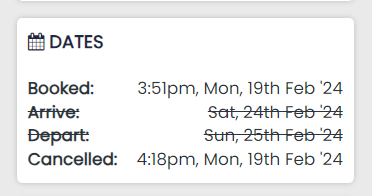
A cancelled booking will be reflected by a line crossing the details within the Booking Hub

-
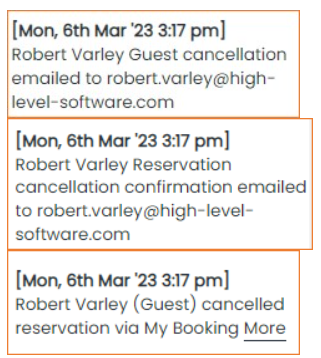
The Booking History updates the various events involved in a cancellation
-
‘Status’ on ‘Bookings’ displays ‘Cancelled’ within the Bookings Reports

-
‘Cancelled’ date is updated
-
Cancellation Emails
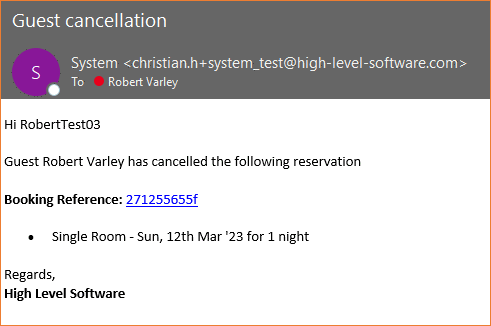
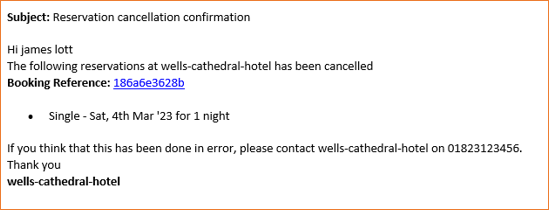
After a guest cancels the booking them self, both the Guest and the hotel will receive a cancellation confirmation e-mail as follows:
Guest Email
Hotel Email