Bookings
All bookings can be found within the bookings page.
Bookings Topics
Navigate to Main Navigation Bar → Bookings
Overview
The Bookings Page is found in the centre of the navigation bar.
All Bookings that have been made or delivered to the system will be displayed in date order, starting with the furthest into the future.
All Bookings listed are hyperlinked to:
-
The Booking Hub via the reference number
-
The Guest Profile via the guest name
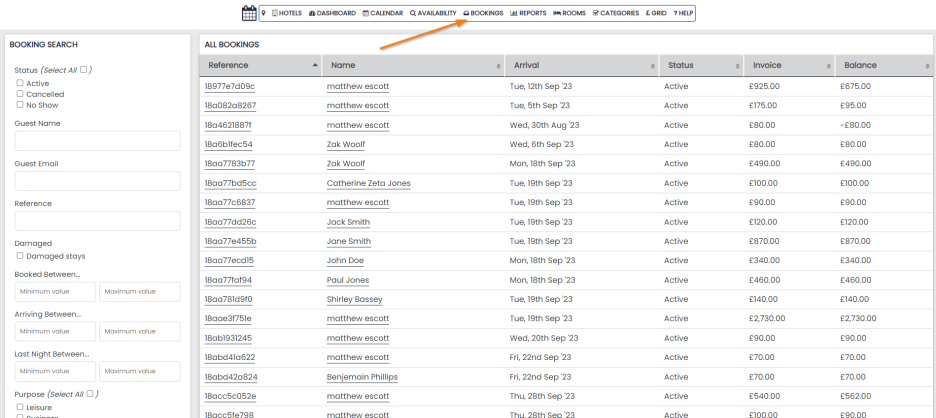
It’s not necessary to fill out every field; you can customize your search by using only the relevant filters
Searching for Bookings
You can search via:
- Status – active, cancelled, no show
- Guest Name
- Guest Email
- Reference
- Damaged Stays
- Booked Between – when the booking was created
- Arriving Between – check-in date
- Last Night Between – check out date
- Purpose
- Room Type
- Venue
- Rate Plan
- Loyalty Status
- Guest Address details (separate fields for city, county, postcode and country)
- Booked by – internally created bookings
- Channel
- Referrer – if you’d like to add any referrer choices to your availability page please contact the support team
- Notes – internal booking notes
Clicking the search button at the bottom of the filters will generate a list of any bookings which meet your search criteria.
You can export the bookings if you wish. There are multiple export options available below the search panel.
If you do not see the export options or would like to not see them displayed, speak to Support as this can be removed / added.