Registration Forms
Registration Forms Topics
Locations
Every Reservation that is confirmed in the PMS will automatically have a Registration Form generated ready to be printed off, for when the Guest arrives.
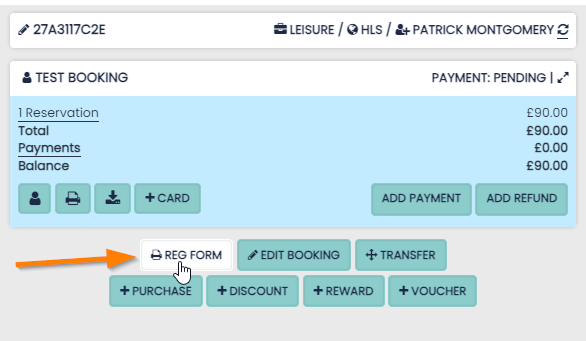
To access the Registration Forms, open the Reservation and click the Reg Form button.
Features
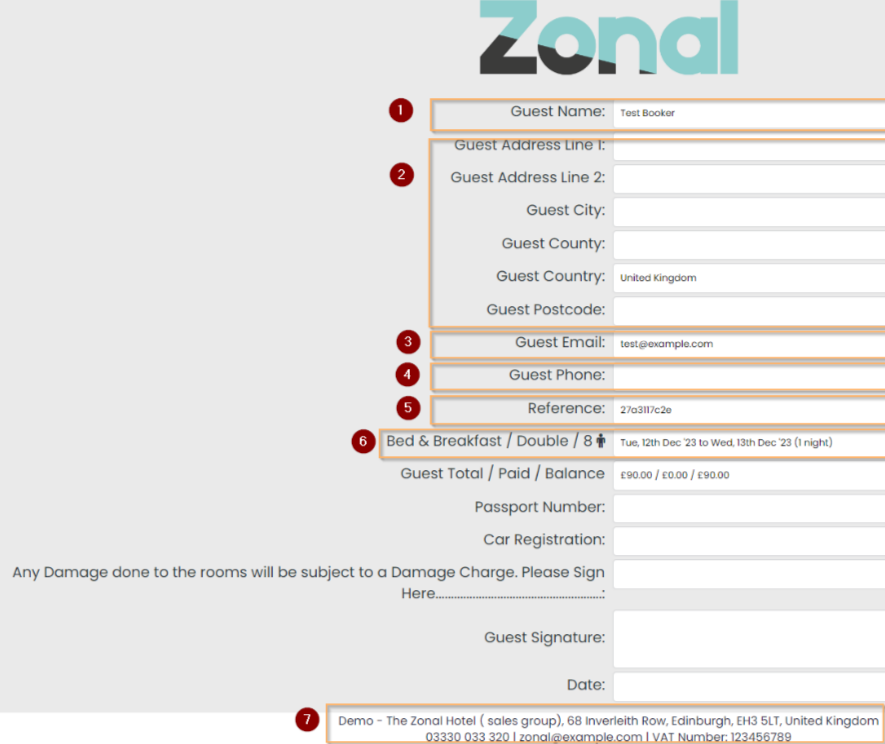
The following data will appear by default:
1 Guest Name
2 Guest address details
3 Guest Email
4 Guest Phone Number
5 Booking Reference Number
6 Rate plan /Room Type /Room No
7 Hotel details
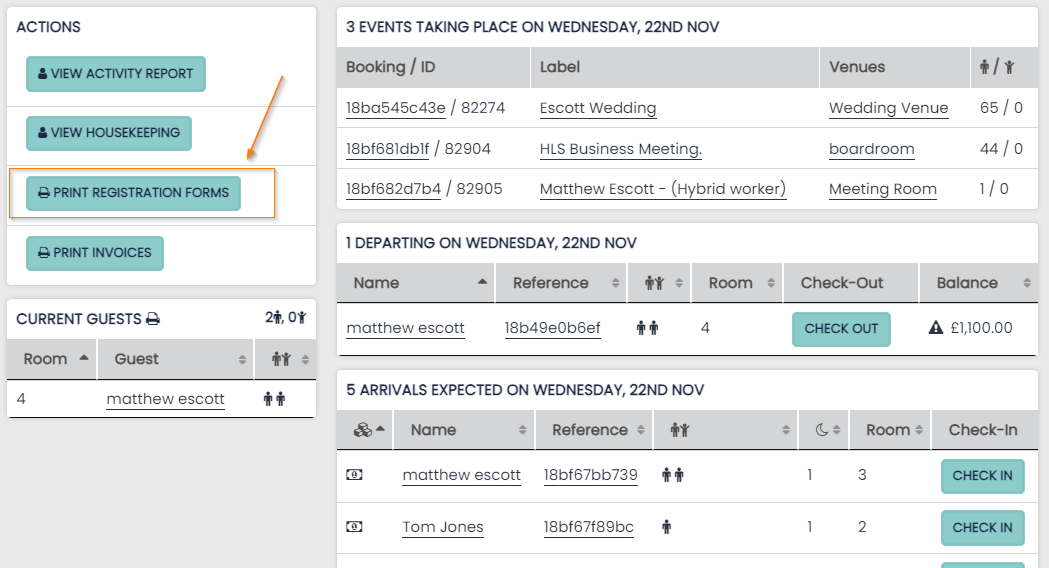
Bulk Printing From Dashboard
As the hotel is likely to be generating and printing Registrations Forms on the day of Check-in, all of your forms will be ready on the Dashboard on the day of arrival.
-
These Registration Forms can be bulk viewed and printed using the button found in the Actions panel