Staff Profiles
The Staff Page is designed to give managers and group managers a clear, way to oversee team members for new joiners and leavers. This guide walks you through the key features of the Staff Page, including how to view staff profiles, manage permissions, update user details, and maintain users. Whether you’re onboarding new employees or keeping existing information up to date, the Staff Page provides a centralised, easy‑to‑navigate areas that supports smooth day‑to‑day management across your property.
Staff Profiles Topics
Features
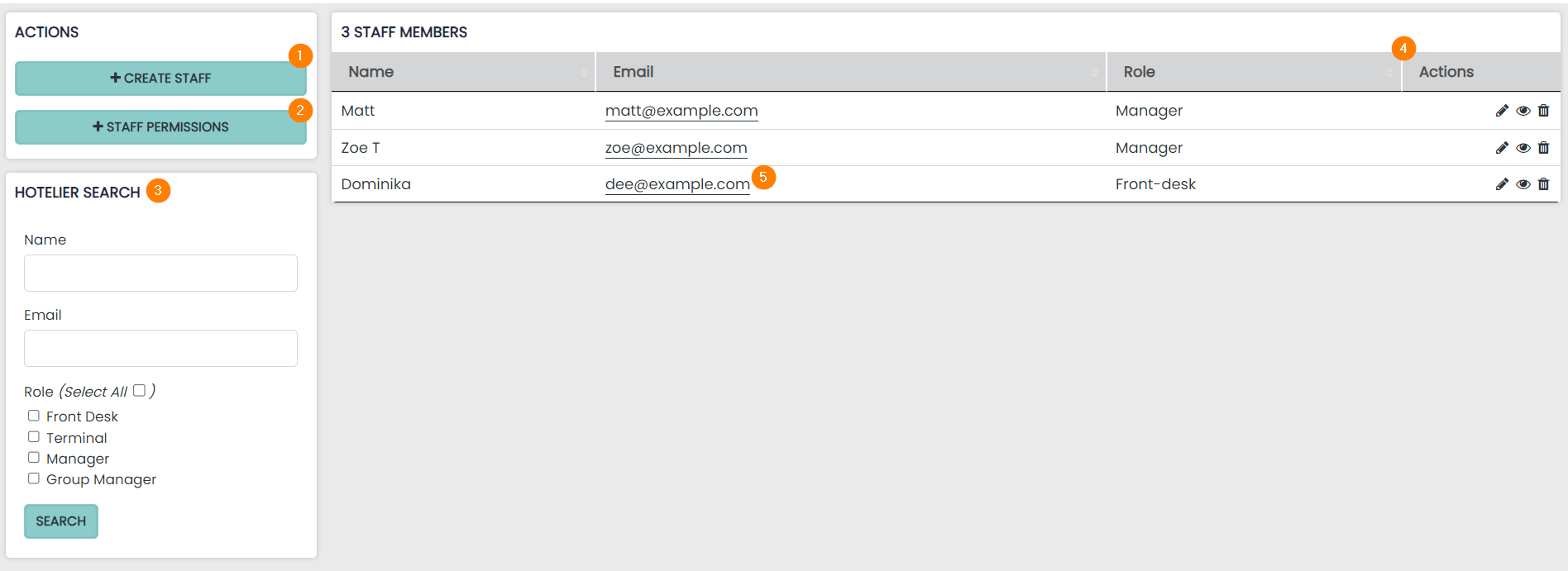
1 Create a New Staff Profile – a new member of staff can be created simply by providing a name and a unique email address
2 Staff Permissions – manage staff permissions. These can be customised further by selecting a staff permissions controller, please contact Support to set this up
3 Search for an existing Staff Profile. Name, Email Address and Roles are all searchable
4 Actions allow you to Edit or Delete a staff profile
5 This is the email address associated with the staff member, these have to be unique
Creating a New Staff Profile
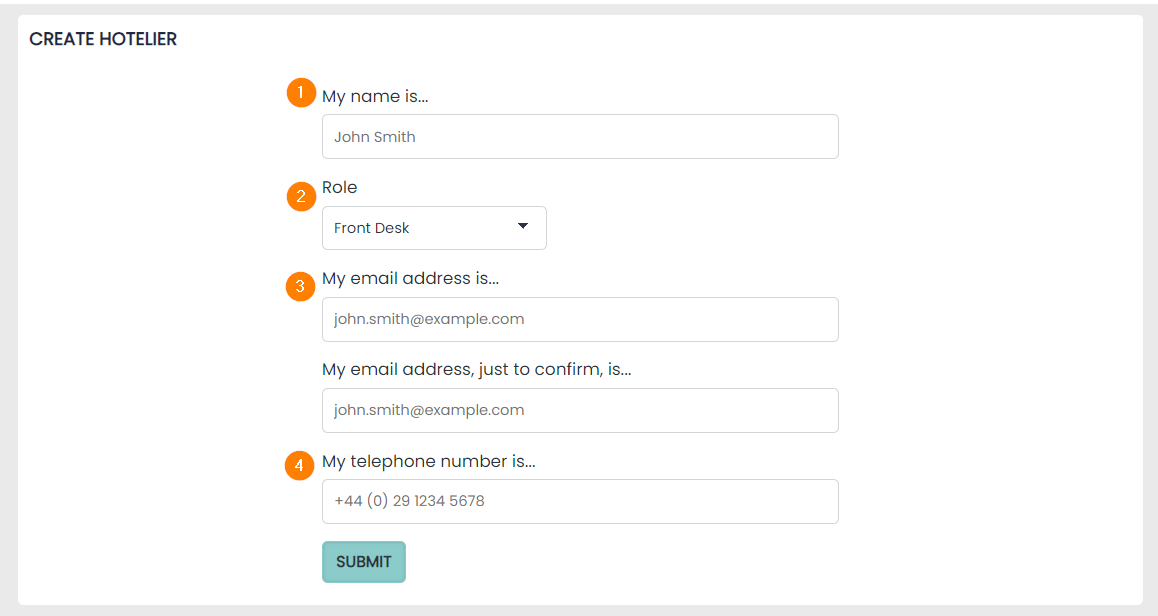
1 Staff Profile Name – enter the Staff users name in this box
2 Role There are two roles available to assign to each profile, Front Desk or Manager. The access which both roles have can be managed using the staff permissions matrix
3 Email Address – this must be unique for each Profile. Once the Profile is created, the staff user will receive a password set up email to this address.
4 Telephone Number is an optional field
Editing a Staff Profile
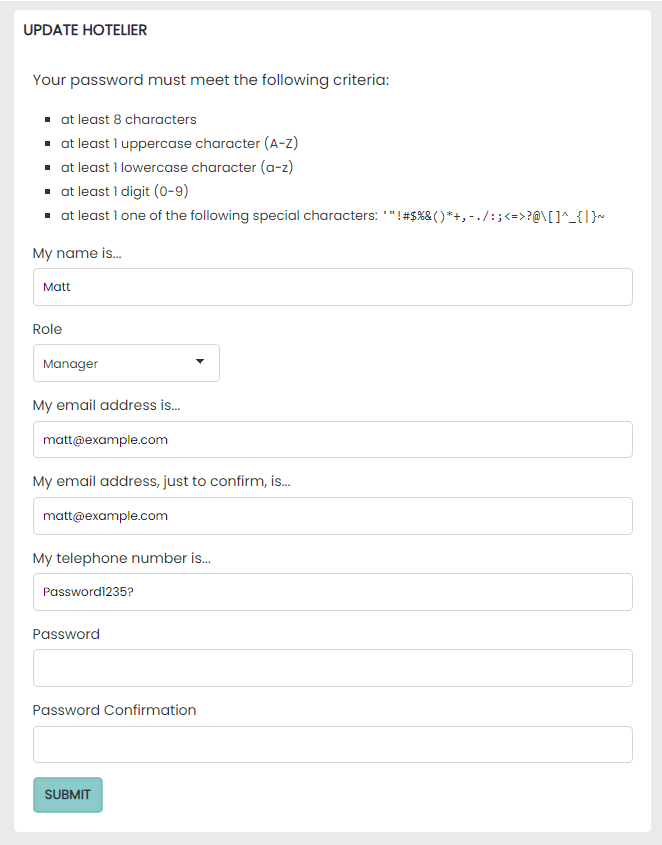
To edit a staff profile select the edit pencil within the actions column. Here you can edit any of the fields set above.