Group Portal
Group Portal Topics
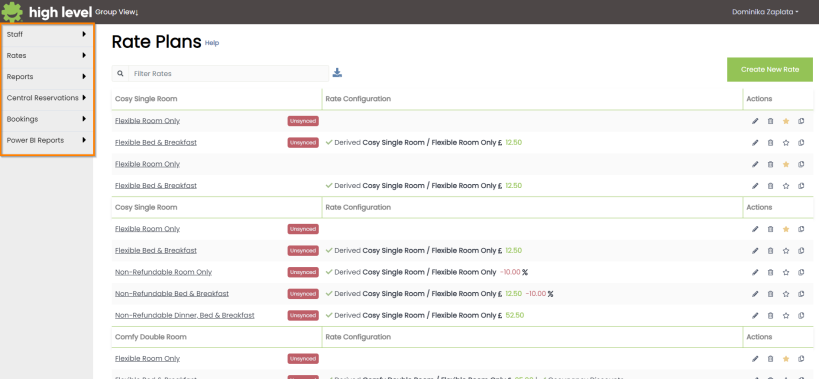
Overview
The Group Portal allows a user to manage multiple hotels across an estate.
- Staff – staff profiles can be managed centrally and created over multiple hotels
- Rates – rate plans can be created and managed over multiple estates
- Reports – centralised group reporting allow aggregated figures for sales and occupancy
- Central Reservations – bookings can be made on any of the hotels within the group. Availability will display for alternate dates or hotels when the property is fully booked
- Bookings – a way to search for bookings throughout your estate
- Power BI Reports – quick access to Power BI reports for the estate
Create a New Staff Profile
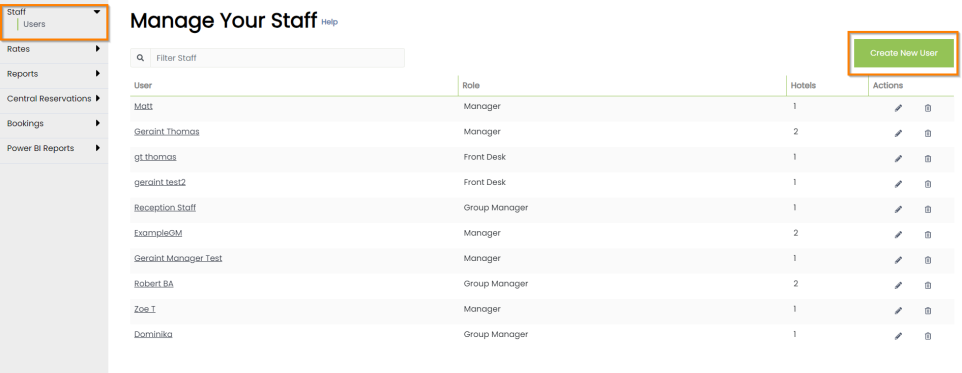
Staff Profiles are viewed in the Group Portal by clicking on ‘Staff’ in the left hand side navigation menu. The ‘Users’ sub-menu will display all users when clicked.
The Group Portal allows for another Staff profile role in addition to the standard Front Desk and Manager. This is Group Manager and will allow access to the Group Portal. If a user with manager level access is set up across more than one site in the estate, they will automatically be granted group-manager level access.
To create a new Staff Profile, click the button in the top right of the page.
Create/ Edit a Staff Profile
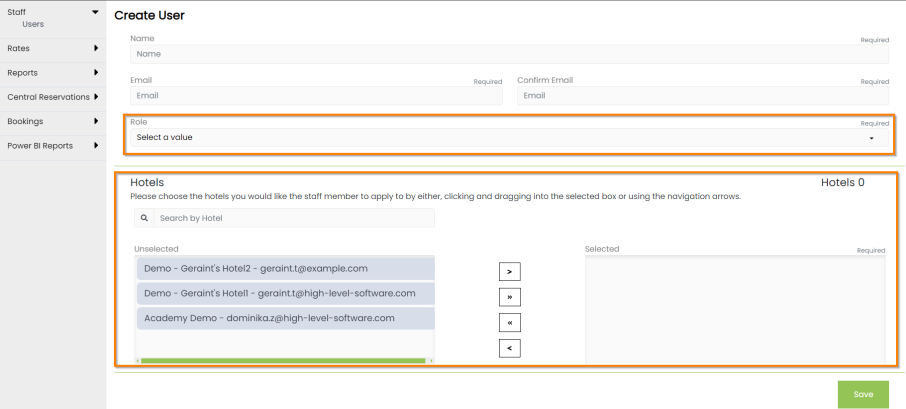
When creating a new Staff, the following information is required:
-
Profile Name
-
Unique email address
-
Select a Role from:
-
Front Desk (limited access)
-
Manager (access to rates & reports for one site)
-
Group Manager (access to multiple sites and group portal)
-
-
Select Hotels from the estate. Any or all of the hotels can be dragged into the ‘selected’ field. The single arrow selectors will move one hotel at a time and the double arrow will move all hotels in the group into the ‘selected’ field
Accessing the Portal
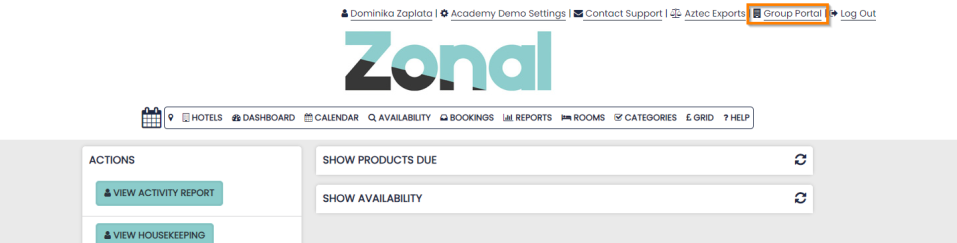
To access the Group Portal the Group Manager should begin by logging into the PMS as usual.

A list of all hotels that the user has access to will be displayed. Each can be accessed by clicking the name.
The Group Portal for the estate can be accessed here by clicking the Group icon shown for each hotel listed.
When logged into any of the PMS accounts, you will be able to access the Group Portal from the links found at the top of the page.