Export
The Export tool exists within Events for businesses that have previously used the Events platforms as a standalone without the inclusion of Table Management. Bookings should only display within the Export tool if they are not synced to the Table Management solution.
The Export tool is generally only used for an initial go-live.
Export Topics
How to Export to Tables
Follow these steps to export bookings from Events and into Tables:
-
Select the Outlet drop downs to locate the required site
-
Tick the box in the Export column
-
Click Continue
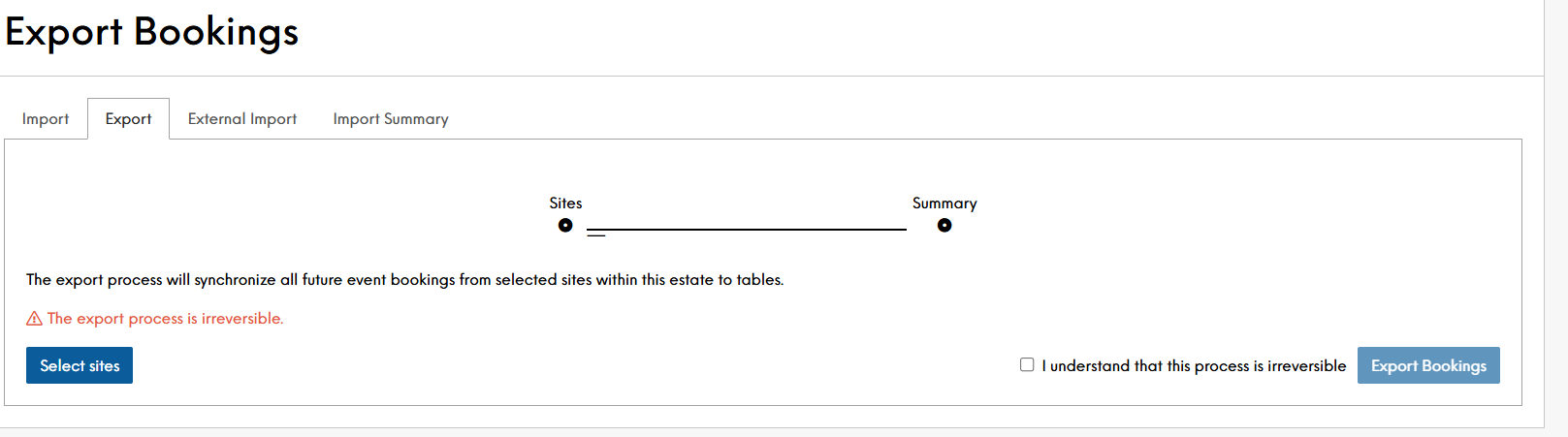
You will be presented with a statement that "The export process is irreversible". Therefore if there is any uncertainty, you must reach out to your account representative.
-
Tick "I understand that this process is irreversible"
-
Click Export Bookings
Once confirmed, the below message will display. No further messaging will present. To review if the process has exported all bookings, either review within the Tables Host applciation that bookings are showing, or refresh the browser, and re-run the steps of the export
