Booking Sources
Booking Sources let you track where your bookings are coming from, helping you understand which channels and campaigns are driving the most traffic and conversions. By setting up and monitoring Booking Sources, you can measure the effectiveness of your marketing efforts, identify high-performing referral partners, and make data-driven decisions to optimise future campaigns.
Booking Sources Topics
Enabling and Creating Referral Sources
Follow these steps to enable and create sources:
-
Navigate to the Booking Sources tab
-
Click the Enable Referral Sources toggle to activate Referral Source functionality

-
If the feature toggle is disabled, referral source functionality is hidden on Events Host and External API
-
If the feature toggle is enabled, it is mandatory for the user to create at least 1 referral source
-
If the feature toggle is disabled, after once being enabled, all referral sources added are kept and not erased
-
-
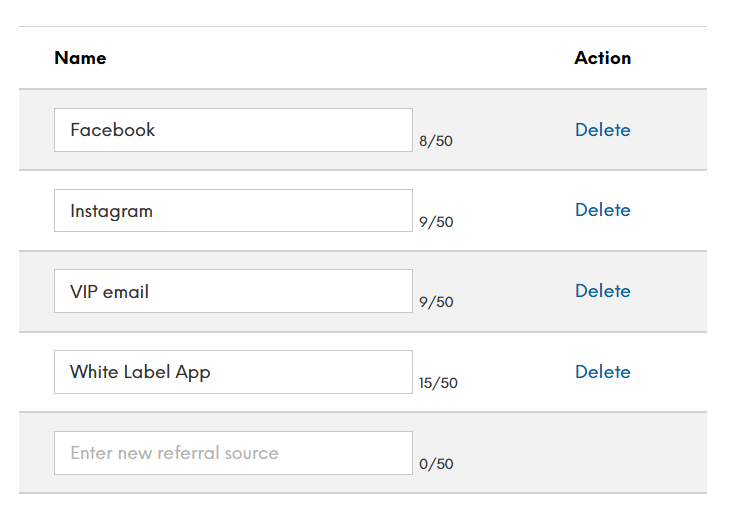
Add a Referral Source
Once the feature toggle is enabled, the user can start adding referral sources using the ‘name’ field
-
Click Save Changes
Referral source names cannot be duplicated
Each referral source has a character limit of 50 characters
Displaying Referral Sources
After configuring the Referral Sources on the Events Admin, all bookings contain a section to choose the appropriate referral. This can be displayed in the following areas:
Booking Widget
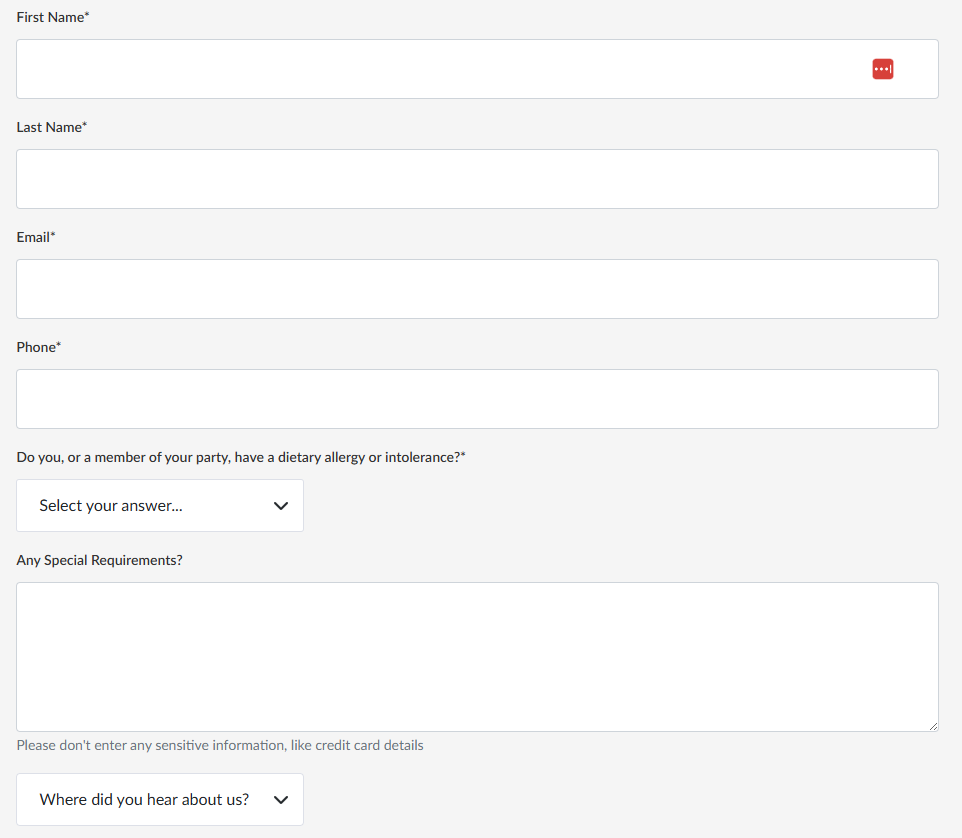
A field called ‘Where did you hear about us’ is added on the personal details page, where users can pick from the pre-configured selection:
-
Choosing a referral source on the widget is not mandatory and the guest can only choose 1 referral source from the list
-
If only 1 referral source is configured or surfaced (e.g in the customisable widget) then the referral source will be automatically selected
Events Host App
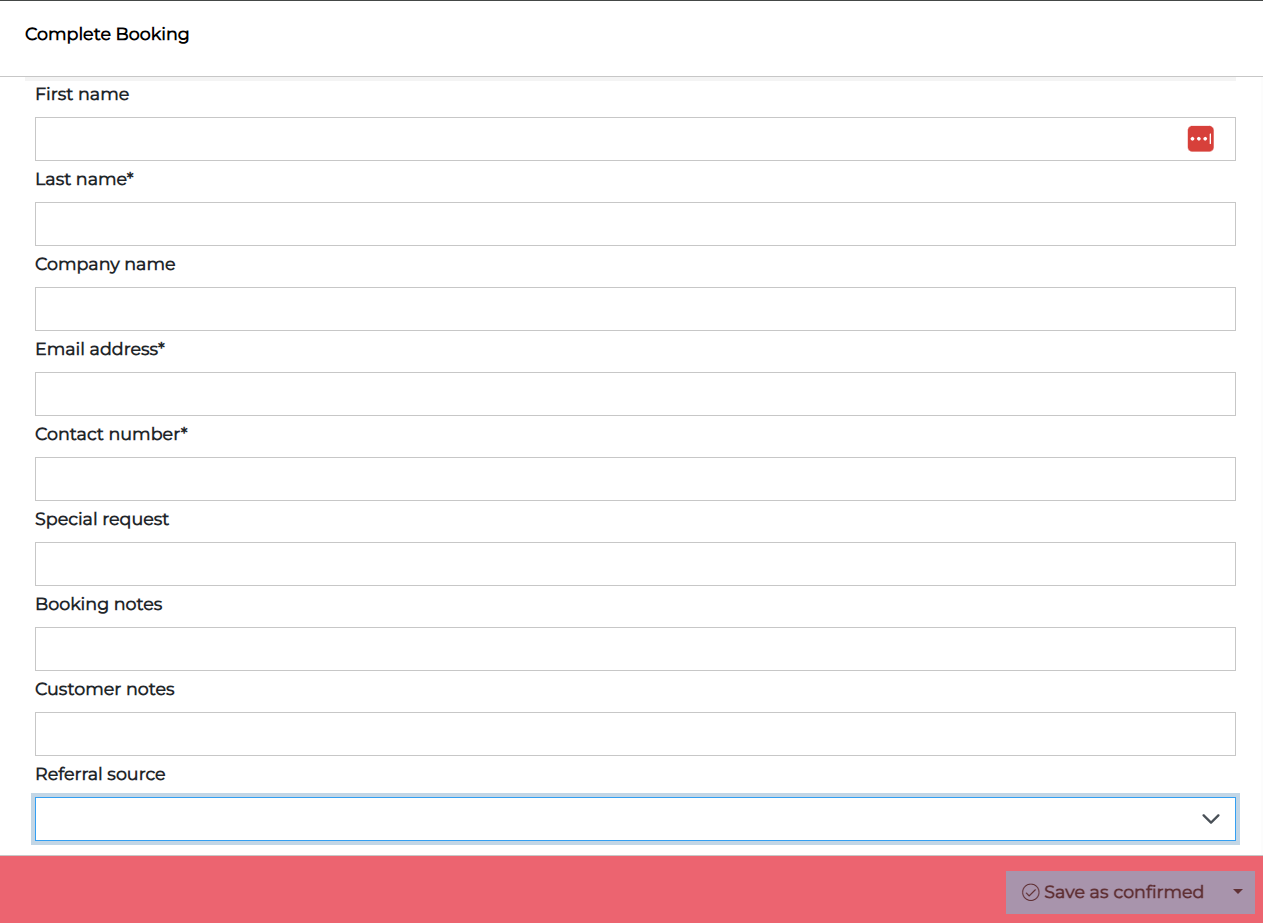
Referral Sources can be added in the Events Host App, when making or editing a booking by selecting them from the 'Referral Source' dropdown list:
-
Choosing a referral source on the Host application is NOT mandatory
-
Host App users can choose only 1 referral source available in the list
-
Host App users can change referral source for existing and future bookings only
-
If a booking is in the past (arrival date has passed), referral source cannot be changed
-
If a referral source is deleted on Events Admin, this referral source is kept on past bookings only. For future bookings, the deleted referral source is not available for selection
External API
Referral Sources can also be added to the External API:
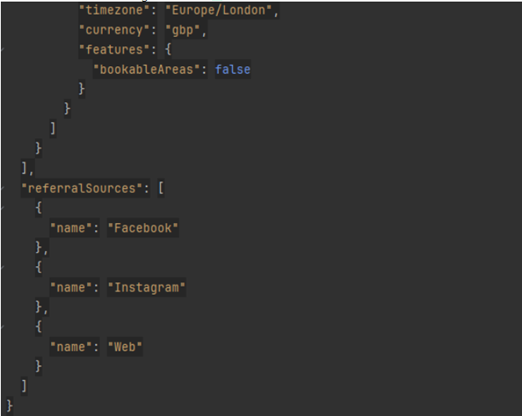
GET /outlets endpoint
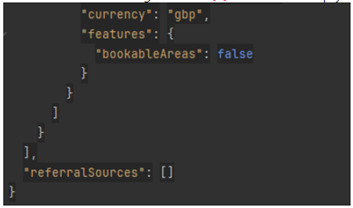
Extended response with Referral Sources configured on Events Admin.
-
If Referral Sources configuration is disabled then empty collection is returned
-
If Referral Sources configuration is enabled then collection of Referral Sources is returned
GET /events, /events/{eventId}, /enquiries/{enquiryId]
-
If Referral Sources configuration is disabled, Referral Source is not returned from those endpoints
-
If Referral Sources configuration is enabled, Referral Source is returned when it is added for a booking
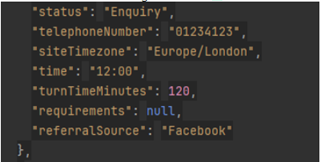
In both cases when it is not returned it means that the whole property is not present in the response:
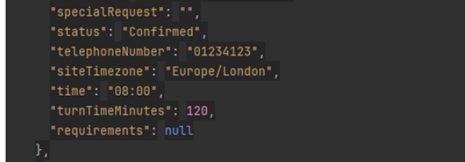
POST /events, /enquiries
-
When creating an Event or an Enquiry, Referral Source can be provided in the request
-
When creating an Event or an Enquiry, Referral Source can be provided in the request
-
If Referral Source is invalid or empty, then it is simply ignored and booking is created without it
Reporting
For reporting purposes, a column called ‘Referral Sources’ is available in the Bookings List:
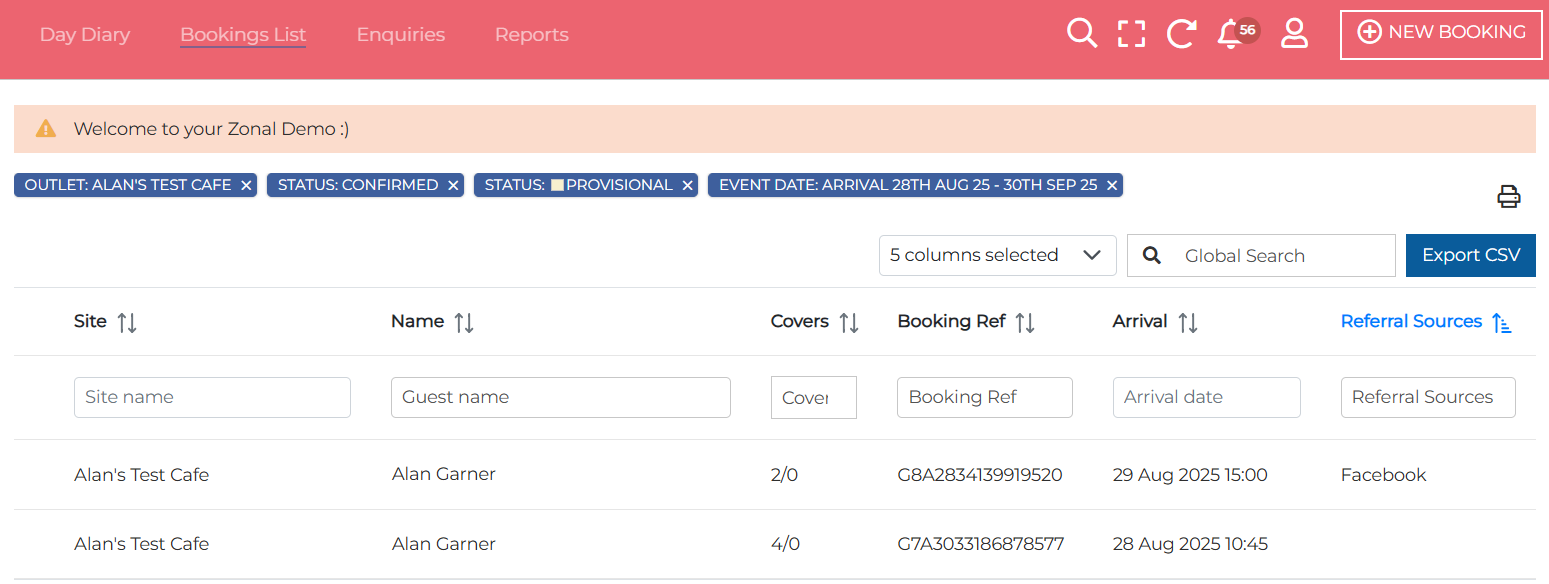
This can also then be exported into a CSV file:
