Skims
When a skim or uplift is performed against a point of house terminal or money belt operator using the Count in Office action, it must first be recorded in the finance module before you can proceed with other actions, such as making a declaration. You will be notified by an entry in the Things to Do List that there are outstanding skims.
Skims Topics
Completing Skims
Follow these steps to complete a skim:
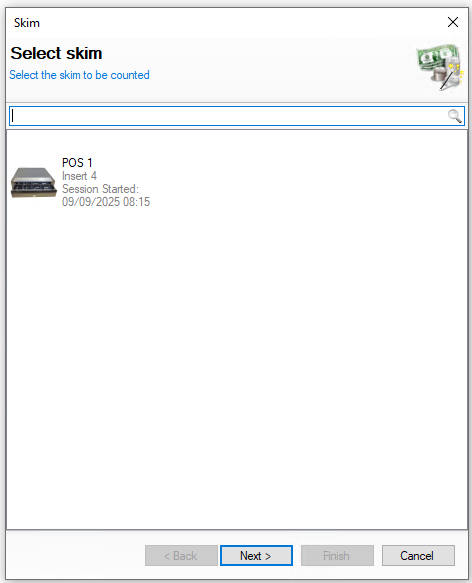
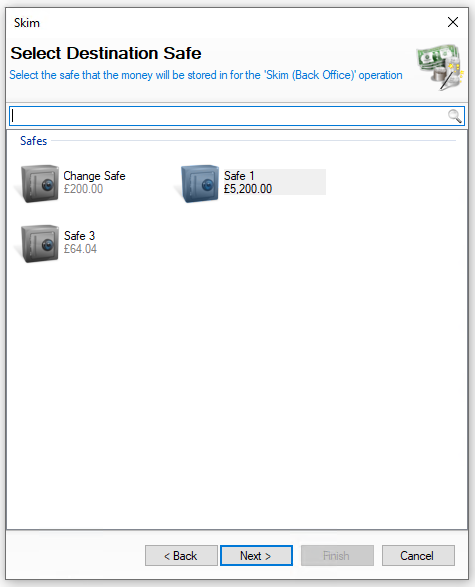
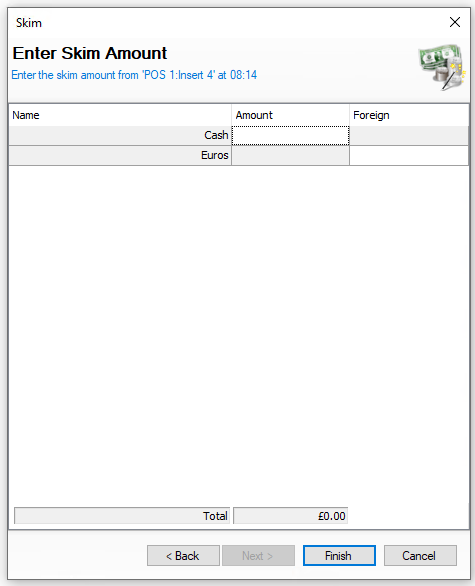
| Click Complete Skim | Select Skim | Click Next | → | Select the Destination Safe | Click Next | → | Enter the Amount Skimmed | Click Finish | |
|
Select the required skim to be completed On this step you might:
|
Select the required safe where money will be added to You will not be shown this step if:
On this step you might:
|
Enter the amount of money skimmed On this step you might:
|
|||
|
|
|
Editing Skims
When selecting skims the list of entries are displayed by day and the options available are View | Edit | Delete
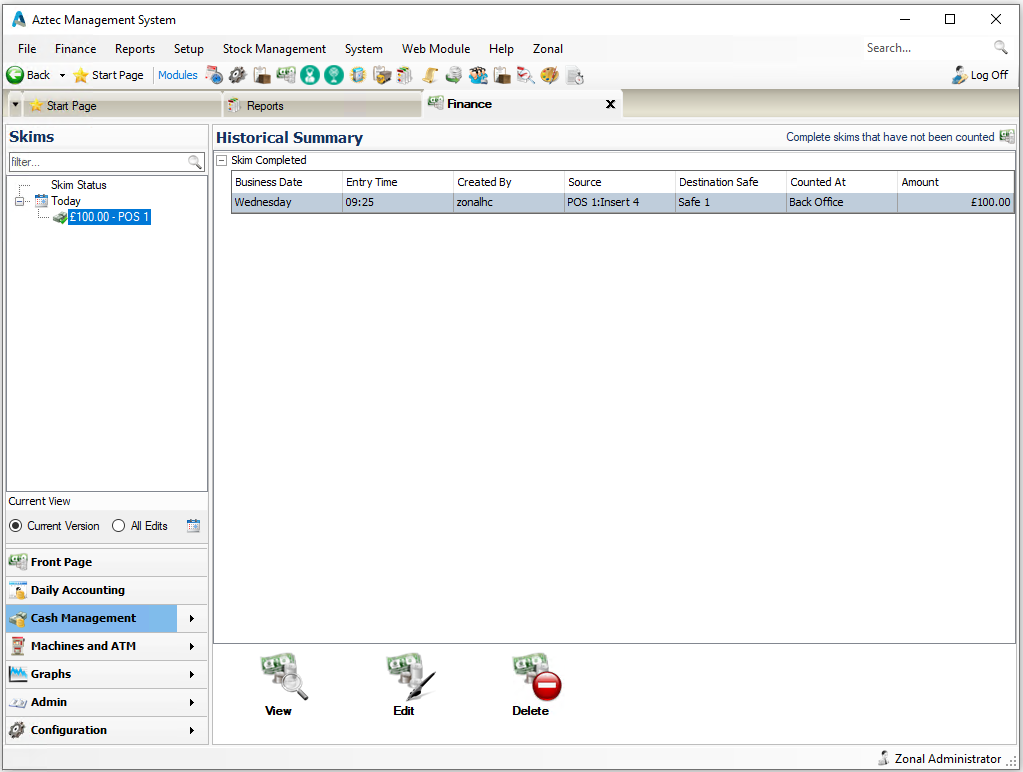
The following rules apply to editing skims:
-
An entry can only be edited if the back of house operator has permission configured against their job role to edit skims
-
When the terminal / insert or money belt has been declared it is no loner possible to edit the skim
Select a change received entry and follow these steps to edit:
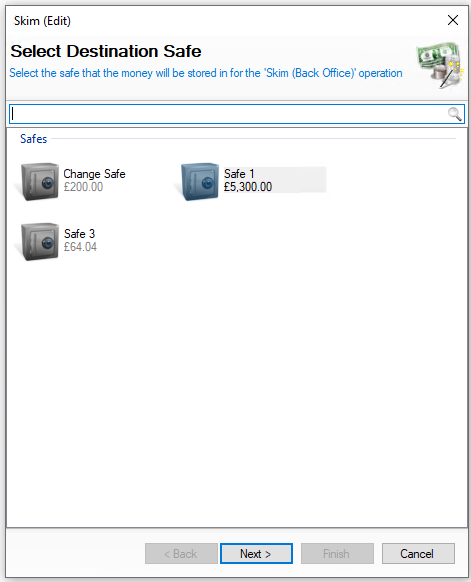
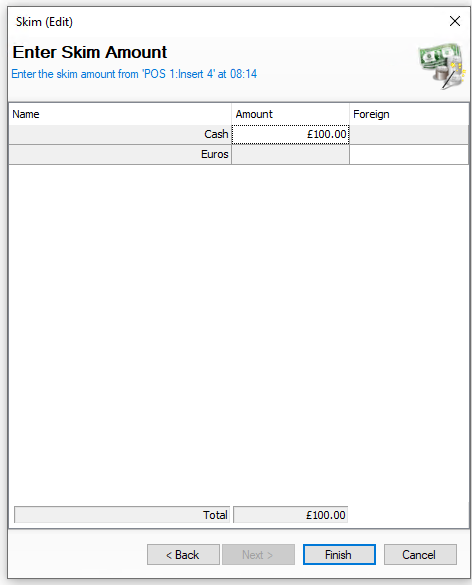
| Confirm the Destination Safe | Click Next | → | Confirm the Amount Skimmed | Click Finish | |||
|
Confirm the required safe where money will be added to You will not be shown this step if:
On this step you might:
|
Confirm the amount of money skimmed On this step you might:
|
||||
|
|
|
Deleting Skims
When selecting skims the list of entries are displayed by day and the options available are View | Edit | Delete
The following rules apply to deleting skims:
-
An entry can only be deleted if the back of house operator has permission configured against their job role to delete skims
-
When the terminal / insert or money belt has been declared it is no loner possible to delete the skim
Select an entry and follow these steps to delete:
-
Click Delete
-
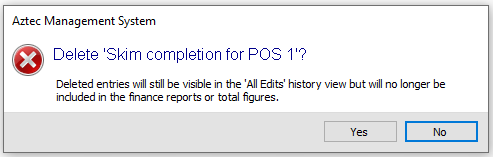
Confirm Yes to delete the skim entry
-
The value of the skim will be removed from the Destination Safe and the action will be required to be completed again before a declaration can be completed