General Information
The finance module includes a range of configuration options that influence how its functions and activities operate. The onsite operations section is designed as a guide to all available functions and explains how certain features may differ in your setup depending on the configuration chosen.
Layout
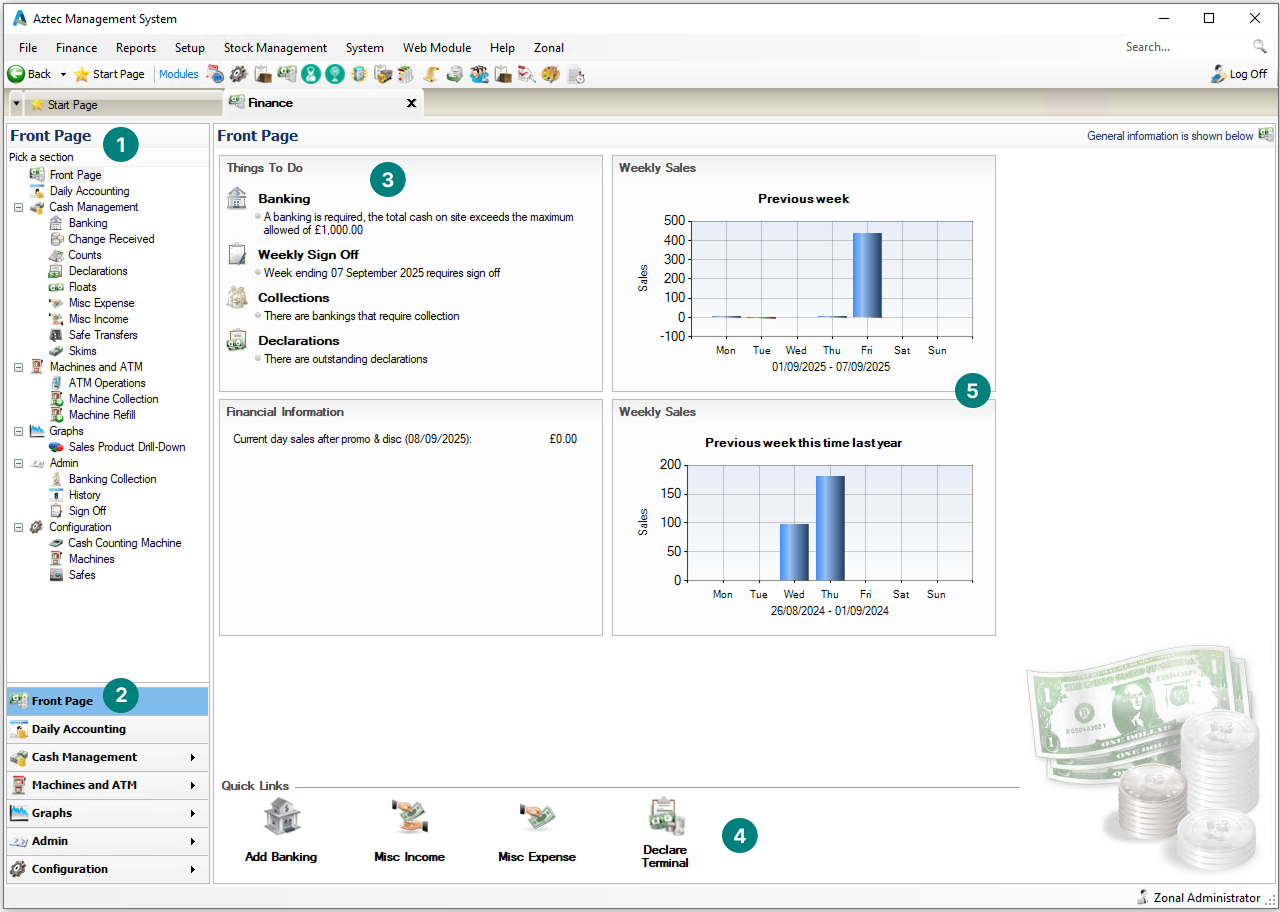
Finance has 5 primary sections:
-
Side Navigation
-
Access to all finance functions
-
-
Side Navigation with Other Menu Access
-
Direct Access to other options (easy to use when a function is already open)
-
-
Things To Do List
-
List of outstanding activities needing to be performed
-
-
Quick Links
-
Quick access from the front page to commonly used functions
-
-
Sales Graphs
-
Simple bar charts for sales
-
Front Page
The front page is the starting point for all finance activities. It provides a clear list of tasks to be completed, allowing you to see at a glance what requires attention. Selecting an option from the list takes you directly to that activity, while the quick links at the bottom of the screen offer fast access to common tasks. Alternatively, you can use the side navigation to move to the relevant section.
Other Side Navigation Options
The options in the side navigation will display all functions and activities that can be performed based either on:
-
The configuration and setup of the system
-
Job role security, any activities permitted by the job role will be displayed
Options
-
Cash Management - tracks all monies flowing in and out of the system based on recorded activities. Depending on your configuration, some options may not be visible or applicable within your setup
-
Machines and ATM - allows you to manage cash flowing in and out, giving you complete financial control of cash within the site
-
Admin - handles tasks beyond day to day cash management, such as managing banking collections, reviewing activity history, and completing key sign off processes
-
Configuration - manages the setup of safes, machines and cash counters