Daily Accounting
The daily accounting screen provides an overview of all financial activities and offers an alternative way to complete functions without leaving the view. When performing these functions, the steps are the same as if they were completed through the relevant sections, such as Cash Management or Admin.
Daily Accounting Topics
Layout
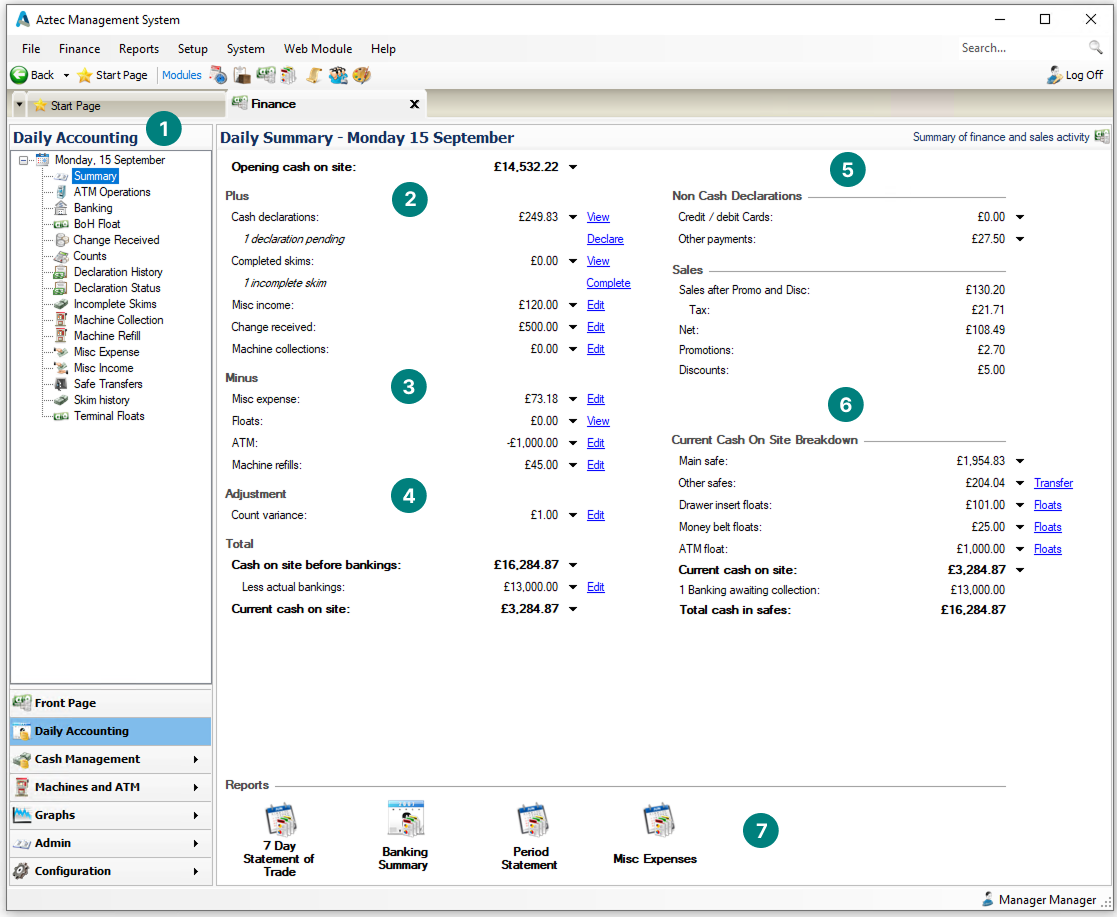
Product Modelling has 7 primary sections:
-
Day Selector
-
Navigating to any of the function options listed under a day enables add / edit / view / delete options
-
-
Plus
-
Money coming into the finance module
-
-
Minus
-
Money going out of the finance module
-
-
Adjustment
-
Adjustments made by variances
-
-
Non Cash Declarations / Sales
-
Summary of payments and sales
-
-
Current Cash on Site
-
Summary of all cash and its location onsite
-
-
Quick Report Links
-
Links to preconfigured reports, selecting an option will open the report
The reports displayed could be different on your setup
-
Other Information
-
Edit - selecting editing next to an option will enable that function to be performed
For example selecting Edit next to 'Count Variance' will enable counts to be performed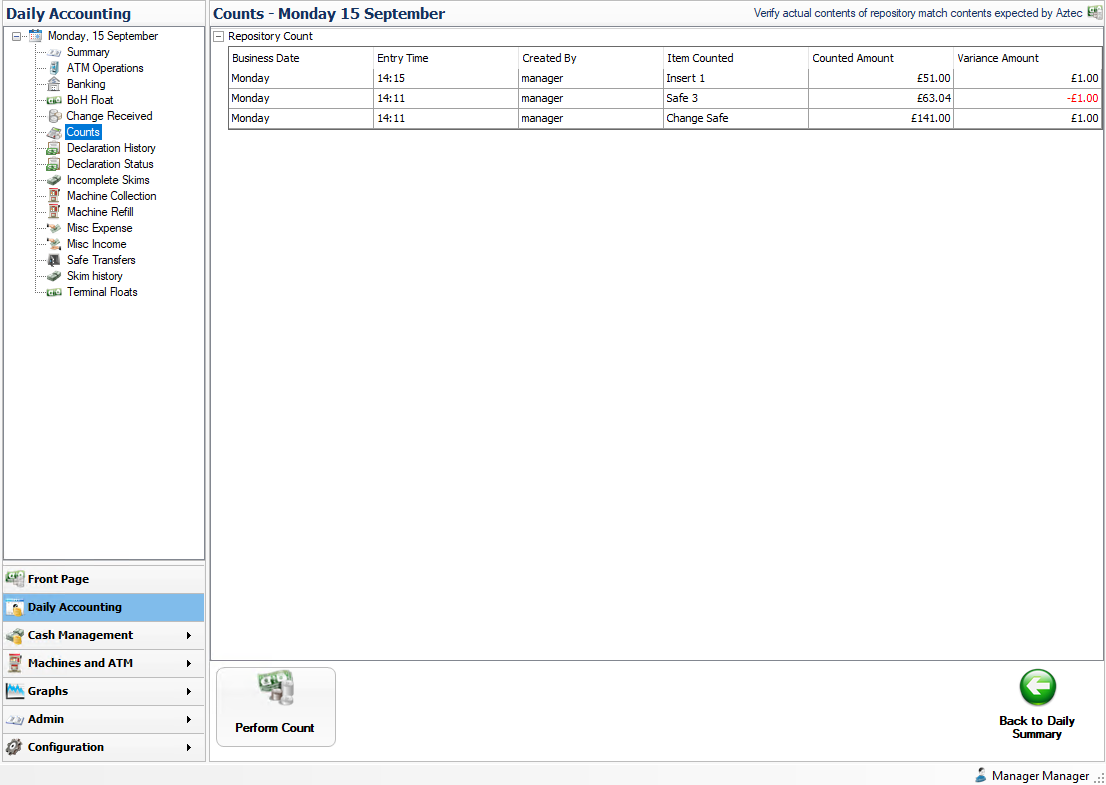
-
View - will show related entries applicable to the selected function
For example selecting View next to 'Completed Skims' will display the skims list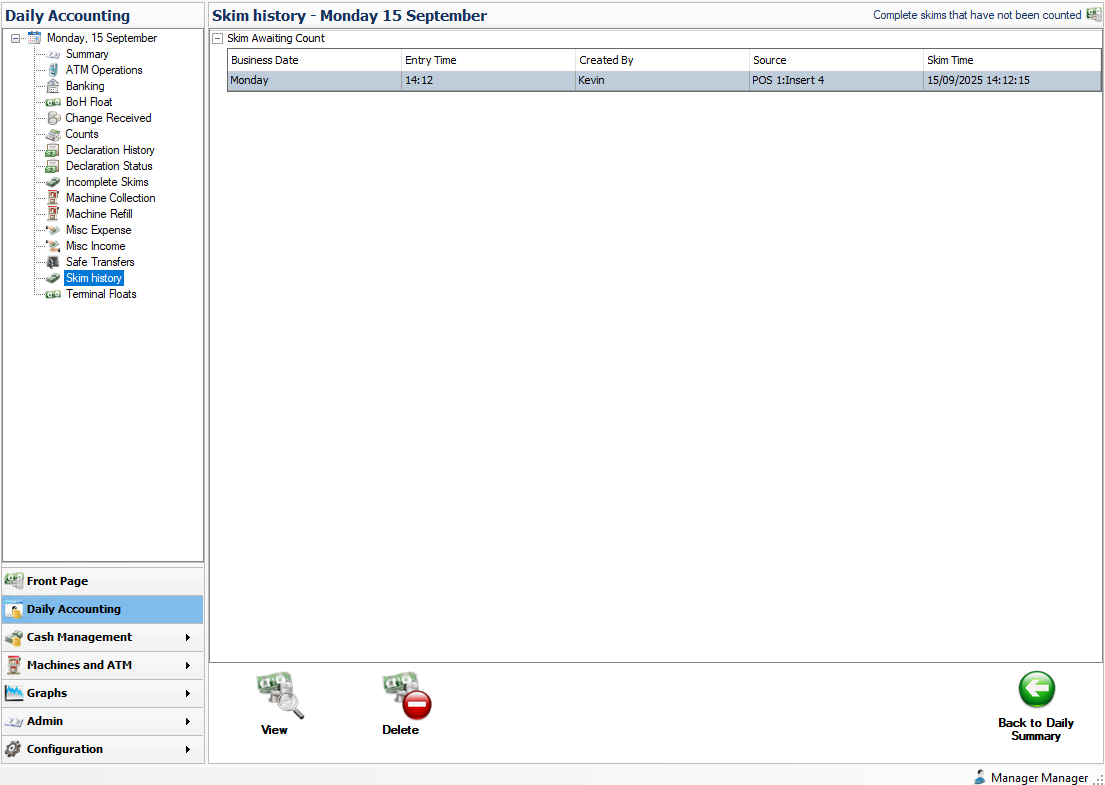
-
Selecting an option under the given date will also enable Edit / View / Delete functionality