Safe Transfers
When multiple safes are set up, the safe transfer function allows money to be moved between them as needed for operational or procedural purposes.
Safe Transfers Topics
Transfer Money
Follow these steps to transfer money between safes:
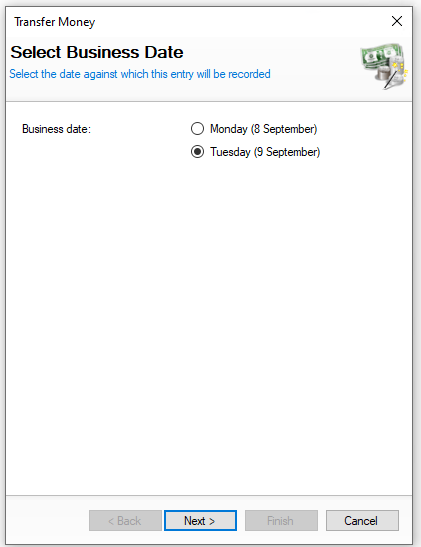
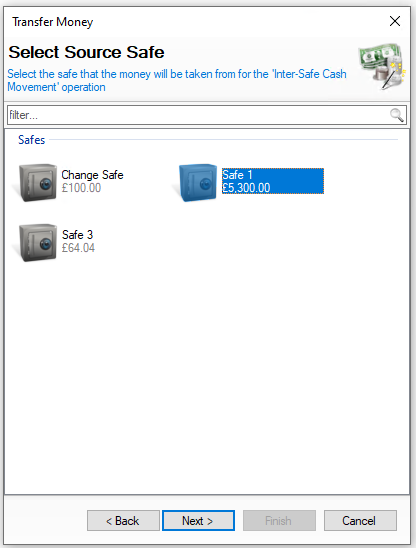
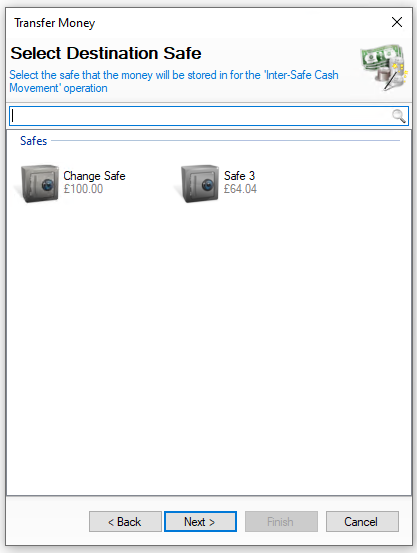
| Click Add Transfer Money | Select Safe Transfer Date | Click Next | → | Select the Source Safe | Click Next | → | Select the Destination Safe | Click Next | |
|
Select the date the transfer happened You will not be shown this step if:
|
Select the safe the money is moving from On this step you might:
|
Select the safe the money is moving to On this step you might:
|
|||
|
|
|
|||
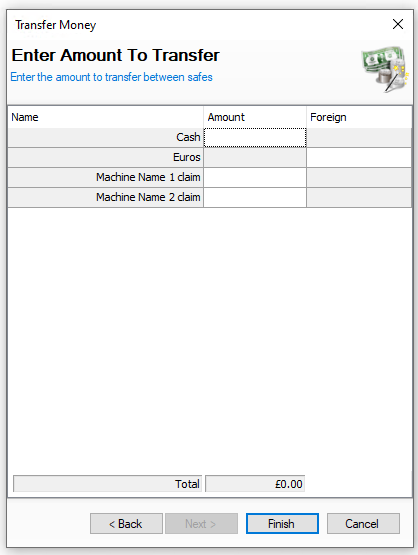
| → | Enter the Amount to Transfer | Click Finish | ||||
|
Enter the amount of money to be transferred from the source to destination safe On this step you might:
|
|
||||
|
|
|
Editing Transfers
When selecting safe transfers the list of entries are displayed by day and the options available are View | Edit | Delete
The following rules apply to editing safe transfers:
-
An entry can only be edited if the back of house operator has permission configured against their job role to edit safe transfers
-
When operating with daily sign off only the current days entries can be edited, once a day is signed off the entry for previous days cannot be changed
Select a safe transfer entry and follow these steps to edit:
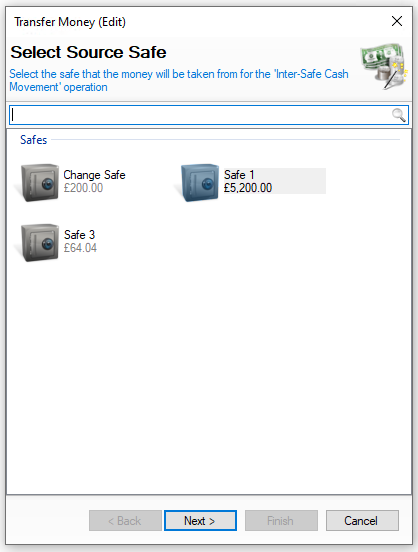
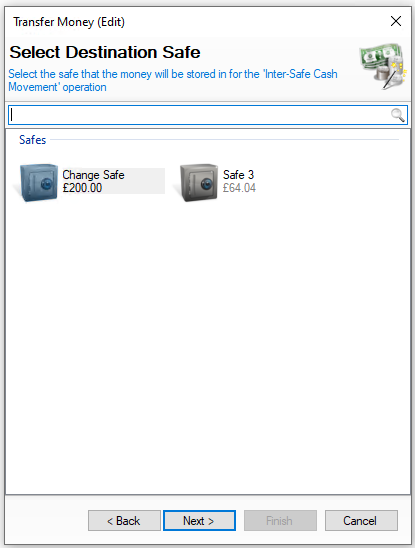
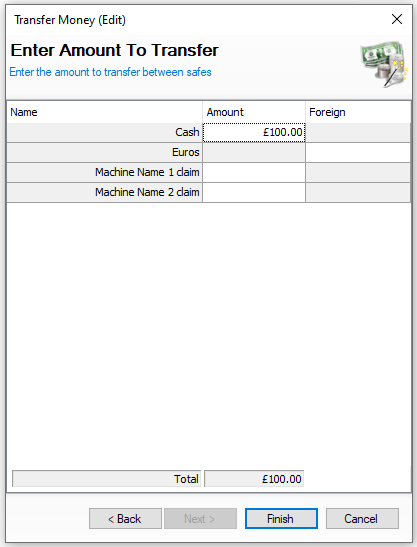
| Confirm the Source Safe | Click Next | → | Select the Destination Safe | Click Next | → | Confirm the Amount to Transfer | Click Finish | |
|
Confirm the safe the money is moving from On this step you might:
|
Confirm the safe the money is moving to On this step you might:
|
Confirm the amount of money to be transferred from the source to destination safe On this step you might:
|
|||
|
|
|
Deleting Transfers
When selecting safe transfers the list of entries are displayed by day and the options available are View | Edit | Delete
The following rules apply to deleting safe transfers:
-
An entry can only be deleted if the back of house operator has permission configured against their job role to delete safe transfers
-
When operating with daily sign off only the current days entries can be edited, once a day is signed off the entry for previous days cannot be changed
Select an entry and follow these steps to delete:
-
Click Delete
-
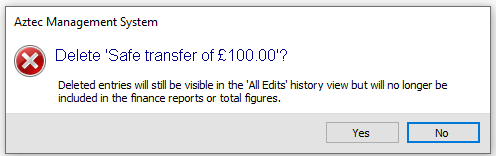
Confirm Yes to delete the safe transfer
-
The value of the safe transfer will be moved back to the Source Safe