Site Master | Site

Created 20 November 2025 • Updated 20 November 2025

Counts

The counts option allows you to record the balance of a repository containing money added through the floats function. Performing counts ensures an accurate and up to date view of all cash held onsite.

Navigate to Finance → Cash Management → Counts

Safes

Safes act as the primary repositories for cash onsite. Whenever finance functions are performed, money flows in or out of a safe, updating its value. Depending on your configuration, the current balance of the safe may not always be displayed.

Performing Counts

Select a safe to count:

If no repository is selected when clicking 'Count' the wizard stepper will prompt to select one
If a count is performed on a safe that has no money and a value is entered, this will create a variance
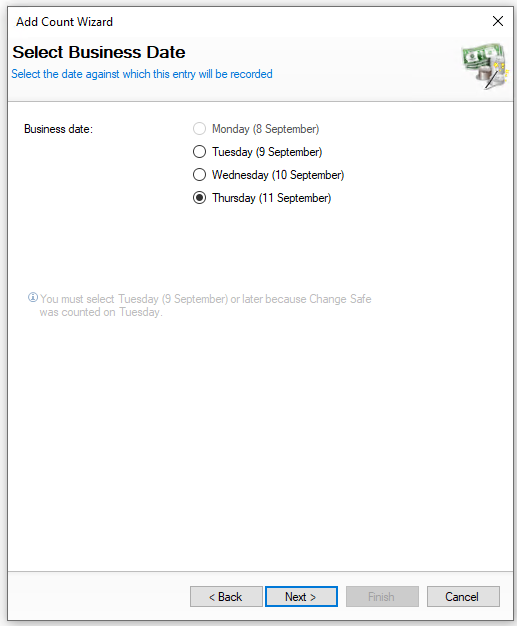
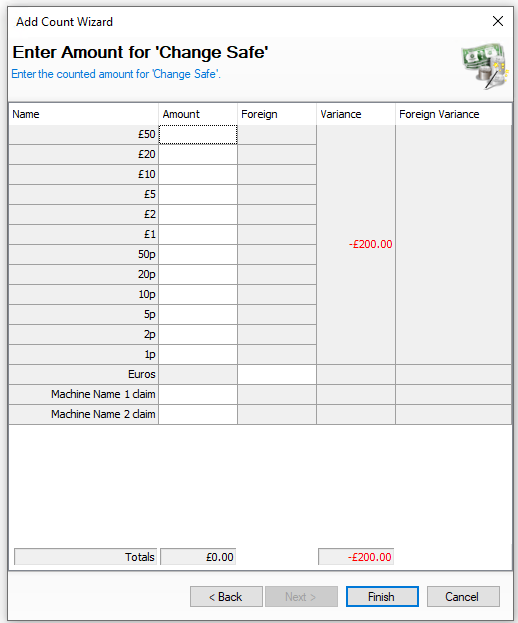
  Click Perform Count | Select Count Date | Click Next Enter the Safe Count Amounts | Click Finish  


Select the date the count was performed

You will not be shown this step if:

  • Daily sign off is enabled, the entry will be recorded against the current business day

On this step you might:

  • Be prevented from selecting previous days if it had already been counted after those days


Enter the amount of money counted in the safe

On this step you might:

  • See rows by cash total rather than denomination

  • Not see foreign currency

  • Not see machine claims

  • Not see the expected / variance value as counts are 'blind'

  • Be prompted to recount / enter the values as you were not within the expected tolerance amount

  • Be prompted to click next and enter your back of house password and or counter signatory

  • Be prompted to select a reason for any variances


Drawer Inserts

Drawer inserts provides an accurate way to manage cash. Money is assigned to an insert, which is then linked to the point of sale terminal when opened. This ensures a precise record of where cash is held within the site.

Performing Counts

Select a drawer insert to count:

If no repository is selected when clicking 'Count' the wizard stepper will prompt to select one
If a count is performed on a drawer insert that is not currently floated and a value is entered, this will create a variance
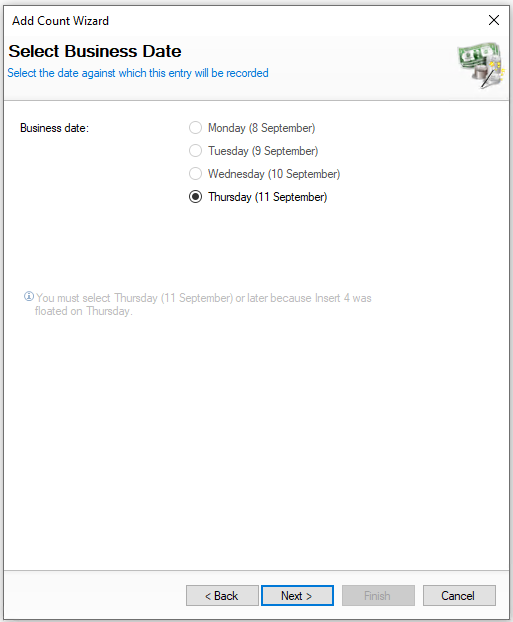
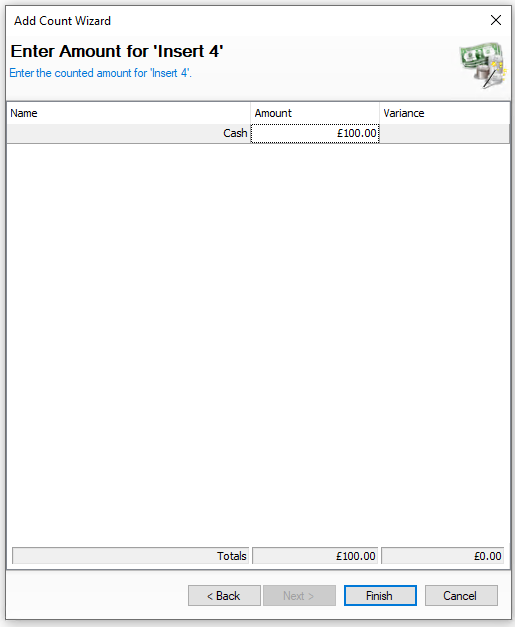
  Click Perform Count | Select Count Date | Click Next Enter the Drawer Insert Count Amounts | Click Finish  


Select the date the count was performed

You will not be shown this step if:

  • Daily sign off is enabled, the entry will be recorded against the current business day

On this step you might:

  • Be prevented from selecting previous days if it had already been counted after those days


Enter the amount of money counted in the drawer insert

On this step you might:

  • See rows by denomination rather than a cash total

  • Not see the expected / variance value as counts are 'blind'

  • Be prompted to recount / enter the values as you were not within the expected tolerance amount

  • Be prompted to click next and enter your back of house password and or counter signatory

  • Be prompted to select a reason for any variances


Money Belts

Performing counts against money belts is only required if you are recording cash given to front of house operators for their shift, if no float is issued this process is not required.

Performing Counts

Select a money belt to count:

If no repository is selected when clicking 'Count' the wizard stepper will prompt to select one
If a count is performed on a money belt that is not currently floated and a value is entered, this will create a variance
  Click Perform Count | Select Count Date | Click Next Enter the Money Belt Count Amounts | Click Finish  


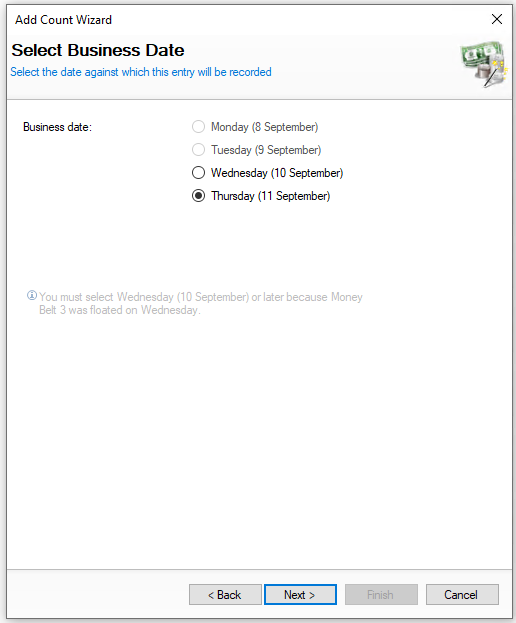
Select the date the count was performed

You will not be shown this step if:

  • Daily sign off is enabled, the entry will be recorded against the current business day

On this step you might:

  • Be prevented from selecting previous days if it had already been counted after those days


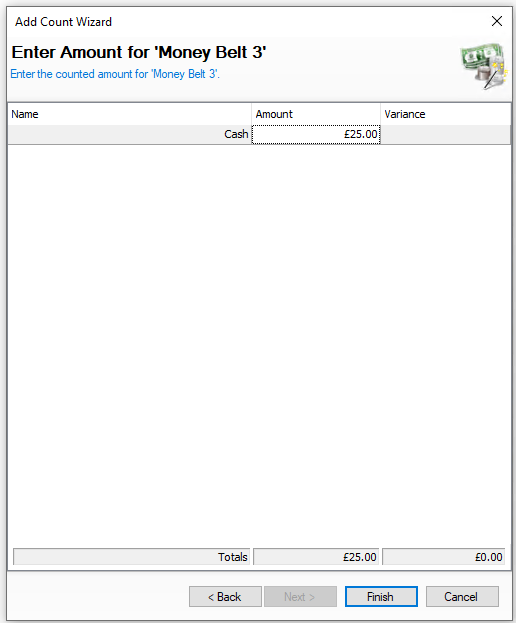
Enter the amount of money counted in the money belt

On this step you might:

  • See rows by denomination rather than a cash total

  • Not see the expected / variance value as counts are 'blind'

  • Be prompted to recount / enter the values as you were not within the expected tolerance amount

  • Be prompted to click next and enter your back of house password and or counter signatory

  • Be prompted to select a reason for any variances


ATM

When an ATM is configured for onsite operations and is not in a deployed state a count can be performed.

Performing Counts

If no repository is selected when clicking 'Count' the wizard stepper will prompt to select one
  Click Perform Count | Select Count Date | Click Next Enter the ATM Count Amounts | Click Finish  


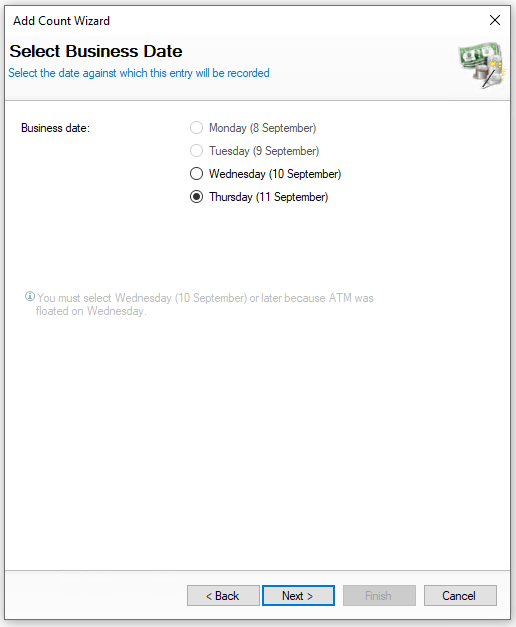
Select the date the count was performed

You will not be shown this step if:

  • Daily sign off is enabled, the entry will be recorded against the current business day

On this step you might:

  • Be prevented from selecting previous days if it had already been counted after those days


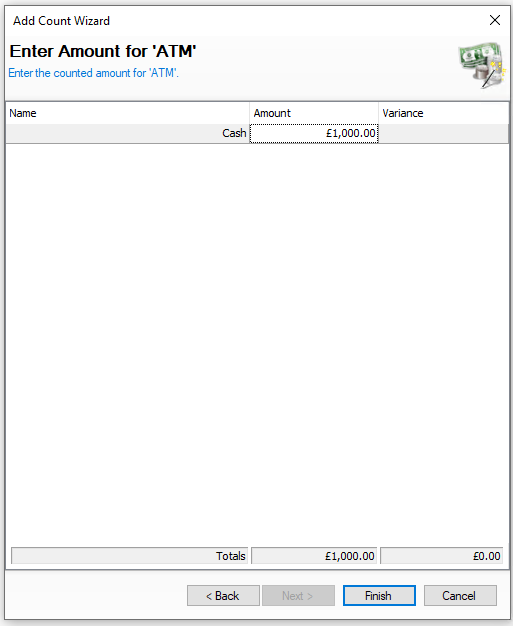
Enter the amount of money counted in the ATM cassette

On this step you might:

  • See rows by denomination rather than a cash total

  • Not see the expected / variance value as counts are 'blind'

  • Be prompted to recount / enter the values as you were not within the expected tolerance amount

  • Be prompted to click next and enter your back of house password and or counter signatory

  • Be prompted to select a reason for any variances