QR Codes in Emails
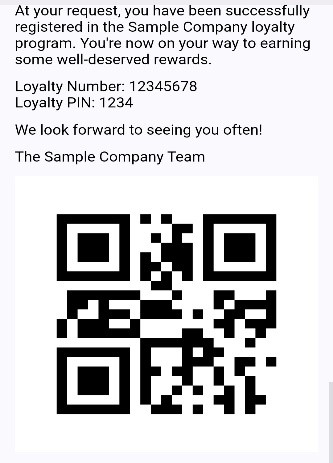
An optional additional step enables a QR code to be included within the welcome the guest receives when they register the loyalty card, this page describes the setup for including the QR code, more information on customising email templates is available here.
QR Code Topics
Adding QR Code to Welcome Email
Navigate to Loyalty → Programs → "Select Program" → Email Templates
Follow these steps to add the QR code:
-
Select the required Welcome template
-
Click Edit
-
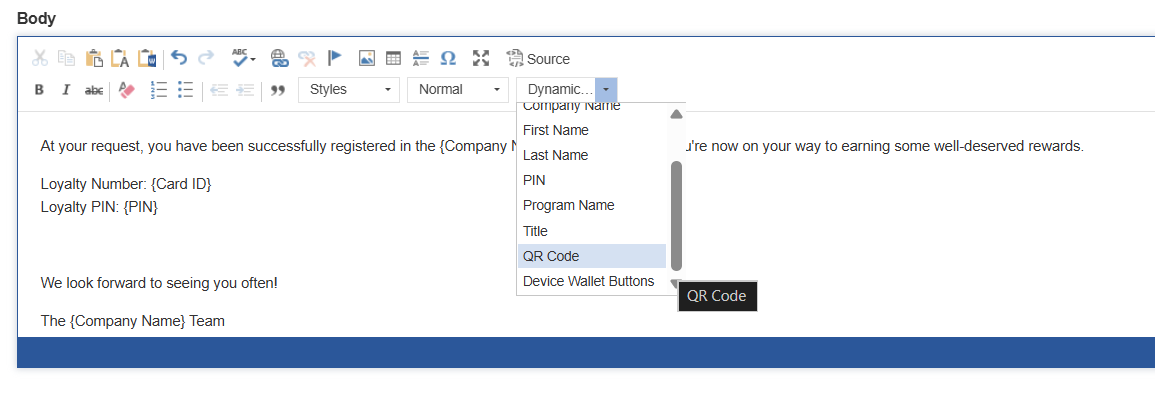
Add to the template from the Insert Dynamic Text drop down the QR Code
-
This will be displayed in the template as {QR Code}
-
Click Save
When a guest receives their welcome email the QR code will now be included: