Apple & Google Requirements
Zonal require access to Apple / Google accounts prior to pass creator setup.
Apple & Google Requirements Topics
Requirements
You will need to create and provide Zonal access to the following prior to requesting set up:
-
Apple Developer Account: An active Apple Developer account is required to create passes for iOS devices, this must be an Organisation account you can enrol here
-
Google Play Console Account: A Company or Business Google Developer account is necessary to create passes for Android devices, you can sign up here
-
Google Pay & Wallet Console Account: This account needs to be linked the Business Google Play Account, this can be created here
Further Support: Apple
Setting Up Apple Developer Account
Apple Developer Account needs to be created for your Organisation. To enrol use the following link https://developer.apple.com/programs/enroll/
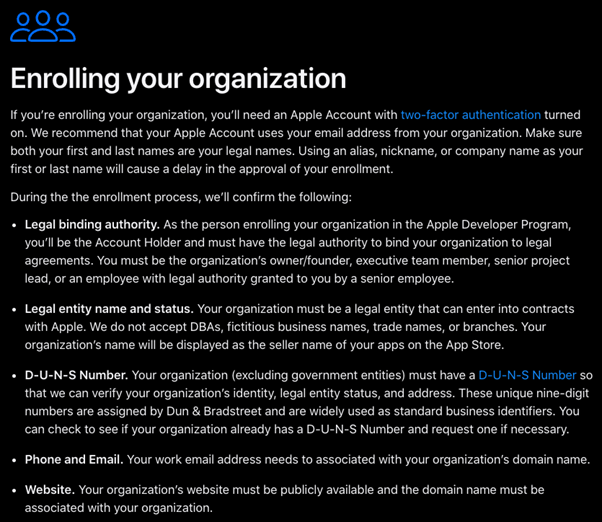
Inviting Zonal to Apple Developer Account
In order to access the developer account, Zonal: iorderapps@zonal.co.uk needs to be invited
Follow these steps to grant access:
-
Within the developer account, access App Store Connect: https://appstoreconnect.apple.com/
-
Click Users and Access
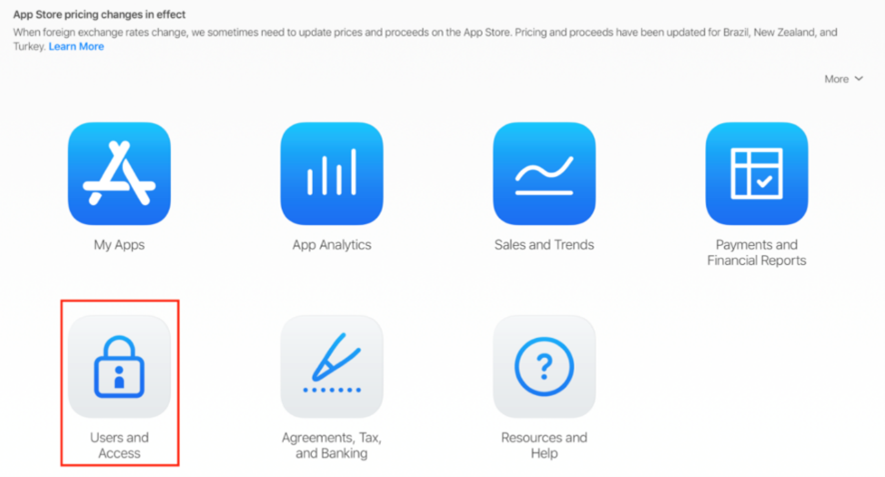
This will open the Users and Access screen
-
Click the blue + button to add the account
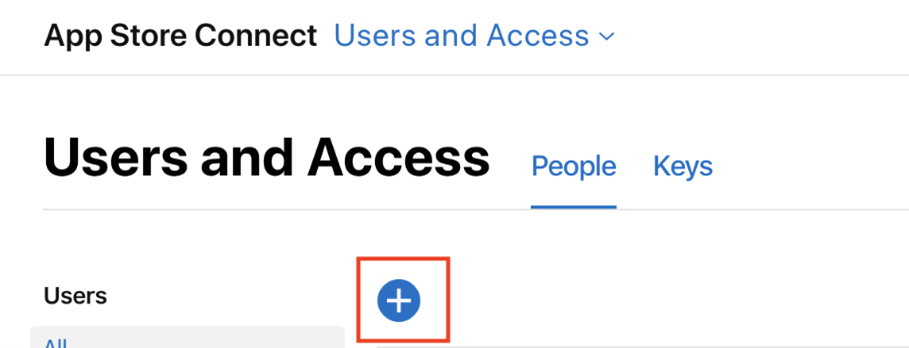
-
Complete the following fields:
-
First Name - iorder
-
Last Name - applications
-
Email - iorderapps@zonal.co.uk
-
Roles - ensure the Admin box is selected
-
-
Click the Invite button
Further Support: Google
Setting up Google Console Accounts
Google Play Console - A Company or Business Google Play Console Account needs to be created for your Organisation. This must have the correct information about your business for verification. To enrol use the following link: https://play.google.com/console/developers
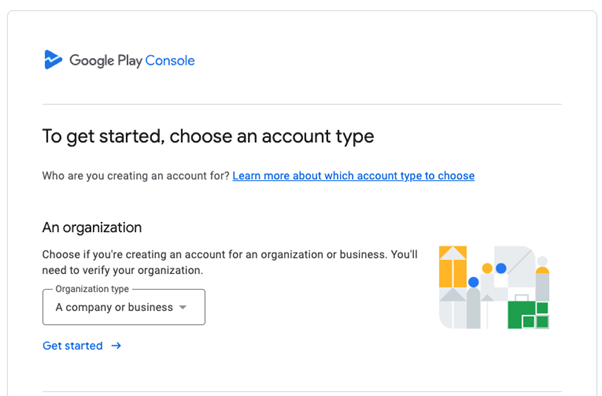
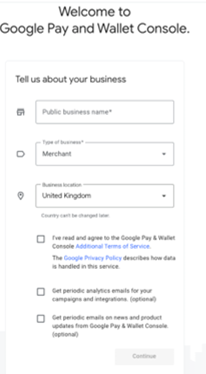
Google Pay & Wallet - A Google Pay & Wallet Console Account is required. This account needs to be linked the Business Google Play Account. This can be created via the following link https://pay.google.com/business/console/ . Ensure the correct information and Terms & Conditions are used.
Inviting Zonal to the Google Pay & Wallet Console Account
In order to access the developer account follow these steps to grant access:
-
Log into your Google Pay & Wallet Console with the developer account. https://pay.google.com/business/console/
-
Click Users tab
-
Click Invite User
The Invite a User screen will be displayed
-
Complete the following fields:
-
Email - iorderapplications@gmail.com
-
Access Level - Admin
-
-
Click Invite