Products that have been wasted, typically at ingredient level, can be recorded directly within the Stock module. Any waste entered through specific correction methods on point of sale terminals is automatically captured and logged.
Waste Topics
Entering Waste
Follow these steps to enter waste:
-
Click Enter Waste
-
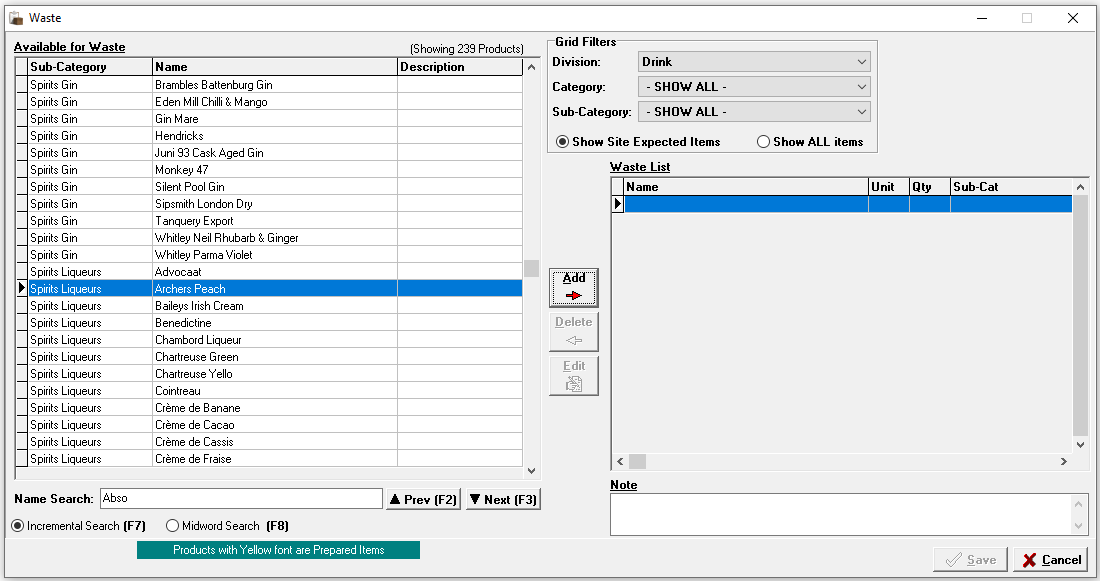
Apply filters or search criteria to find the required product | click the product | click Add
-
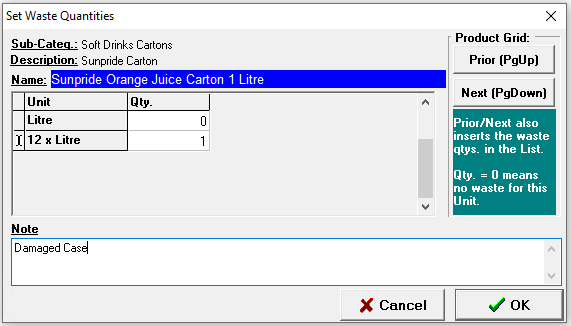
Enter the required Quantity of waste for the selected product
-
Products can be added either by their stock or purchase unit
-
-
Enter a Note if required
-
Click OK
-
Continue adding waste as required | click Save
Viewing Waste
Follow these steps to view waste:
-
Click View Waste
-
The complete waste list will be displayed, if required Apply Filters by Date or Grid Filters to display a small list
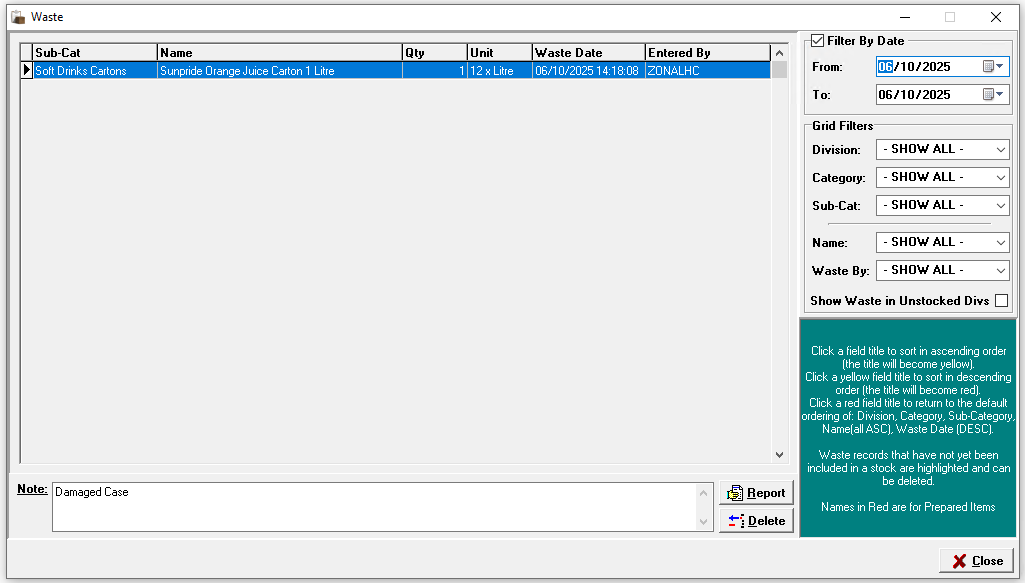
The wasted products for the filter applied will displayed along with any notes entered
Other Options
-
Delete - removes a waste entry
-
Select the required Waste Entry | click Delete | click Yes to confirm the deletion
-
-
Report - provides a printable waste report
-
Click Report | the report displays on screen use to check or print as required | click Close
-