Occupancy Report
The primary Occupancy report will give you figures based on your Room Occupancy over a given date range.
Occupancy Report Topics
Navigate to Main Navigation Bar → Reports → Occupancy Report
Report Details
Use the Quick Search feature, add a Date-Range or select individual Room-Types to generate the report you require.
The Audit will be applied (so as to align with the Sales reports) but can be disabled if needed.
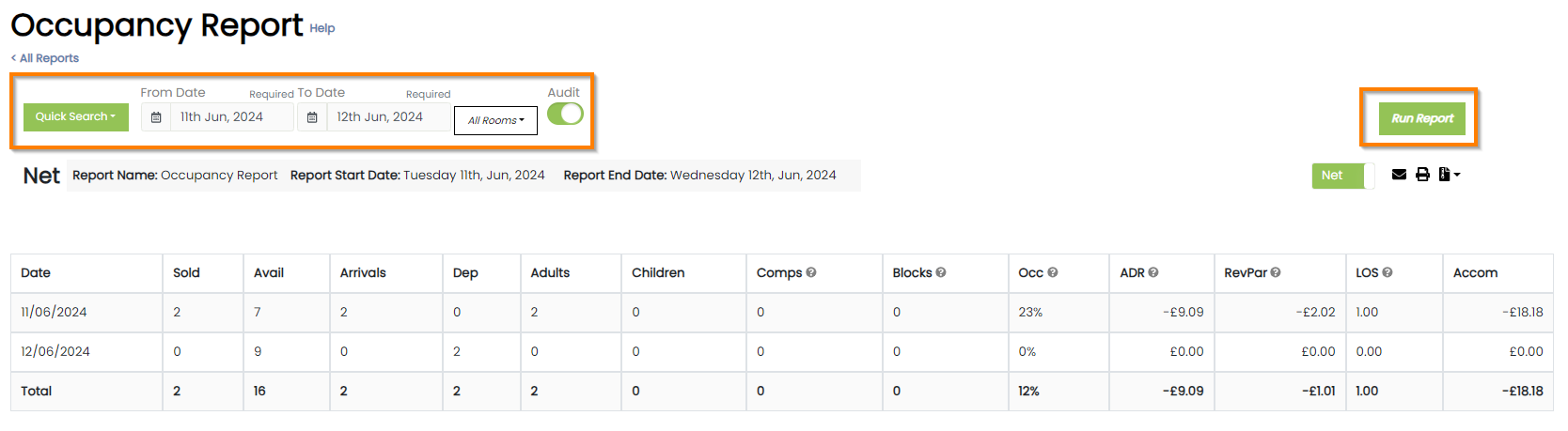
The 'Run Report' button needs to be clicked before any data will display