Invoice Report
Within the PMS, Invoices are considered the same entities as Bookings. They are identified in the system using the same reference number.
Invoice Report Topics
Navigate to Main Navigation Bar → Reports → Invoice Report
Report Details
The Invoice information that is displayed in the reporting suite is focused on the balances, due dates and payments within each invoice.
The report allows for a date range to be entered for the: Due date / Paid date / Outstanding Balance date range.
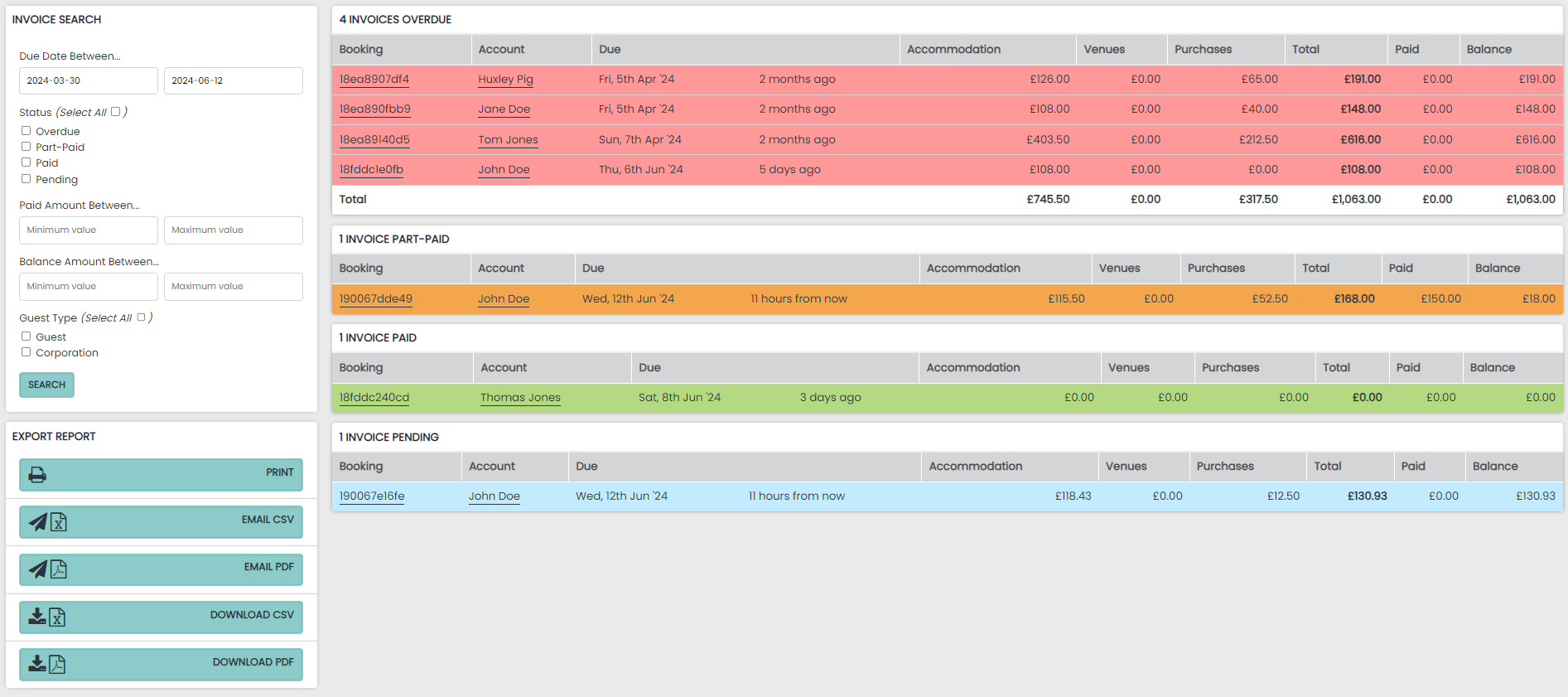
All invoices also carry a payment status and a related colour, shown on the report.
- Blue - Pending
- Amber - Part Paid
- Green - Paid
- Red - Overdue