Housekeeping Report
A housekeeping report gives a quick, clear overview of every room’s status and needs so daily operations run smoothly. It shows which rooms are occupied, vacant, cleaned, or need attention, and includes notes on maintenance issues, linen use, and guest requests. This helps managers assign staff, monitor progress, and maintain consistent quality. It also keeps housekeeping, front office, and maintenance teams aligned.
Housekeeping Report Topics
Basic Features
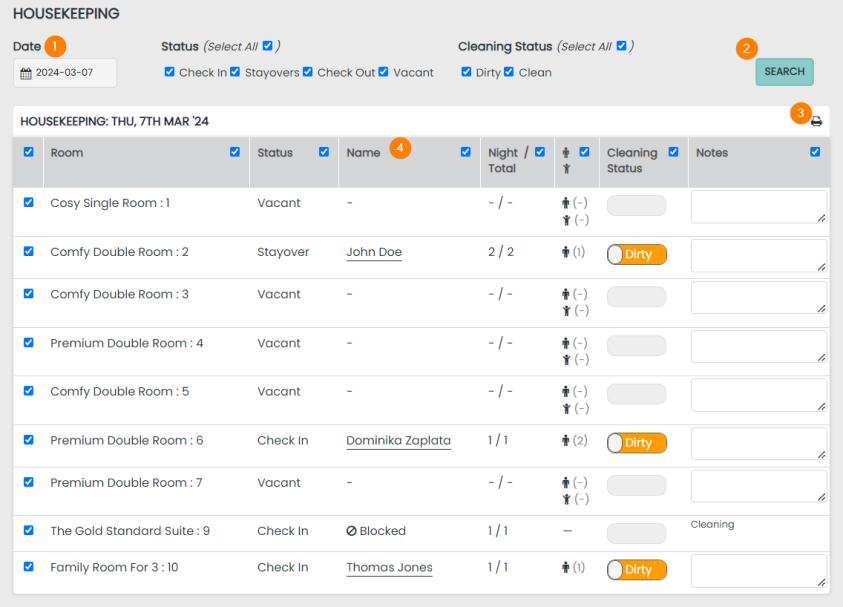
1 Date Selector - this will show the current date but can also be used to view the report for future or past dates
2 Search Button - once a date has been selected click the search button to generate a report
3 Print Icon- this report can be printed by selecting the printer icon, which will open your own printer menu
4 Reservation Name / Label - each of your Room Reservations is labelled based on the information supplied by your Guests. Any Blocks added to the calendar will display accordingly
Additional Features
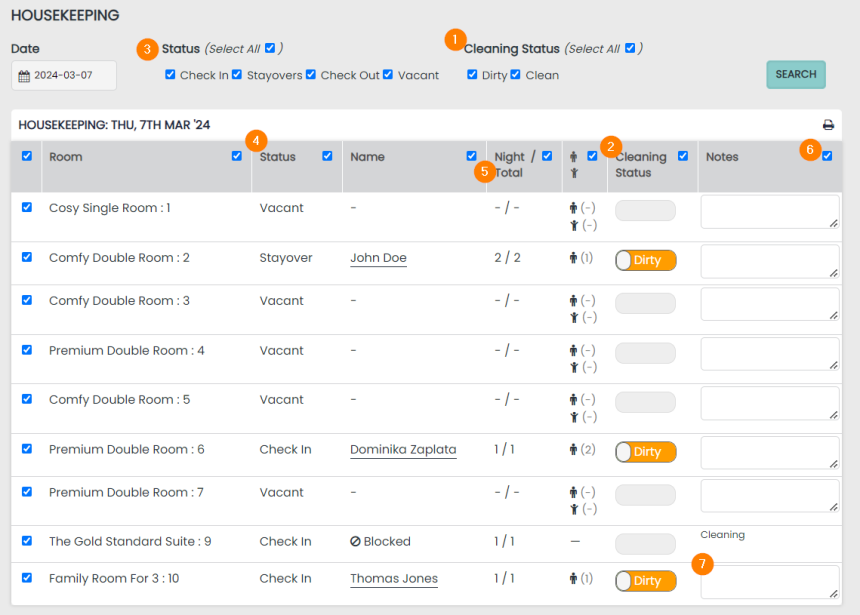
1 + 2 Cleaning Status Filter - you can search the report via the cleaning status
3 + 4 Status Filter - you can filter the report by the status of the reservation
5 Night / Total - the number of nights that a Guest has completed on their total stay length is displayed
6 Column Selectors - select all rooms in any column by checking the box at the top of that column. You can also ‘de-select’ any room you wish by checking that room on the left-hand side
7 Notes Field - apply Notes to any Room on the report
Cleaning Status
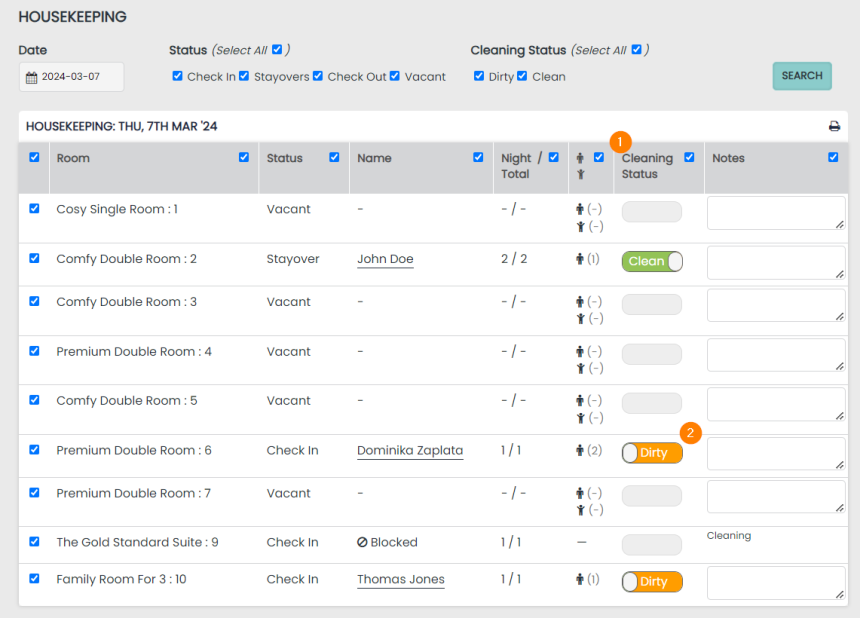
1 Automated change of status (Clean to Dirty)
At midnight (00:00) every day, the status of the room will change automatically from clean to dirty for stayover guests. This change of status occurs so housekeeping is prompted to clean the room the following morning when looking at the report.
2 Cleaning status Switches
This will indicate the cleaning status of a room.
After the status has been updated, the page will save the status for all other users who access the page.
The cleaning status will NOT prevent a user from checking a guest in/out. The status column is a visual flag for all operators to see if the room is dirty or clean.