Using Labels
Labels help you organise your enquiries and bookings, know the help speed up your sales process.
Labels Topics
Adding Labels
For each booking or enquiry, you can add a pre-defined label.
Follow these steps to add the label:
-
Select the Booking
-
Next to "Labels" click + icon
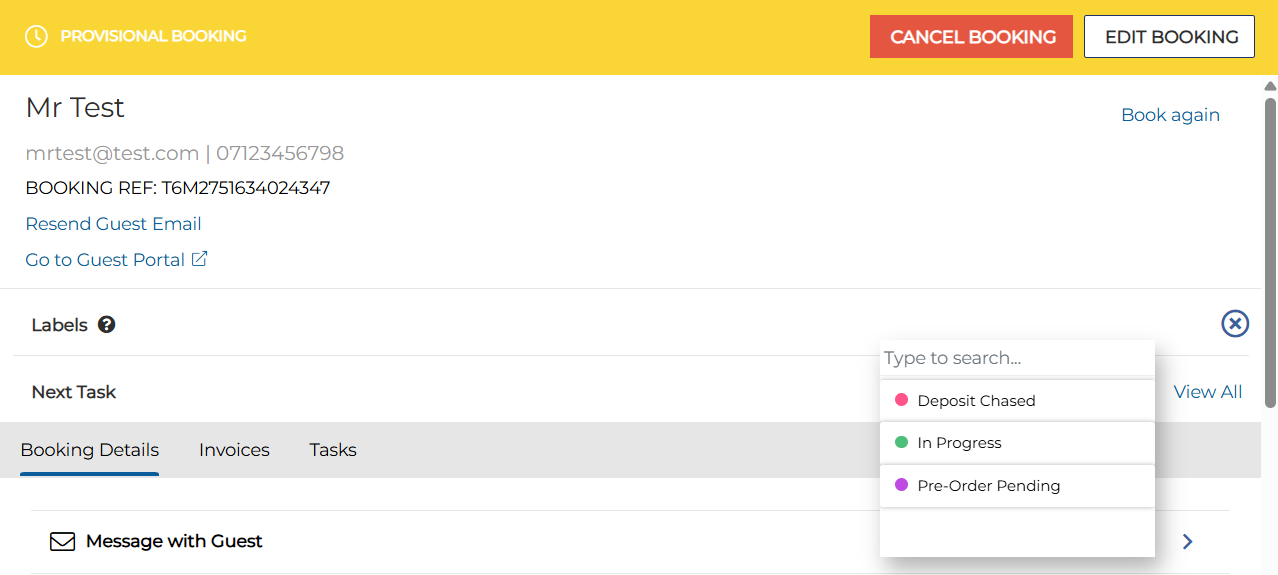

Conditions of adding labels on the host app:
-
You can only choose and assign pre-defined labels to a booking / enquiry
-
You cannot create labels on Event Host App
-
Deleted Labels are not displayed in the list for future bookings / enquiries
-
Deleted Labels are kept and displayed for past bookings / enquiries only
-
You cannot add labels for past bookings / enquiries
-
Viewing Labels
-
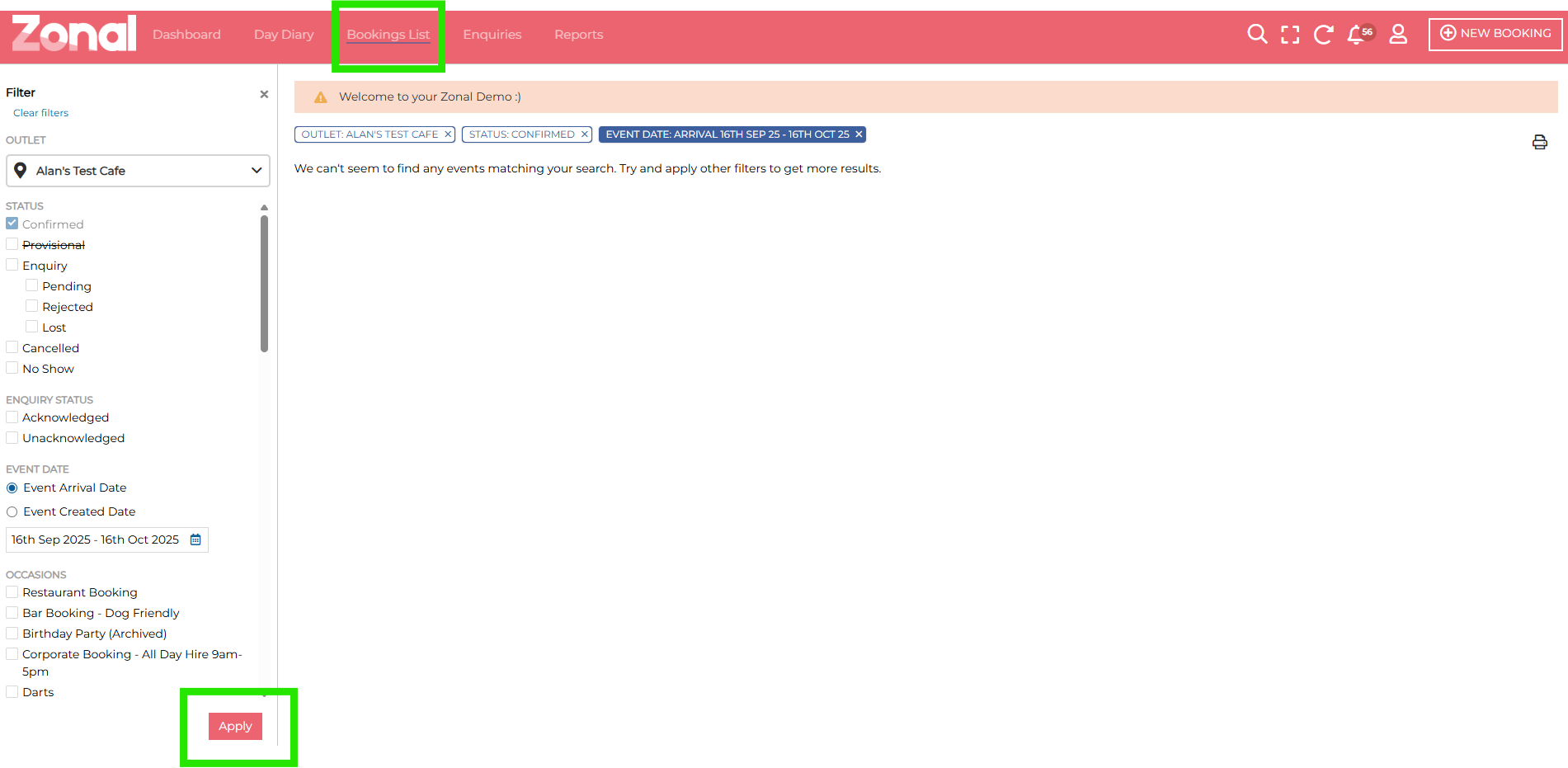
Navigate to the Bookings List
-
In the left hand side bar, add the required filters and click apply
-
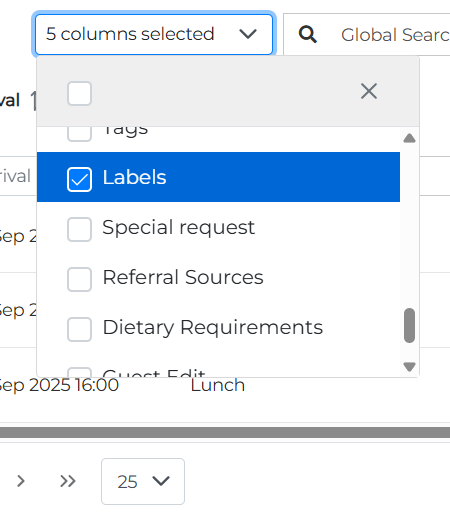
Once the bookings list report has been generated select "Labels" from the columns selected drop down and any other columns you wish to display
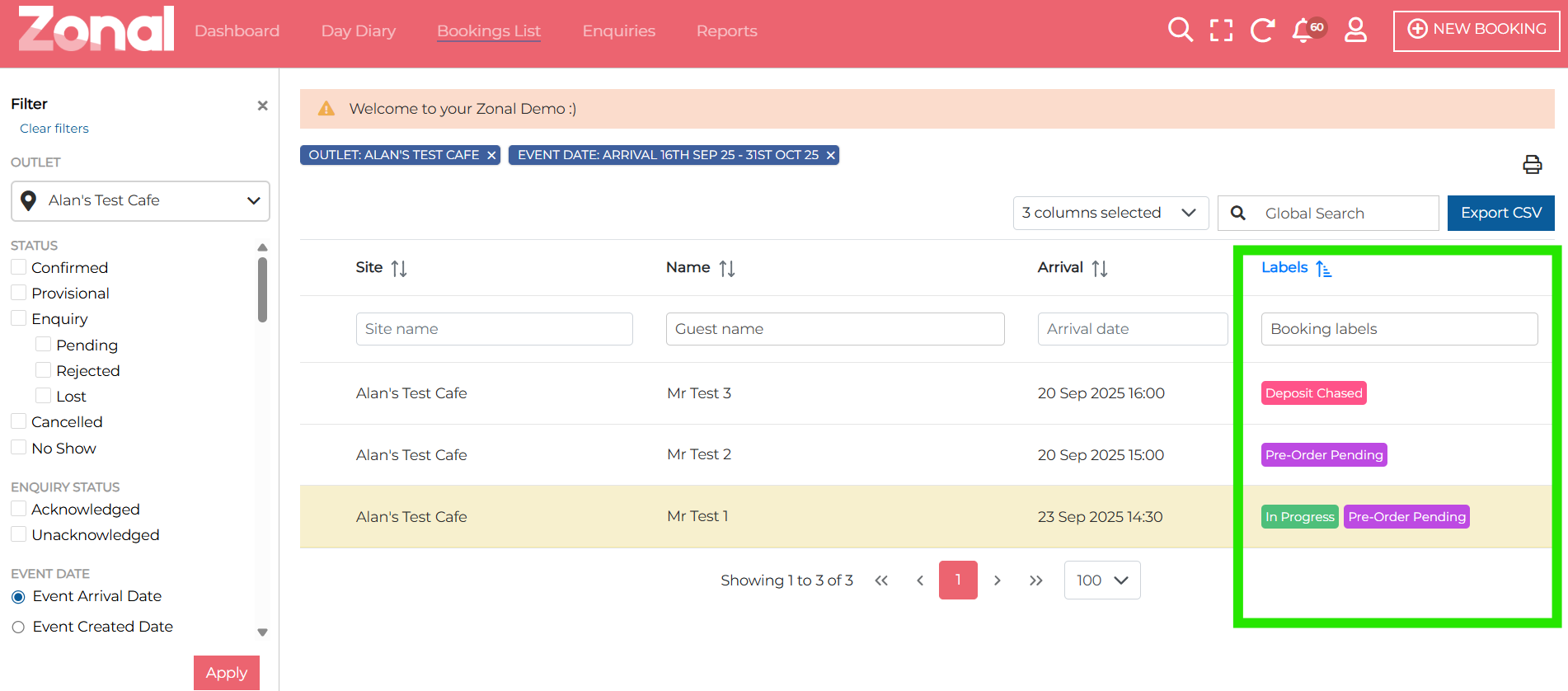
This will add a labels column to the booking list:
-
Click Export to save your data to CSV to Print by clicking the print icon