Machine Refill
When using the machine functions within finance, you can select a machine to be refilled, using cash from onsite sources to fund the machine.
Machine Refill Topics
Adding Machine Refills
Follow these steps to add a machine refill:
| Click Add Machine Refill | Select Machine | Click Next | → | Select Safe | Click Next | → | Select Refill Date | Click Next | |
|
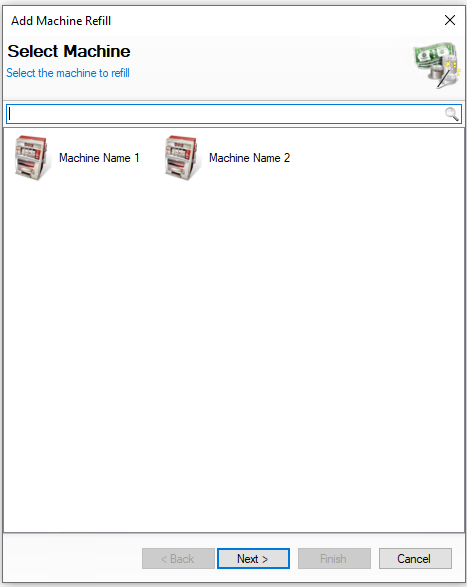
Select the required machine to be refilled |
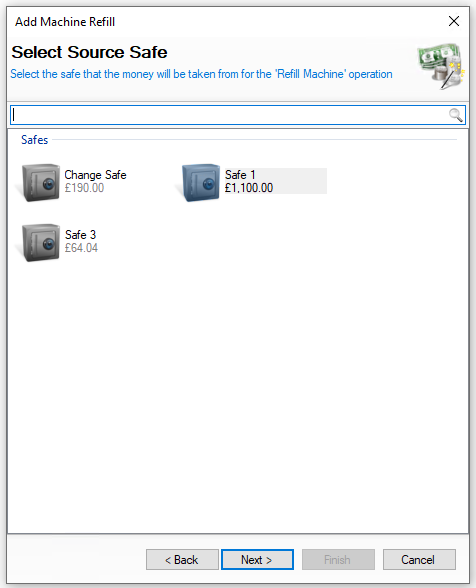
Select the safe the money will be coming from to refill the machine You will not be shown this step if:
On this step you might:
|
Select the date the refill was completed You will not be shown this step if:
On this step you might:
|
|||
|
|
|
|||
| → | Enter the Refill Reference | Click Next | → | Enter the Amount Refilled | Click Finish | ||
|
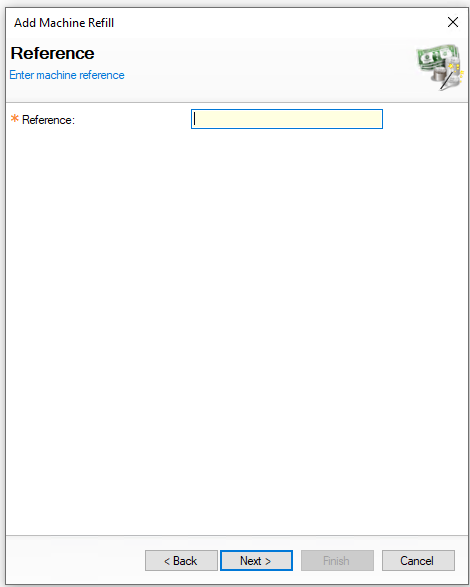
The refill reference is usually taken from meter readings from the machine (this can be determined by your business what reference to enter) On this step you might:
You will not be shown this step if:
|
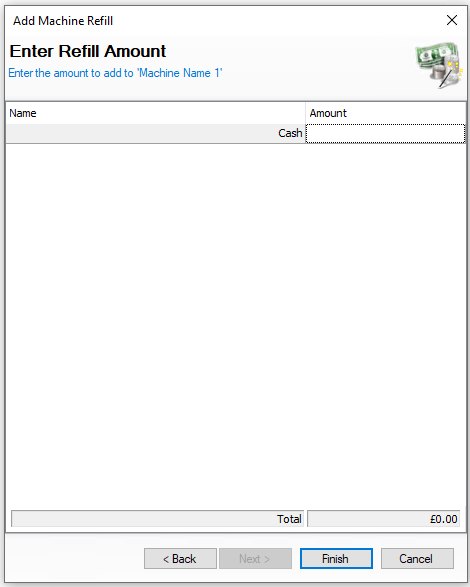
Enter the amount of money refilled to the machine On this step you might:
|
||||
|
|
|

Editing Machine Refills
When selecting machine refills the list of entries are displayed by day and the options available are View | Edit | Delete
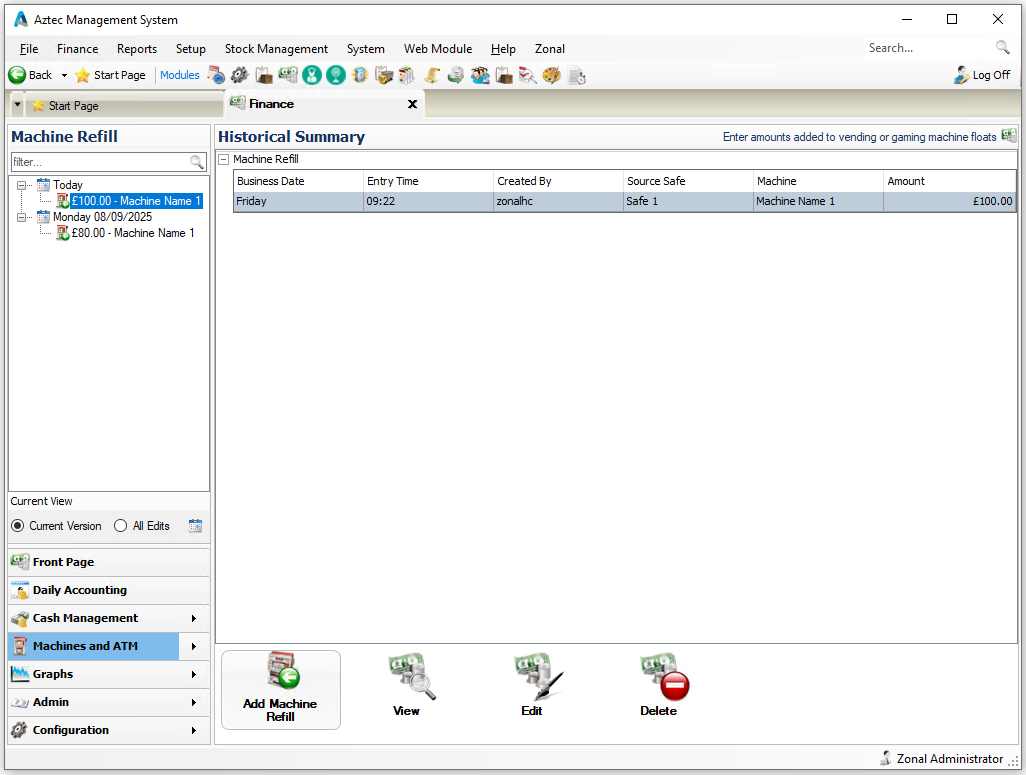
The following rules apply to editing refills:
-
A refill can only be edited if the back of house operator has permission configured against their job role to edit refills
-
Once a machine has been collected it can no longer be edited
-
When operating with daily sign off only the current days refills can be edited, once a day is signed off the entries for previous days cannot be changed
Select a refill and follow these steps to edit:
| Click Edit | Confirm Machine | Click Next | → | Confirm Safe | Click Next | → | Confirm the Refill Reference | Click Next | |
|
Confirm the required machine to be refilled |
Confirm the safe the money will be coming from to refill the machine You will not be shown this step if:
On this step you might:
|
Confirm the refill reference, which is usually taken from meter readings from the machine (this can be determined by your business what reference to enter) On this step you might:
You will not be shown this step if:
|
|||
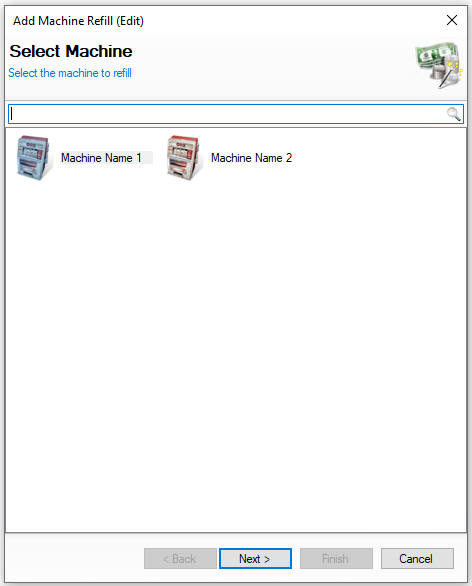
|
|
|
|||
| → | Confirm / Edit the Amount Refilled | Click Finish | ||||
|
Confirm / edit the amount of money refilled to the machine On this step you might:
|
|
||||
|
|
|

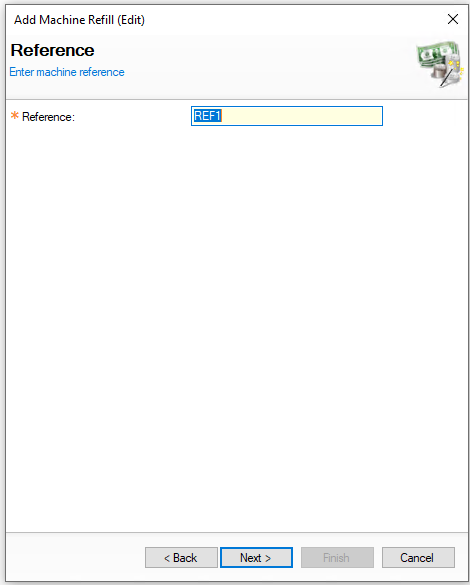
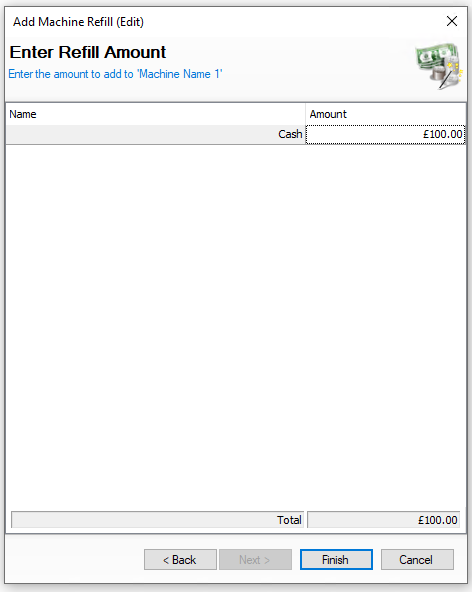
Deleting Machine Refills
When selecting machine refills the list of entries are displayed by day and the options available are View | Edit | Delete
The following rules apply to deleting refills:
-
A refill can only be deleted if the back of house operator has permission configured against their job role to delete refills
-
Once a machine has been collected it can no longer be deleted
-
When operating with daily sign off only the current days refills can be deleted, once a day is signed off the entries for previous days cannot be changed
Select a refill and follow these steps to delete:
-
Click Delete
-
Confirm Yes to delete the refill

-
The value of the refill will be returned to the Source Safe