Site Master | Site

Created 20 November 2025 • Updated 20 November 2025

ATM Operations

ATM operations manage the deployment and reconciliation of the ATM cassette during end of day processes, ensuring all cash dispensed is accurately recorded and fully reconciled.

Navigate to Finance → Machines & ATM → ATM Operations

Deploy ATM Cassette

Follow these steps to deploy the ATM cassette:

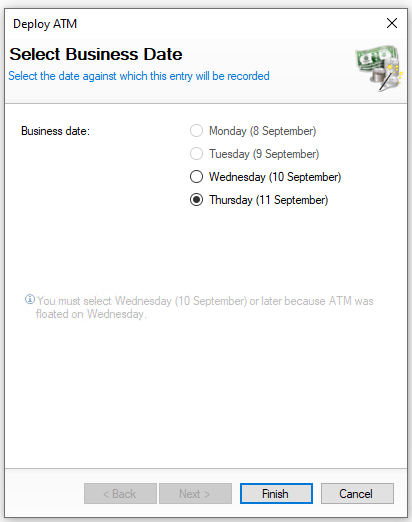
  Click Deploy ATM | Select the ATM Deployment Date | Click Next      


Select the date the ATM was deployed

You will not be shown this step if:

  • Daily sign off is enabled, the entry will be recorded against the current business day

On this step you might:

  • Be prevented from selecting previous days if it had already been floated after those days


Declare ATM Cassette

Follow these steps to declare the ATM cassette:
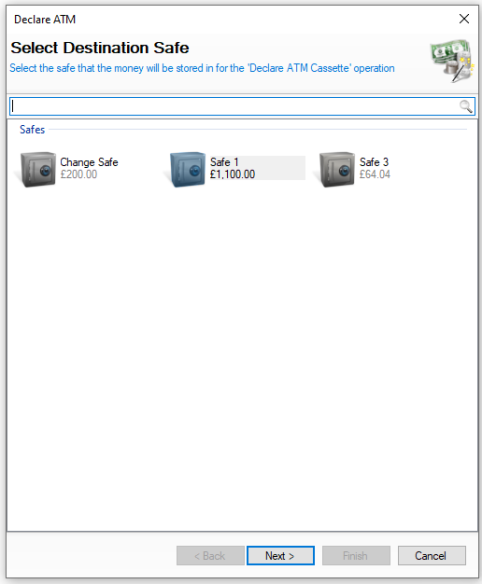
  Click Declare ATM | Select Safe | Click Next Select the Declare ATM Date | Click Next

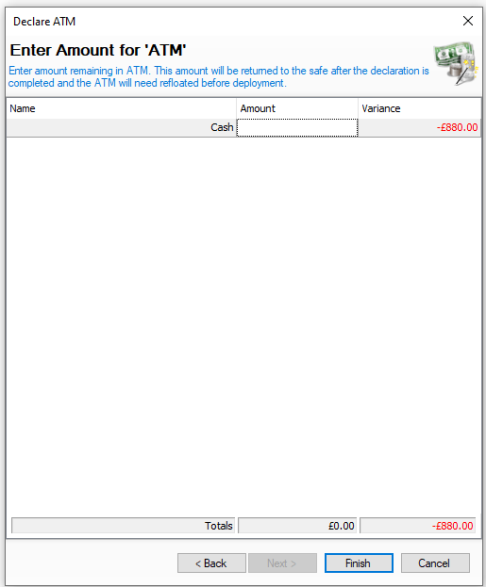
Enter the Amount Dispensed Value | Click Next


Select the required safe where money will be returned to

You will not be shown this step if:

  • There is only 1 safe configured

On this step you might:

  • Not see the safe balance


Select the date the ATM was declared

You will not be shown this step if:

  • Daily sign off is enabled, the entry will be recorded against the current business day

On this step you might:

  • Be prevented from selecting previous days if it had already been floated after those days


Enter the amount dispensed as reported by the ATM


Enter ATM Amount | Click Finish        
 

Enter the amount of money counted in the ATM cassette which should equal the original deployed amount minus the settled value

On this step you might:

  • See rows by denomination rather than a cash total

  • Not see the expected / variance value as declarations are 'blind'

  • Be prompted to recount / enter the values as you were not within the expected tolerance amount

  • Be prompted to click next and enter your back of house password and or counter signatory

  • Be prompted to select a reason for any variances