Favourite Reports
A useful feature of Dimensions Reporting is the ability to create favourite reports, which can be kept private for your own use or shared with other reporting users with the same back of house job role. Creating favourites is especially helpful for reports you access regularly or for reports with specific filters you often need to reuse.
Favourite Reports Topics
Saving Favourites
Follow these steps to save a report as a favourite:
-
Open a report and if required apply and Lookups or filters from the Dimensions Bar
-
Click the Add to Favourites icon in the toolbar
-
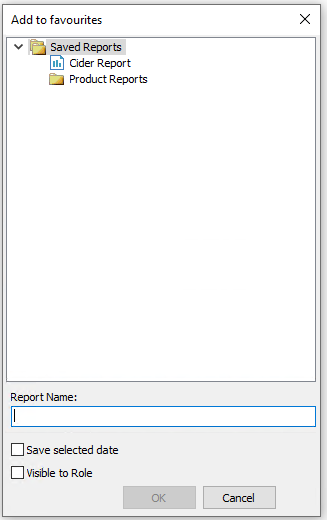
Reports can be added to the Saved Reports folder or create new folders as required
-
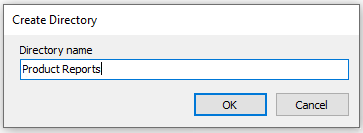
Right click Saved Reports
-
Enter the Directory (folder) Name | click OK
-
-
Enter the Report Name
-
Optionally select either
-
Save Selected Date - when selected the report will retain the original dates applied
-
Visible to Role - when selected any back of house operators with the same job role will be able to view the report
-
-
Click OK
-
From the Information prompt confirming the report has saved click OK
Viewing Favourites
-
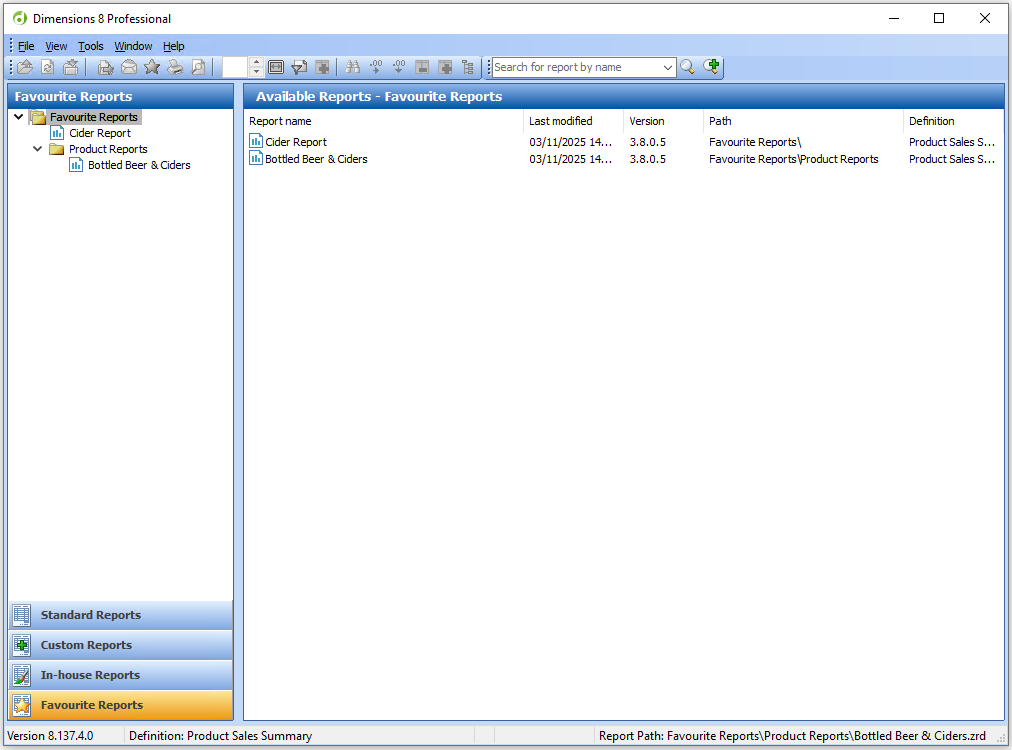
Select Favourite Reports from the left hand side navigation
-
All favourite reports created in their relevant folders will be displayed
-
Select a report, apply any parameters or date selections as required and view the report
Deleting Favourites
It’s good practice to regularly delete favourite reports that are no longer needed, helping to keep your list organised and up to date.
-
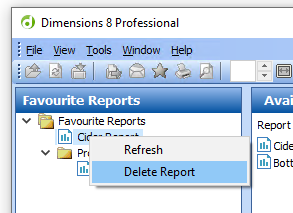
Select Favourite Reports from the left hand side navigation
-
Right click on a report | select Delete Report
-
Click Yes to confirm the deletion