History
The history section offers a convenient overview of all activities carried out in the finance module. When operating in weekly sign off mode, it displays a daily summary. If signing off by day, the current day’s activities are shown.
History Topics
Layout
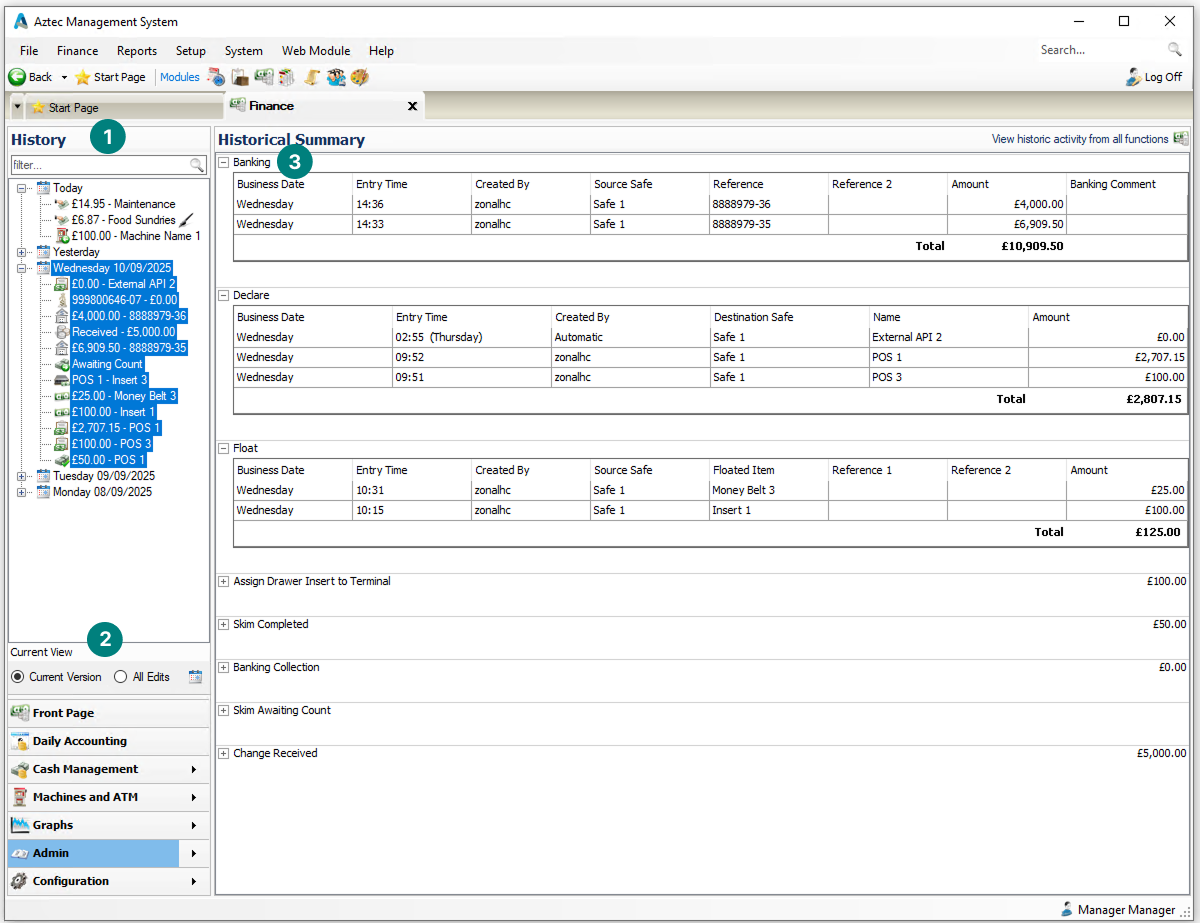
History has 3 primary sections:
-
Side Navigation
-
Tree view of all activities performed in finance either, displayed either for the business day (when using daily sign off) or for the business week
-
-
View Options
-
The view defaults to showing current version, selecting all edits will show all previous entries with edits and the current versions
-
-
Summary
-
The summary provides a view of the function performed
-
Selecting Entries
When selecting entries the follow actions can be performed based on configured permissions for back of house job roles:
-
Edit - update and existing entry
-
View - view the details of the entry
-
Delete - delete the entry
In some situations edits or deletions of an entry maybe prevented because another function has been performed, for more information on performing edits or deletes view the individual pages for each function
Viewing Other Days
By default the history view shows either the current business day or week.
Follow these steps to view other days:
-
Click the Calendar Icon
-
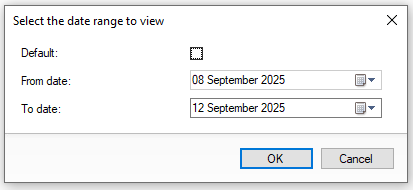
Deselect the Default check box
-
Select the required From and To Dates
-
Click OK