To enable POS operators to make charges and settlements to ledger accounts, the necessary payment related buttons must be added, this page provides the steps to configure these settings.
Payment Method Topics
Adding 'Charge Ledger' Method
Follow these steps to add 'charge ledger' method:
-
Click Add
-
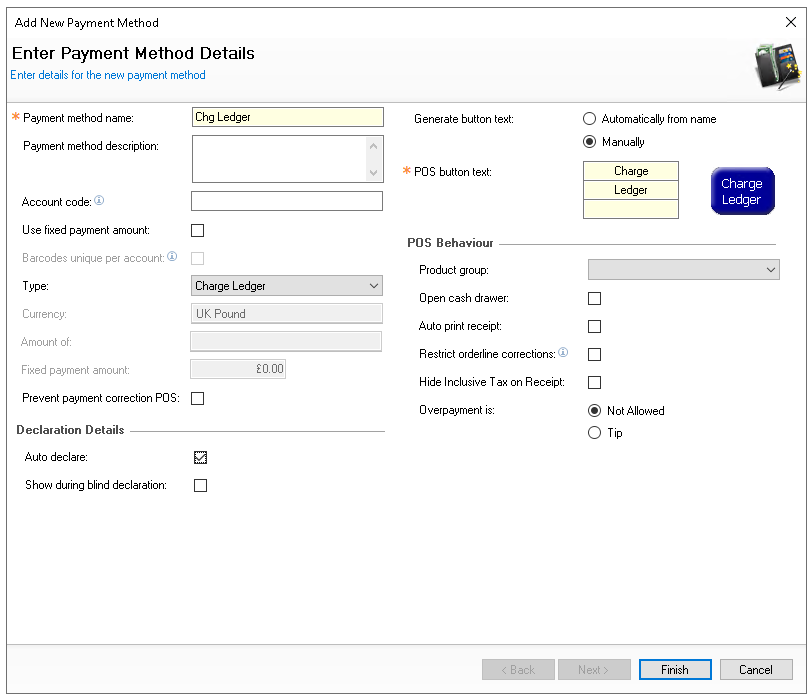
Enter Payment Method Name'Chg Ledger' and then the following configurations
-
Type - Chard Ledger
-
Auto Declare - Selected
-
Configure other fields as required for the organisations requirements
-
-
Click Finish
Adding 'Settle Ledger' Method
Follow these steps to add 'settle ledger' method:
-
Click Add
-
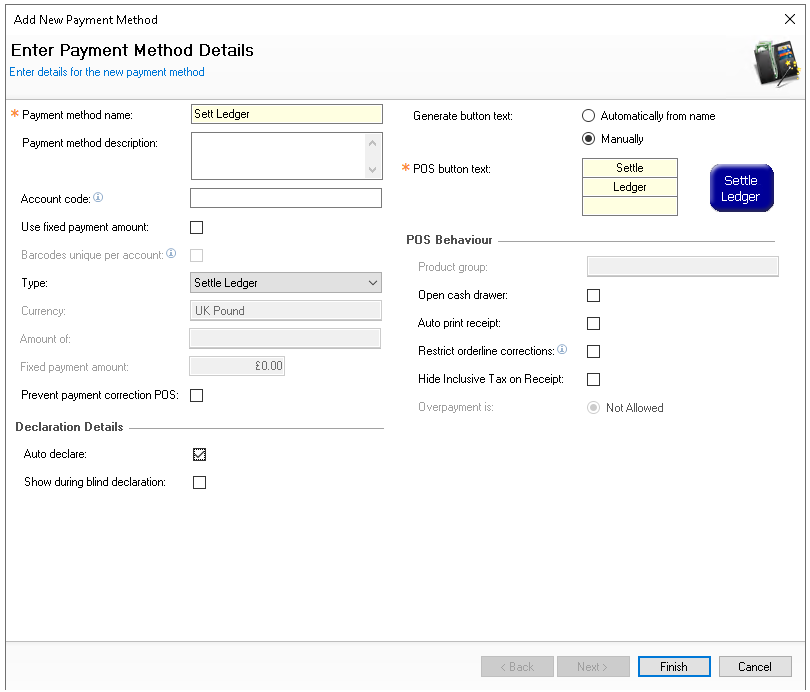
Enter Payment Method Name 'Sett Ledger' and then the following configurations
-
Type - Settled Ledger
-
Auto Declare - Selected
-
Configure other fields as required for the organisations requirements
-
-
Click Finish