Reports
The Loyalty Platform provides three flexible reportsto help you analyse program performance and member activity. Each report can be tailored to your needs by setting search criteria and choosing which fields to display.
-
Open the required report page from the Reports drop down
-
Set your filters using the options on the left-hand panel
-
Expand Select Fields to choose which columns appear in the report. By default, all fields are selected
-
Click Selectto generate the report
The report will appear on-screen and can also be downloaded as a .CSV file
Loyalty Reports Available
-
Transaction Report: Shows detailed loyalty transaction activity, such as credits, debits, or expiry, filtered by criteria like customer name, card ID, or transaction type
-
Registration Report: Lists registrations to a loyalty program for a specific date range
-
Liability Report: Displays the total loyalty liability for each program, up to a chosen date
Transaction Report
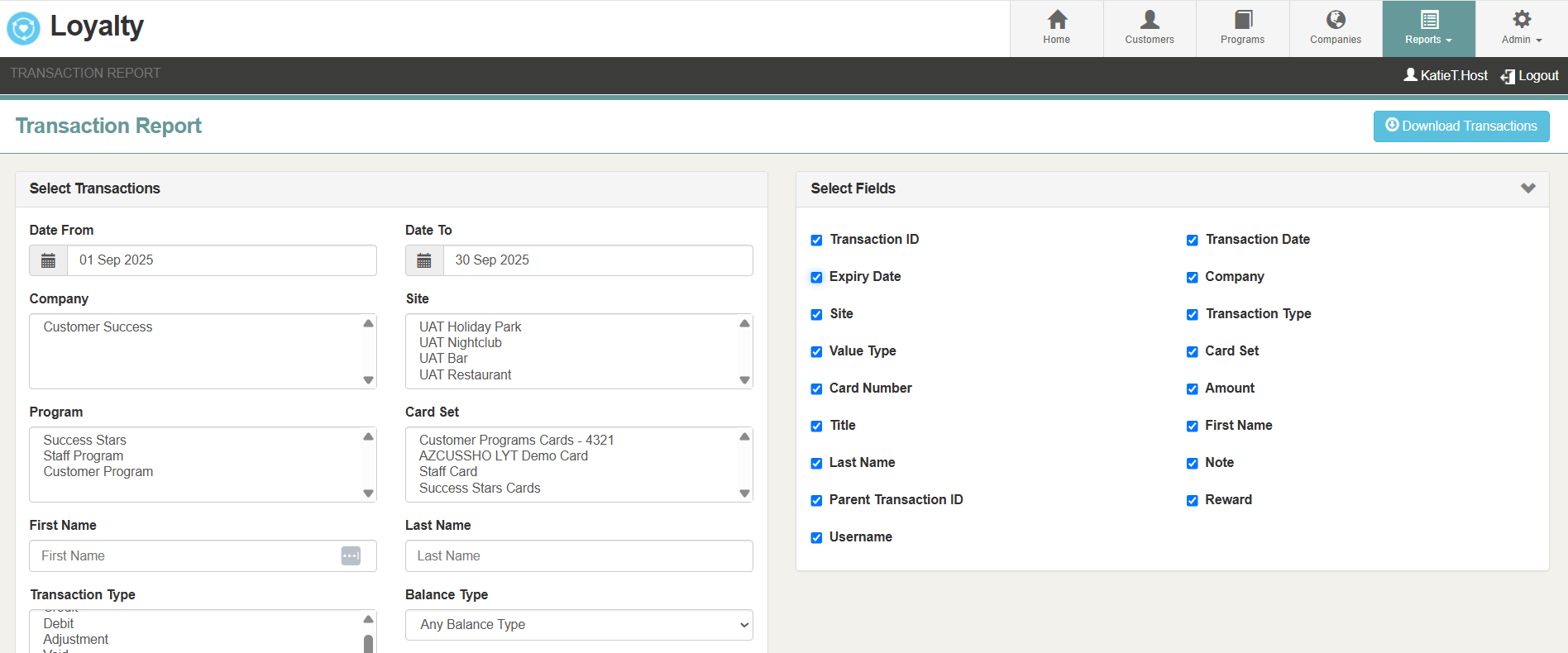
The Transaction Report is used to review and analyse loyalty transactions, including credits, debits, adjustments, voids, and expiries.
Filters:
CTRL/SHIFT can be used to select multiple / deselect options.
-
Date Range (mandatory): Period covered by the report
-
Company: Show only transactions processed via sites within the defined company
-
Site: Limit results to specific sites
-
Program: Include transactions from one or more programs
-
Card Set: Include transactions from one or more card sets
-
First/Last Name: Filter transactions by customer name (either field can be left blank)
-
Transaction Type:
-
Credit:
-
Debit:
-
Adjustment:
-
Void:
-
Expiry
-
-
Balance Type – Currency, Points, Spend, Visits, Items
-
Card Number – Filter by a specific card ID
-
Expiry Date To – Include transactions from cards expiring before a certain date
Report Fields (select via checkbox):
As default of fields will be selected
-
Transaction ID
-
Date
-
Expiry Date
-
Company
-
Site
-
Transaction Type
-
Value Type
-
Card ID
-
Amount Title
-
First Name
-
Last Name
-
Note
-
Parent Transaction ID
-
Reward
Registration Report
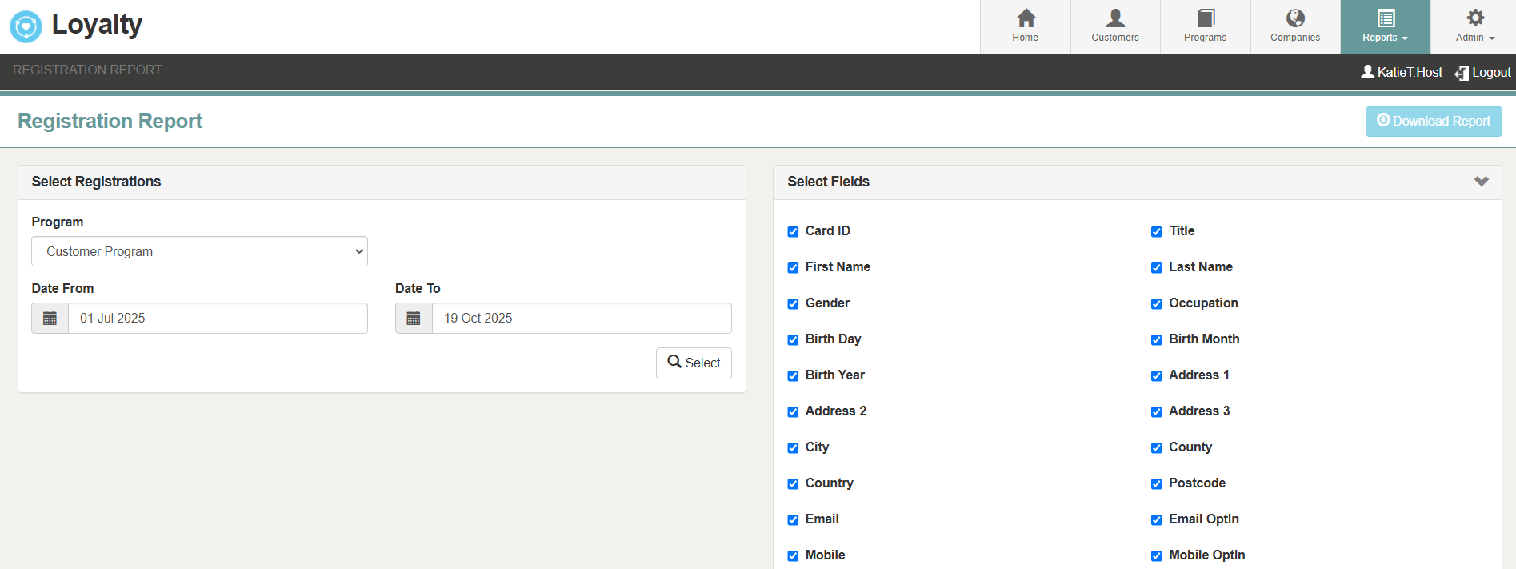
The Registration Report is used to view and export registered customer details for the selected loyalty program. It will display all signed up customers within selected criteria.
Search Criteria Options:
-
Program (mandatory): Select which loyalty program to report
-
Date Range (optional): If left blank, may produce a very large report
Report Fields (select via checkbox):
As default of fields will be selected
-
Card ID
-
Title
-
First Name
-
Last Name
-
Gender
-
Occupation
-
Birth Date (Day, Month, Year)
-
Address Lines 1–3
-
City
-
County
-
Country
-
Postcode
-
Email (and Email Opt-In)
-
Mobile (and Mobile Opt-In)
-
Custom Input Fields 1–5
-
Registration Type
-
Registration Date
Liability Report

The Liability Report is used to calculate and report the total loyalty liability for a program as of a specific date supporting tracking and financial planning.
Search Criteria Options:
-
Program (mandatory): Select which loyalty program to report on
-
Date To (optional): Cut-off date for liability calculation. If blank will report on yesterday's date
-
Cardset Name(optional): Restrict the report to a specific cardset
Report Fields (select via checkbox):
As default of fields will be selected
-
Number of Cards
-
Card Status
-
Currency
-
Points
-
Total Spend
-
Visits
-
Buy X Get Y (Stamp) Rewards