There are occasions when a product needs to trigger another action. This is most commonly used when a promotion should only be activated upon the ‘sale’ of a trigger product. The sale can occur either through a physical purchase on the point of sale terminal or via an external ring-up process, such as a loyalty transaction for reward redemption or through Voucher Manager, where redeeming a voucher code triggers the product to be sold.
Trigger Product Topics
Product Setup
-
Add a new recipe for the trigger product
Zonal recommends that these products assigned to a separate subcategory belonging to a division for loyalty or marketing activities, click here for more information on managing the product structure -
Set the Print Stream to No Printing (unless it is required to be printed on any dispense tickets)
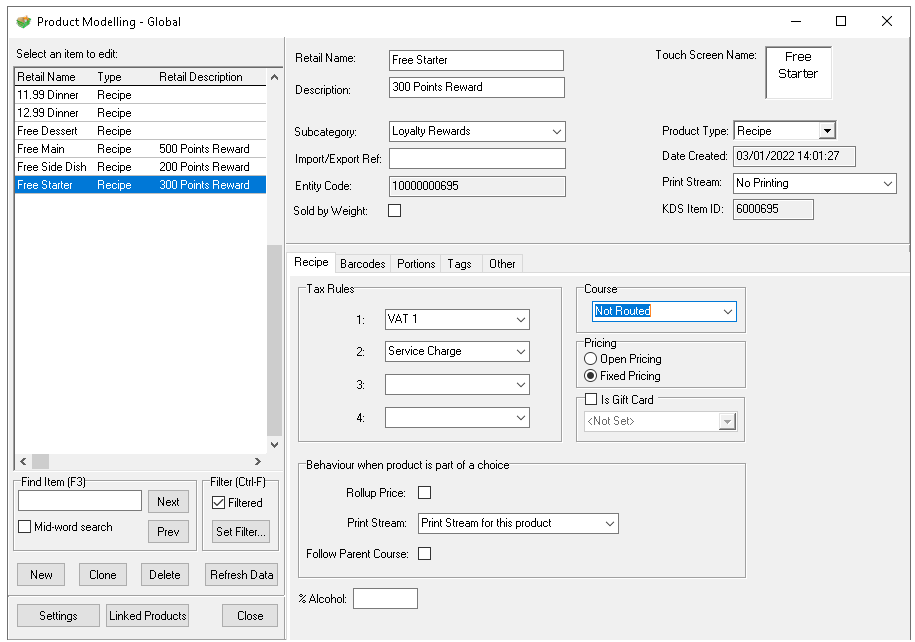
Other Settings
Pricing
-
Set the price of the trigger product to be 0.00
If a new subcategory was created ensure that the sales area banding assignment is completed
Theme Settings
Depending on the required use of the trigger product this can be either added to a local panel where it will be included within the theme (required for loyalty and voucher transactions) or alternatively added to a shared panel where a point of sale operator can use as required for your operations.
For Loyalty and Voucher Redemptions:
-
Select a Local Panel and add the required trigger buttons
For Manual Triggers:
-
Select a Shared Panel and add the required trigger buttons
Promotion Setup
Click here for more information on the setup of promotions with trigger products.