Media files are uploaded and organised into folders, allowing for easy access and retrieval. This system not only simplifies finding specific media, but also aids in categorising content by product type or brand for more efficient storage.
Managing Folders Topics
Folders are used to store media files, by default a Not Categorised folders is always created, images hydrated from iOrder Platform will be added to this folder.
Adding New Top Level (parent) Folders
Follow these steps to add a new folder (when Not Categorised is selected):
-
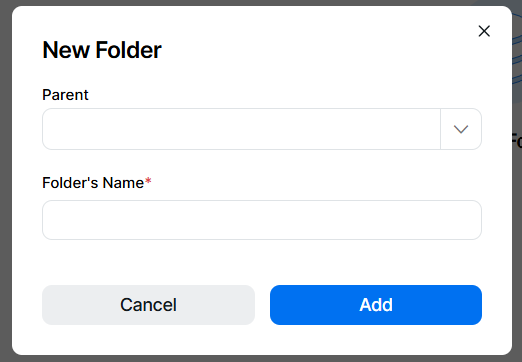
From the browser section click Add | the Parent folder drop down will be empty, if this is a new top level folder leave this blank
-
Enter the Folder Name
-
Click Add
Adding New Other Level Folders
Follow these steps to add a new folder (when other folders are selected):
-
From the browser section click Add | the Parent folder drop down will automatically be populated with the folder selected
-
Update the folder selected by choosing another parent level
-
Remove the parent by clicking the X
Folders can have as many levels of nesting as required to meet the administration needs of the organisation -
- Enter the Folder Name
-
Click Add
Editing Folders
Follow these steps to edit a folder:
-
From the browser section select a folder | click Edit
-
Update the Folder Name
- Click Save
Searching Folders
Follow these steps to search for a folder:
-
From the browser section click into search
-
Enter the search term, press <enter> or click the search icon, the results will be displayed matching the search term including any mid-word matches
-
To remove the search click the remove search icon