Bookings
Zonal Bookings offer a structured method for managing capacity, coordinate both advance and walk-in bookings, and maintain oversight of table or resource availability.
When integrated with Loyalty, Zonal Bookings become even more powerful. The system automatically identifies loyalty members by matching key customer fields. Upon seating, the customer’s loyalty card is automatically linked to the POS, eliminating the need for manual scanning. This creates a frictionless and personalised experience, ensuring loyalty benefits are applied effortlessly while enhancing operational efficiency.
Together, Zonal Bookings and Loyalty integration deliver a smarter, more responsive service model boosting customer satisfaction and driving repeat engagement.
Bookings with Loyalty Topics
Tables Host
The Tables host platform, is a solution for managing table reservations, guest seating, and assists host coordination in venues.
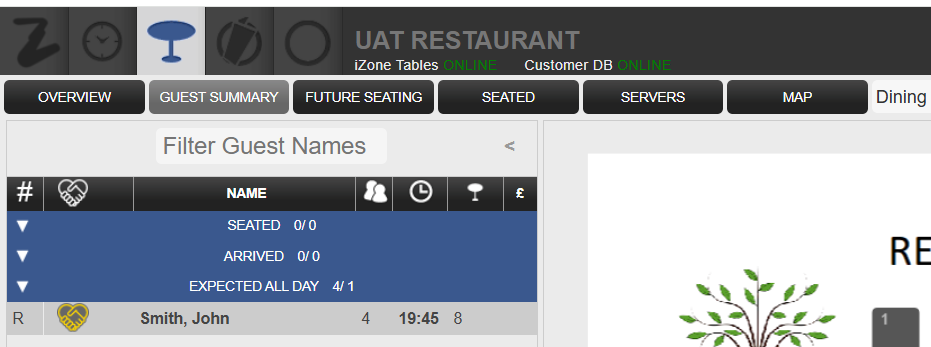
When Loyalty integration is enabled, Tables can automatically identify if a guest is a Loyalty member displaying the Loyalty Symbol  next to the bookings within the host platform. For a booking to be recognised as a Loyalty member, the customer details entered in Tables must exactly match the information stored in the Loyalty system.
This Loyalty symbol within Tables host on the following screens
Reservations
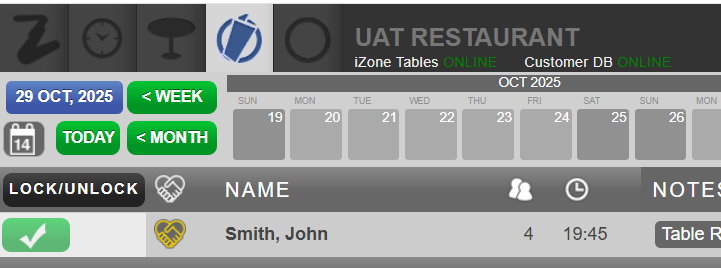
Table Planning
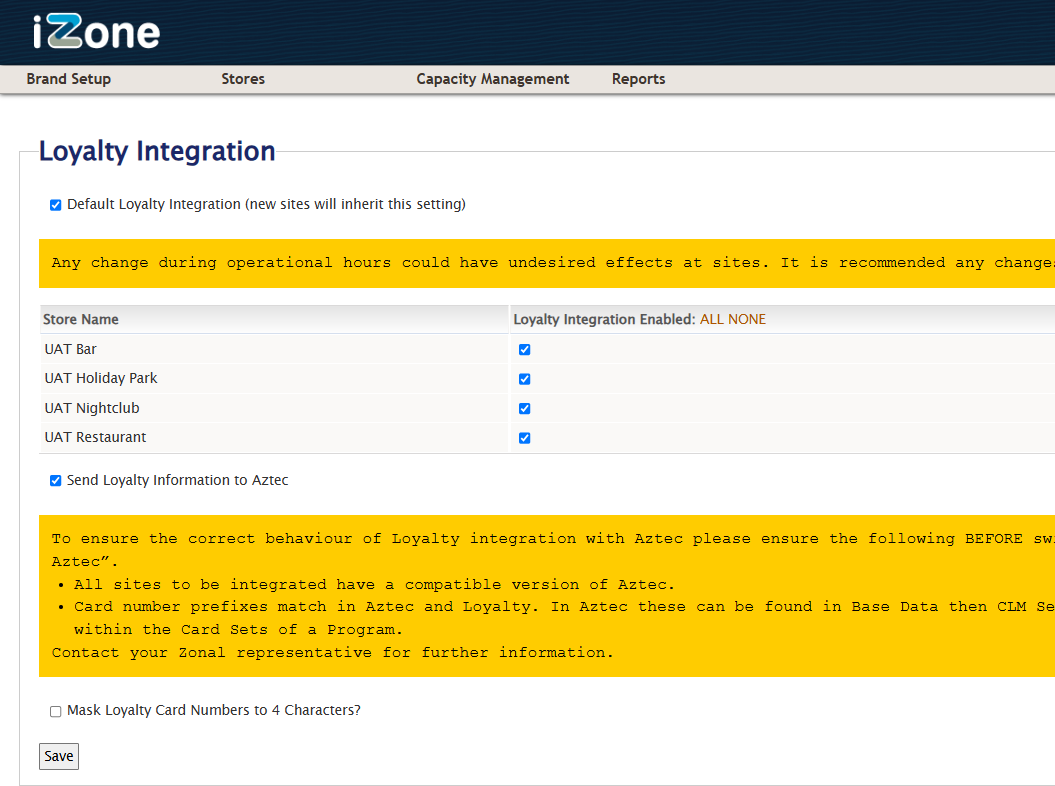
Loyalty with Tables & Aztec Setup
When the Tables / Aztec integration is also enabled, as soon as a guest is seated in Tables, their Loyalty card is automatically added to the Account on POS. This streamlines the service process and ensures Loyalty benefits are applied without manual input.
-
Tick all required settings
-
Click Save on completion
Other Recommended Setup
The following settings are recommended, these can be requested from your Zonal Account Representative
-
Customer Merging Enabled within Launchpad
-
Aztec / Tables Integration to be enabled