Improving The Guest Journey
Our own GO Technology research, run with CGA by NIQ, found that three in five guests (61%) go straight to a venue's website when booking, and almost half (49%) have already used self-service tools like automated check-in in the past year. The message is clear: guests want to manage more of their visit themselves, and they'll reward the venues that make it effortless.
Today’s guests expect booking journeys to feel simple, familiar and mobile-friendly. Guest Portal V2 has been designed to give guests more control before they arrive, while helping venues reduce admin, protect day-to-day operations and unlock additional revenue opportunities.
Whether a guest wants to check their booking, make an amendment, add extras, place a pre-order or contact the venue, the new portal brings everything together in one simple, mobile-first experience.
For venues, that means fewer calls and emails, more consistent guest communication, stronger brand control and more ways to capture value before the visit even begins.
What does Guest Portal V2 bring?
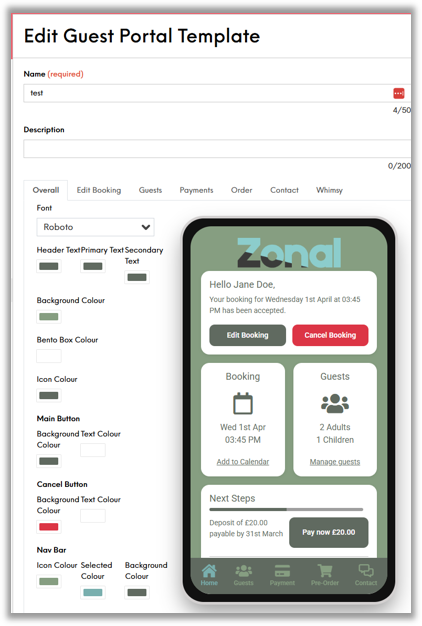 1. Make the portal feel like your brand
The integrated customiser in Events Admin makes it easier to create a portal that reflects the venue’s brand. Brands can update colours, fonts, wording, logos and key buttons without needing CSS or developer support, helping the guest journey feel consistent from the first interaction.
2. Built for mobile-first guest journeys
Guest Portal V2 has been designed around the way guests already manage their day: on their phone. The app-like layout keeps the most important booking actions in one place, so guests can review details, change covers, make payments, enter pre-orders, add extras or contact the venue with minimal friction.
3. Reduce no-shows with calendar reminders
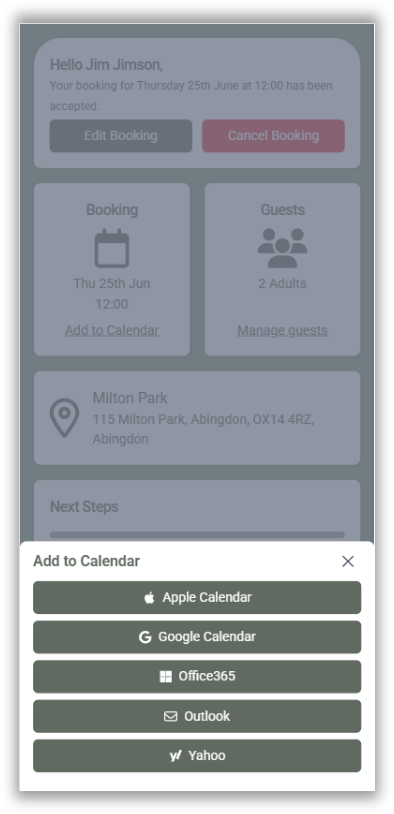
Guests can add their booking directly to their mobile calendar, helping keep the reservation visible in the run-up to their visit. It is a small convenience for guests that can make a meaningful difference for venues by reducing the risk of missed bookings.
Guest Portal V2 builds on the foundations of the original portal, adding a more modern, mobile-first experience that feels more natural for guests. The result is a smoother journey from booking confirmation through to arrival. We've lined up some of the top features, that will improve your guests experience when booking their next experience with you.
4. Help guests arrive with confidence
Mobile maps integration makes it easier for guests to find the venue on the day of their booking. By reducing uncertainty around directions and arrival, the portal supports a smoother experience from booking confirmation through to the visit itself.
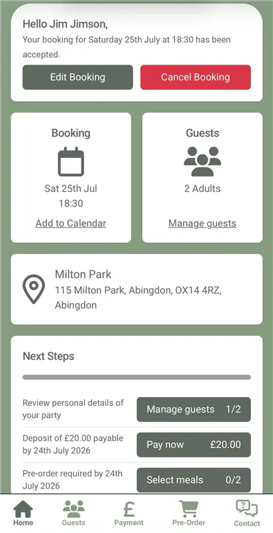 5. Let guests amend bookings themselves
Self-serve booking amendments allow guests to update key details, such as covers, date or time, directly from within the portal. This helps reduce calls and emails for venue teams, while giving guests a faster way to make changes when plans shift. If a guest starts to cancel, the portal can also encourage them to amend to a new day or time instead.
6. Keep communication simple with guest messaging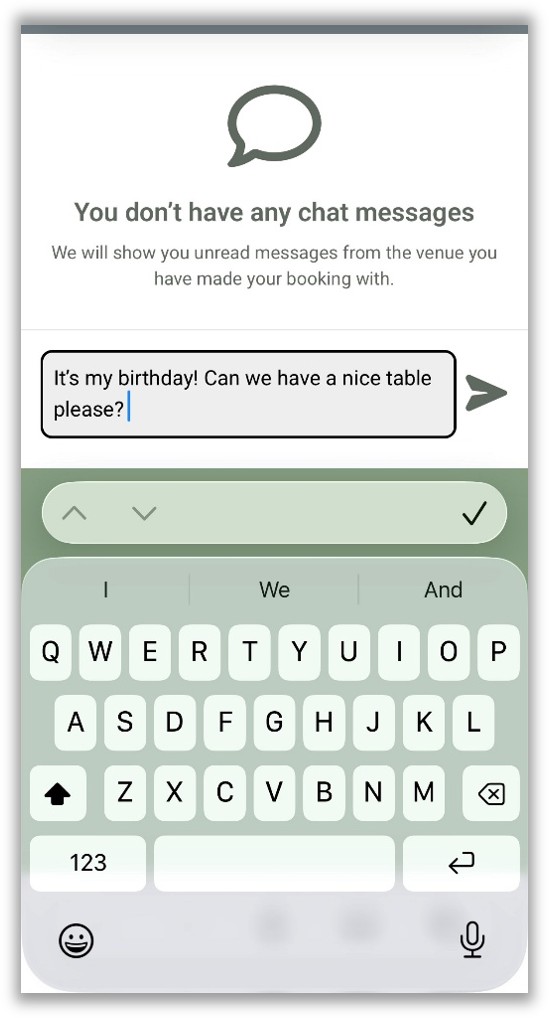
Built-in guest messaging gives guests a direct way to contact the venue and helps teams respond in real time. Because the feature is optional, venues can choose how they want to manage guest communication while keeping conversations easier to track.
7. Drive more revenue with extras and pre-orders
Guests can add extras and pre-orders directly through the portal, making it easier to personalise their visit before they arrive. From a bottle of prosecco to food options with specific choices, self-serve add-ons create a better guest experience and open up additional revenue opportunities for the venue.
8. A smoother experience for guests, and a simpler operation for teams
Guest Portal V2 brings together the tools guests expect and the controls venues need. By combining self-service, mobile-first design, brand flexibility, guest messaging and revenue-driving features, it helps create a smoother journey for guests and a more efficient operation for venue teams.
Where to get started?
To help you get started, reach out to your Account Representative who will put you in contact with our Customer Success team. They will be able to support you on making these changes and guide you through how best to implement these configuration changes.