Security & Permissions
Dimensions Reporting includes a wide range of reports covering different areas of the Zonal ecosystem. However, as not all businesses use every Zonal product, some reports may be irrelevant. Having all reports visible in the reporting module can be overwhelming, especially when many are not needed. Setting permissions for reports helps reduce unnecessary clutter by ensuring users only see the reports relevant to their role or area of responsibility.
Security & Permissions Topics
Report Permissions
Follow these steps to assign report permissions to job roles:
-
Select a Back of House Job Role
-
Click Assign Permissions
-
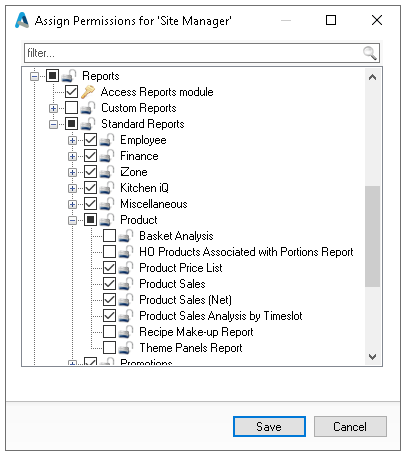
Expand Reports and Standard Reports
-
Make the required Report selections needed | click Save
-
Click Save
Location Permissions
The location permissions assigned when creating or managing head office users determine which sites they can access within reporting. The section drop down list will automatically reflect the sites included in each user’s assigned permissions.