Uber Eats
The following page describes the integration between Zonal Delivery and Uber Eats along with troubleshooting steps.
Uber Eats Topics
Integrating with Uber Eats
Follow these steps create an integration:
-
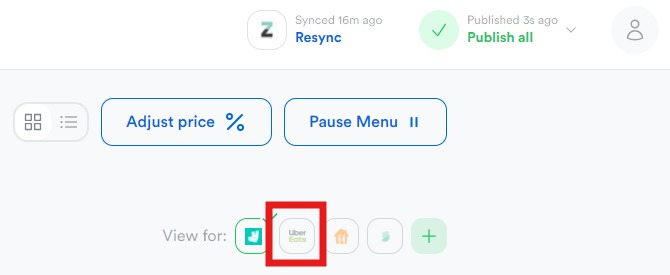
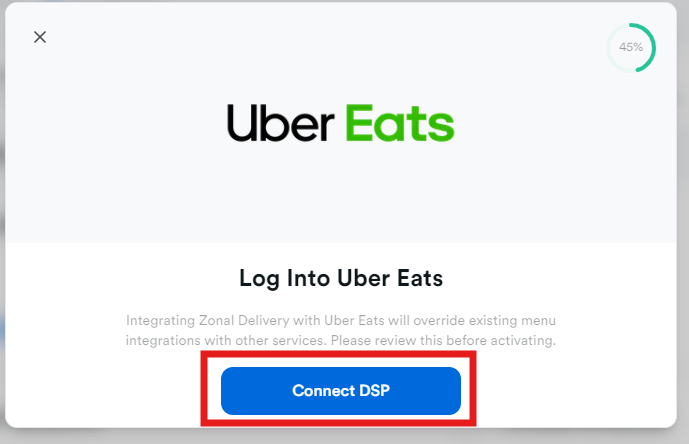
Click Uber Eats | and click Connect DSP
-
Log in to Uber Eats with the store details, and enable the integration
-
For each Aztec location (on left) select an Uber Eats location (on right) | select Continue
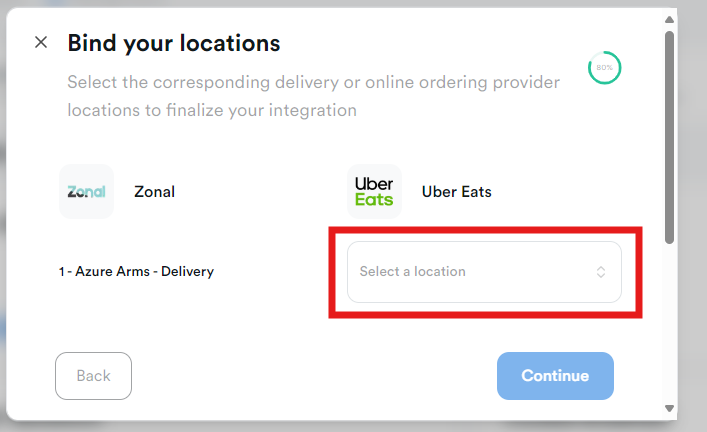
The integration is now complete, connect the menu to the DSP
Troubleshooting Guide
Issue: When trying to connect a menu or site to an Uber Eats location, the location isn't listed in the drop down.
Resolution:
-
Navigate to Profile → Settings → Locations & Integration
-
Under the Integrations header, select Uber Eats
-
Click Reconnect icon / delete button
You may be prompted to login to your Uber account that was used during the initial setup process -
Attempt to connect the menu or site to the Uber Eats location